Best White Noise Machines for Home Office Focus: 5 Picks
Compare five white noise machines for a home office by sound type, non-looping playback, portability, controls, privacy limits and safe volume habits.
What to know first
- A visible plan reduces the cost of deciding what comes next.
- Protect a small number of focused work blocks.
- A consistent shutdown ritual keeps work from filling the evening.
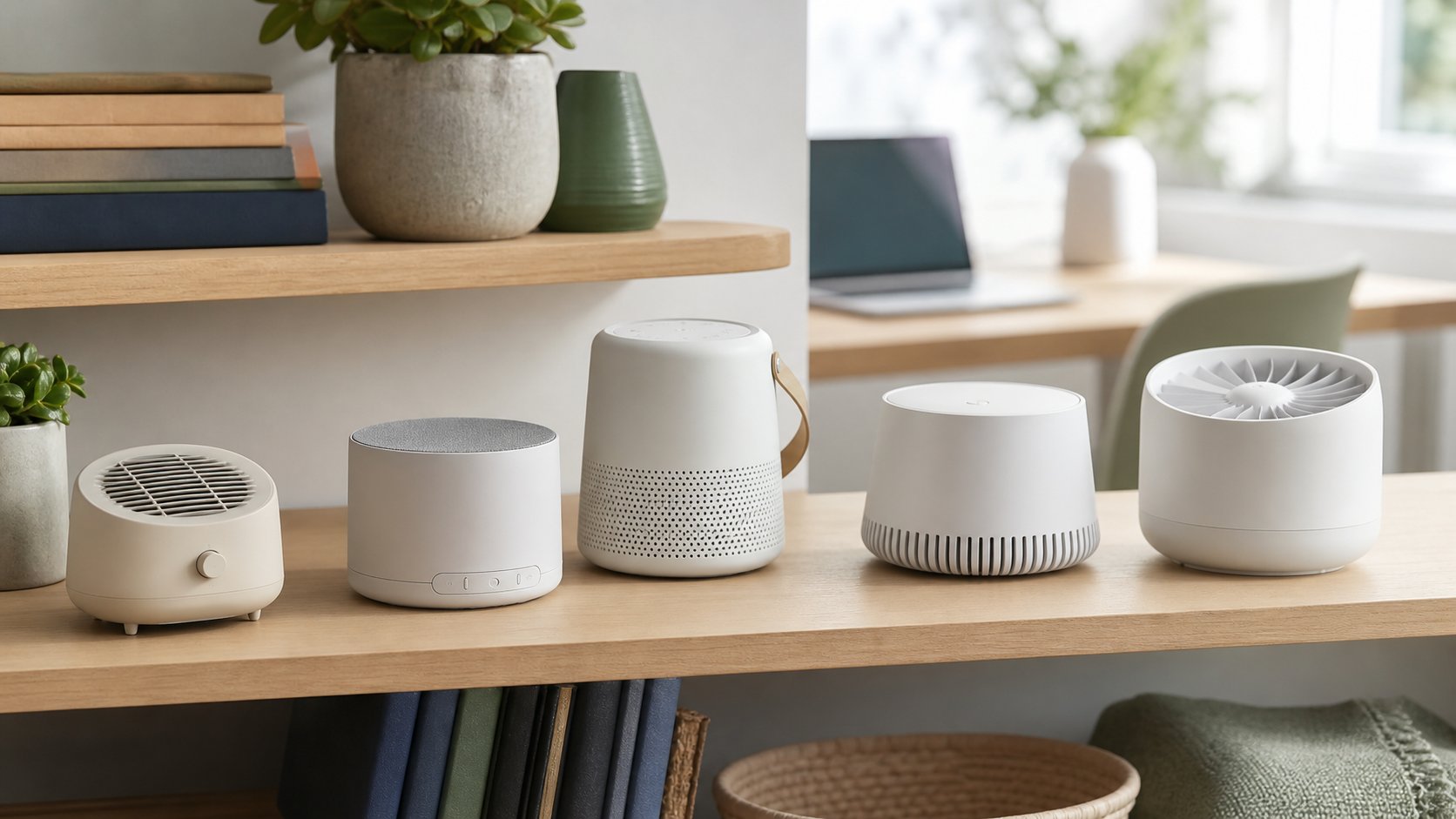
Yogasleep Dohm is the best simple mechanical option for natural fan sound, while LectroFan Classic offers the broadest straightforward digital noise selection. SNOOZ Pro combines a real fan with optional app scheduling, Sound+Sleep SE adapts output to changing room noise, and LectroFan Micro2+ is the most portable choice.
A sound machine masks intermittent distractions; it does not soundproof a room or make confidential speech secure. Start at the lowest effective volume, place the device between you and the disturbance when practical, and test your meeting microphone before leaving it on all day.
RemoteNest has not conducted acoustic or long-duration listening tests on these products. The shortlist compares current manufacturer features and five distinct use cases.
Quick comparison
| Machine | Sound method | Best for | Main trade-off |
|---|---|---|---|
| Yogasleep Dohm | Real internal fan | Simple natural fan sound | Plug-in and limited sound range |
| LectroFan Classic | Digital, non-looping | Many fan and noise colors | No battery or app |
| SNOOZ Pro | Real fan plus optional app | Scheduling and tone control | Premium price; app adds complexity |
| Sound+Sleep SE | Adaptive digital soundscapes | Changing environmental noise | Large control set and footprint |
| LectroFan Micro2+ | Rechargeable digital | Travel and temporary rooms | Small speaker and Bluetooth complexity |
1. Yogasleep Dohm: best simple mechanical machine
The Yogasleep Dohm uses an internal fan to create sound without blowing room air. It has two speed settings and an adjustable tone collar. Yogasleep lists a corded design for US and Canadian power.
Best for: a fixed desk where you want consistent fan sound without an app or recordings.
Strengths: physical controls, no looping audio and very simple operation.
Trade-offs: only fan-style sound, no battery and region-specific power. Mechanical parts can produce a different character than digital playback.
2. LectroFan Classic: best digital noise selection
The LectroFan Classic provides 20 digitally generated, non-looping options: ten fan sounds and ten white, pink and brown noise variations.
Best for: finding a specific frequency balance that covers voices, traffic or household sounds.
Strengths: broad noise choices, precise volume steps and no required phone.
Trade-offs: digital sound does not appeal to everyone, and the many similar choices can encourage unnecessary adjustment. It is a plug-in desktop unit rather than a portable battery model.
3. SNOOZ Pro: best real fan with scheduling
The SNOOZ Pro uses a real internal fan with adjustable tone and ten volume levels. Its optional app adds scheduling, fade controls and remote operation; the current Pro includes a travel case.
Best for: a user who likes mechanical fan sound but needs an automatic workday schedule.
Strengths: works without the app, natural non-looping sound and optional automation.
Trade-offs: higher cost and a wide published output range. Do not treat maximum volume as a target; measure and reduce output near the listener.
4. Sound+Sleep SE: best adaptive option
The Sound+Sleep SE offers 64 sound profiles and an adaptive mode that uses a microphone to respond to changes in the room. It also includes manual volume, timer, audio connections and USB charging ports.
Best for: a home office with irregular outside sounds rather than one constant hum.
Strengths: many sound categories, adaptive behavior and physical controls.
Trade-offs: more settings, larger footprint and a listening microphone used for level adjustment. Review product privacy behavior and disable adaptive mode if a fixed level is preferable.
5. LectroFan Micro2+: best portable machine
The LectroFan Micro2+ combines 11 built-in sound options with a rechargeable battery and Bluetooth speaker functions. The manufacturer lists four noise colors, five fan sounds and two surf sounds.
Best for: travel, coworking rooms and temporary desk locations.
Strengths: compact, rechargeable and usable as a separate speaker.
Trade-offs: Bluetooth pairing, small controls and a small speaker enclosure. Keep work calls disconnected from it unless the speakerphone behavior has been tested and approved.
White, pink and brown noise
These names describe how sound energy is distributed across frequencies—not product quality.
White noise
Contains equal energy per frequency and often sounds bright or hiss-like. It may cover high-frequency sounds but can feel sharp.
Pink noise
Reduces energy as frequency rises and usually sounds more balanced to listeners.
Brown noise
Emphasizes lower frequencies more strongly and sounds deeper. It is not named for a color of sound source and has no special medical status.
Fan sound
Mechanical or simulated airflow produces a shaped spectrum rather than one mathematically exact noise color.
Choose by the disturbance and comfort, not trend claims.
Place the machine near the noise path
A sound machine often works better between the listener and disturbance than directly beside the ears.
For example:
- Put it near the shared wall for neighbor voices.
- Place it toward a hallway or door for household interruptions.
- Keep it away from the meeting microphone.
- Avoid corners that exaggerate low frequencies.
- Leave ventilation openings clear.
Move the device in one-foot increments before increasing volume.
Use the lowest effective volume
NIOSH explains that repeated occupational exposure at 85 dBA averaged over eight hours is hazardous and that allowed exposure time decreases as sound rises. That limit is not a recommended office listening target.
For masking, use the quietest setting that makes the distraction less noticeable. A phone sound-level app can help compare positions, but it is not a calibrated compliance instrument.
Stop or reduce use if sound causes ringing, muffled hearing, discomfort, headache or the need to raise your voice at arm’s length. Seek professional advice for hearing concerns.
Test on video calls
Noise reduction in meeting software may treat a sound machine unpredictably. It can suppress the sound, pump the microphone level or make speech sound processed.
Run a private recording with:
- Machine off
- Machine at the intended position and low level
- Keyboard typing
- Normal speech
- Software noise suppression on and off
Ask a colleague whether the sound is distracting. Do not use louder masking to cover a poor microphone position.
Sound masking is not confidentiality
A machine can make words less distinct at a distance, but it does not guarantee speech privacy. Anyone near the speaker or on the other side of a thin wall may still understand a conversation.
For sensitive calls:
- Use an appropriate private room.
- Close doors and windows.
- Use a close microphone and headphones.
- Follow employer policy.
- Avoid discussing confidential information in shared public space.
Professional speech-privacy systems require room and acoustic design, not a consumer bedside machine.
Mechanical versus digital
Mechanical fan
Produces continuously varying airflow sound without an audio file. Tone options are usually limited, and a motor introduces wear.
Digital non-looping synthesis
Generates sound electronically without an obvious recording repeat. It provides many noise colors and smaller devices.
Recorded soundscape
Uses nature or environmental audio. Good designs avoid noticeable short loops, but birds, waves or melodies can capture attention during focused work.
For concentration, begin with steady fan, pink or brown noise before complex soundscapes.
App and network considerations
An app adds schedules and remote control but also permissions, updates and account questions.
Check:
- Whether the machine works without an account
- Bluetooth or Wi-Fi connection type
- Requested phone permissions
- Firmware update process
- Data deletion and support period
- Whether schedules survive an internet outage
A physical power and volume control makes recovery easier when software fails.
Run a five-day trial
Use the white noise office trial.
Day 1: identify the disturbance
Record when and where the unwanted sound occurs.
Day 2: placement
Use a low level near the noise path.
Day 3: sound type
Compare fan, pink and brown noise at similar perceived loudness.
Day 4: meetings
Test recordings and normal calls.
Day 5: no-machine comparison
Work one block without masking. Keep the device only if focus improves without new fatigue.
Common mistakes
Turning volume up before moving the device. Placement is the first control.
Using maximum output all day. Lowest effective volume is the goal.
Buying many nature sounds for focused work. Complexity can distract.
Assuming masking equals soundproofing. Structural noise still enters.
Putting the machine beside the call microphone. Test audio first.
Depending on an app for basic controls. Physical operation should remain easy.
Final recommendation
Choose Yogasleep Dohm for simple natural fan sound, LectroFan Classic for digital fan and noise variety, SNOOZ Pro for a schedulable real-fan system, Sound+Sleep SE for adaptive masking or LectroFan Micro2+ for travel.
Place the machine toward the noise source and use the lowest effective setting. The right device makes irregular sounds less salient without becoming the loudest object in the room or creating false confidence about conversation privacy.