Best Printers for a Home Office: 4 Practical Picks
Compare four home-office printers for monochrome documents, low-cost color, color laser output and general inkjet use, plus calculate ownership cost before buying.
What to know first
- Buy for your workflow and connection needs, not headline specifications.
- Reliability and warranty often matter more than a minor speed gain.
- Check compatibility before committing to an accessory.
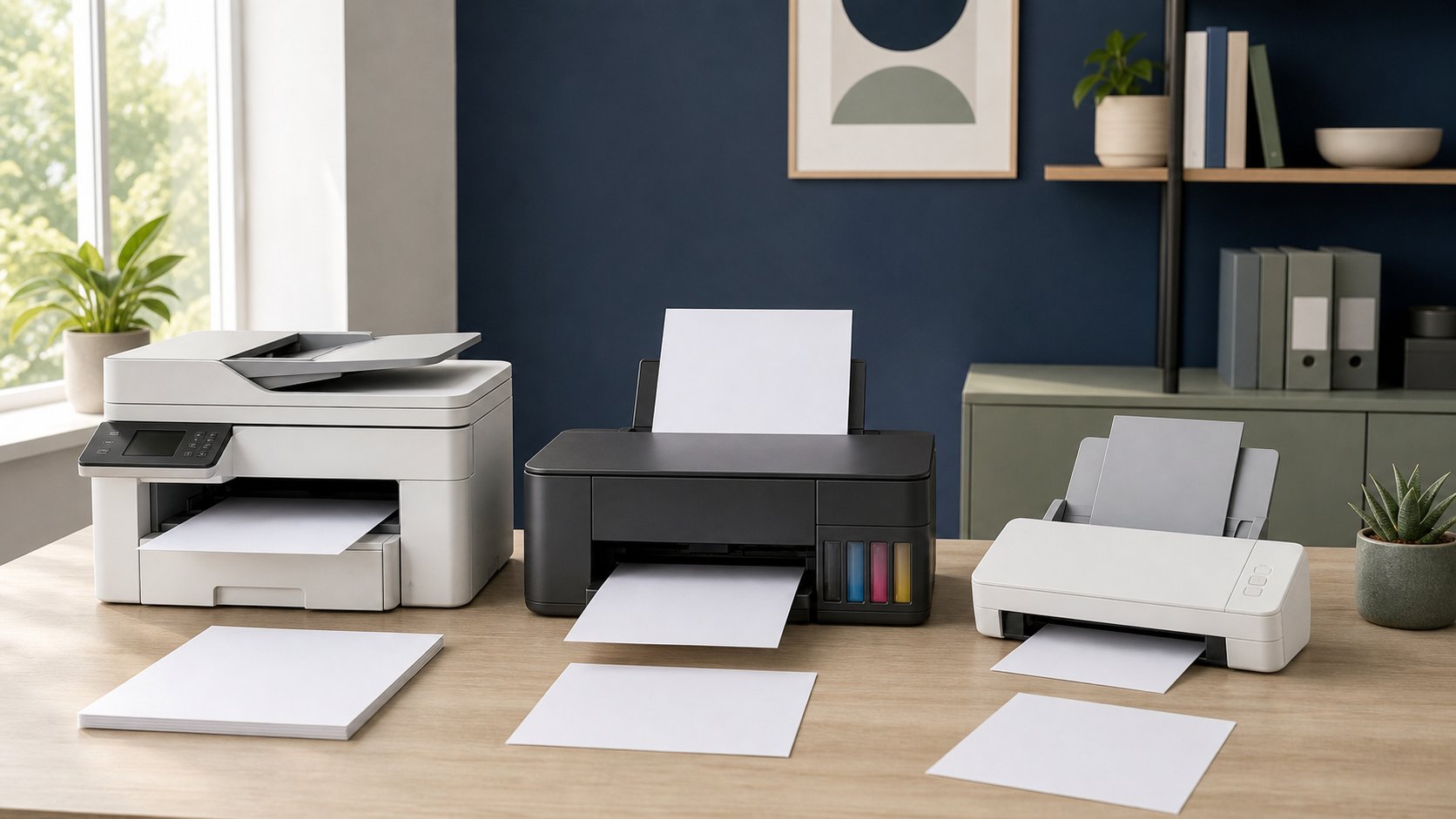
The Brother HL-L2460DW is the best straightforward printer for high-volume black-and-white documents. Epson EcoTank ET-4850 is the better fit for recurring color pages with refillable ink, Canon Color imageCLASS MF656Cdw serves users who need color laser output, and HP OfficeJet Pro 9125e is a capable cartridge all-in-one for mixed office tasks.
Do not buy on printer price alone. Estimate three years of ink or toner, drums and other maintenance using the yields for the exact cartridge and ISO test basis. RemoteNest has not independently tested speed, image quality, duty cycle or cartridge yield; the recommendations distinguish workflows using current manufacturer specifications.
Quick comparison
| Printer | Best for | Functions | Main trade-off |
|---|---|---|---|
| Brother HL-L2460DW | Monochrome documents | Print only | No scan, copy, fax or color |
| Epson EcoTank ET-4850 | Frequent mixed color | Print, scan, copy, fax | Inkjet needs regular use and care |
| Canon Color imageCLASS MF656Cdw | Color laser office work | Print, scan, copy, fax | Large, heavy and four consumables |
| HP OfficeJet Pro 9125e | General cartridge all-in-one | Print, scan, copy, fax | Cartridge economics and service terms |
Printer features, cartridges, subscriptions and region-specific model suffixes change. Confirm the exact product page and consumable numbers before ordering.
1. Brother HL-L2460DW: best monochrome document printer
The Brother HL-L2460DW is a print-only monochrome laser with automatic duplexing, a 250-sheet tray and wired Ethernet, dual-band Wi-Fi and USB interfaces. Brother publishes speeds up to 36 pages per minute for the current US model.
Best for: contracts, drafts, shipping paperwork and text-heavy work that rarely needs color.
Strengths: focused feature set, generous paper tray, automatic two-sided output and network choices.
Trade-offs: no scanner, copier, fax or color. Toner is not the only lifetime consumable; check drum yield and replacement price.
2. Epson EcoTank ET-4850: best refillable color all-in-one
The Epson EcoTank ET-4850 is a four-function inkjet with refillable tanks, automatic document feeder, automatic two-sided printing, Ethernet and a 250-sheet paper tray.
Best for: recurring color documents and households willing to print often enough to keep an inkjet maintained.
Strengths: high-yield bottled ink, visible tank levels and broad all-in-one functions.
Trade-offs: refill handling, printhead maintenance and slower office-document speeds than many laser devices. Long idle periods can be harder on inkjet systems than steady use.
3. Canon Color imageCLASS MF656Cdw: best color laser all-in-one
The Canon Color imageCLASS MF656Cdw is a color laser all-in-one with print, scan, copy and fax functions, an automatic document feeder and wired and wireless networking. Canon lists up to 22 pages per minute for letter-size output.
Best for: color business documents, multi-page scanning and users who prefer toner to liquid ink.
Strengths: color laser output, broad document handling and business-oriented network features.
Trade-offs: substantial size and weight, four toner supplies and higher energy use during active printing than many inkjets. Verify whether replacement cartridges include all needed components.
4. HP OfficeJet Pro 9125e: best cartridge-based generalist
The HP OfficeJet Pro 9125e specification sheet lists automatic duplex printing, an automatic document feeder, Ethernet, Wi-Fi and USB for this color inkjet all-in-one.
Best for: mixed home-office scanning and color printing where the buyer wants a conventional cartridge system.
Strengths: compact all-in-one workflow, broad connectivity and useful document handling.
Trade-offs: cartridge cost, firmware and service/account terms. Read the exact “e” model conditions, optional subscription terms and dynamic-security notices before purchase. A subscription can be convenient, but it changes cancellation and cartridge-use rules.
Start with your page mix
Record one normal month rather than guessing:
- Black text pages
- Color office pages
- Photos
- Envelopes or labels
- Multi-page scans
- Copies
- Days with no printing
A student printing color assignments has a different cost profile from a consultant producing 500 black text pages. A printer that is economical at 1,000 pages per month may be unnecessary at 20.
Laser versus inkjet
Monochrome laser
Best for consistent text volume, quick first office pages and long periods between color needs. Toner does not dry like liquid ink, but drums, fusers and transfer components can be consumables.
Color laser
Best for charts, proposals and stable office color. It is not automatically best for borderless photos. Four cartridges and other components make purchase price a poor proxy for ownership cost.
Cartridge inkjet
Best for mixed color and photo-capable flexibility at moderate hardware cost. Small cartridges can produce a high cost per page.
Ink-tank inkjet
Best for users who print enough color to justify higher initial cost and can maintain regular use. Refilling is economical only if the printer remains reliable for the planned period.
Calculate cost per page correctly
Use the manufacturer’s replacement consumable—not the starter supply—for comparison.
Black cost per page = black cartridge price ÷ published black yield
Color set cost per page = total cyan, magenta and yellow price ÷ published composite color yield
Then add:
- Drum
- Waste-toner container
- Maintenance box
- Printhead where user-replaceable
- Paper
- Subscription
- Delivery
Published ISO yields are standardized comparison estimates, not guarantees. Actual coverage, cleaning cycles, duplexing, temperature and job size change consumption.
Download the printer cost comparison worksheet to model three years instead of comparing shelf prices.
Check paper handling
A 250-sheet tray is useful only if it accepts the paper you use. Confirm:
- Supported sizes and weights
- Envelope feed path
- Label compatibility
- Automatic duplex limits
- Borderless options
- Rear or multipurpose tray
- Output-bin capacity
Never run labels intended for inkjet through a laser printer. Adhesive failure can damage the fuser. Use media explicitly compatible with the printer technology and settings.
ADF and duplex scanning are not the same
An automatic document feeder moves a stack through the scanner. It does not necessarily scan both sides automatically in one pass.
Check the exact wording:
- Single-sided ADF
- Reversing duplex ADF
- Single-pass duplex ADF
- Manual two-sided scan
If scanning is central, test skew, mixed paper sizes, searchable PDF workflow and destination options during the return period.
Connectivity choices
USB
Simple for one nearby computer, but USB availability and cable are model-specific.
Ethernet
Stable for a fixed shared printer and easier to place on a controlled network segment.
Wi-Fi
Convenient but dependent on wireless setup, band support and router configuration.
Wi-Fi Direct
Can connect devices without the main network, but creates another wireless path that should be disabled if not needed.
Use one primary connection method first. Installing every vendor utility on every device makes troubleshooting harder.
Printer security for remote work
A printer is a networked computer with storage, firmware and services.
- Change default administrator credentials.
- Install current firmware from the manufacturer.
- Disable unused protocols and Wi-Fi Direct.
- Restrict remote administration.
- Use a trusted local network, not public forwarding.
- Review scan-to-email and cloud destinations.
- Clear stored address books and jobs before disposal.
- Follow employer requirements for confidential documents.
Do not expose a printer’s web interface directly to the internet. For company-managed work, ask IT which models and print paths are approved.
Subscription and account questions
Before accepting an ink plan or cloud setup, ask:
- Is an account required to print locally?
- Are supplied cartridges usable after cancellation?
- How is page count measured?
- What happens during an internet outage?
- Does unused allowance roll over?
- Can retail cartridges be installed?
- How is billing data removed?
Save the terms in effect when you enroll. A low introductory rate is not the complete operating model.
Five-year maintenance reality
Check the availability and price of:
- High-yield cartridges or bottles
- Drum and fuser parts
- Waste containers or maintenance boxes
- Pickup rollers
- Scanner rollers
- Manufacturer drivers
- Mobile apps
- Firmware updates
User-replaceable parts can extend service life. A cheap device with unavailable consumables is expensive.
Common buying mistakes
Choosing color “just in case.” Outsourcing rare color pages may be cheaper.
Ignoring starter yields. Included toner or ink can be lower capacity.
Assuming every ADF scans two-sided originals. Verify the scan path.
Comparing maximum speed only. First-page time and small jobs matter at home.
Forgetting physical size. Open trays and rear access increase the footprint.
Leaving network defaults enabled. Harden the printer before client work.
Buying third-party supplies immediately. Quality, warranty and firmware compatibility vary.
Final recommendation
Choose Brother HL-L2460DW for dependable black-and-white documents, Epson ET-4850 for recurring low-cost color and broad functions, Canon MF656Cdw for color laser office output or HP OfficeJet Pro 9125e for a conventional cartridge all-in-one.
Count real monthly pages, compare replacement yields and include every maintenance item. The best home-office printer is the least complicated device that handles your actual paper and scanning workflow at a transparent three-year cost.