Best Wi-Fi Routers for a Home Office: 6 Picks for 2026
Compare six Wi-Fi routers for home offices, from affordable Wi-Fi 7 to simple mesh and advanced networks, plus placement, security and compatibility checks.
What to know first
- Buy for your workflow and connection needs, not headline specifications.
- Reliability and warranty often matter more than a minor speed gain.
- Check compatibility before committing to an accessory.
The best Wi-Fi router for a home office is the one that provides stable coverage at the desk, current security updates and enough wired capacity for your internet plan. A premium Wi-Fi 7 router cannot fix a poor modem signal, bad placement or an overloaded provider connection.
Our six picks cover affordable standalone routers, tri-band Wi-Fi 7, simple mesh and advanced network control. Specifications, features and subscriptions vary by country and hardware revision. Verify the exact regional model and current support policy before buying.
Quick picks
| Use case | Pick | Key reason |
|---|---|---|
| Best budget Wi-Fi 7 | ASUS RT-BE58U | Useful controls, 2.5GbE and expandable mesh |
| Best value tri-band Wi-Fi 7 | TP-Link Archer BE550 | 6 GHz plus five 2.5GbE ports |
| Best mainstream alternative | Netgear Nighthawk RS300 | Tri-band Wi-Fi 7 and clear multi-gig port mix |
| Best simple mesh | eero Pro 7 | Easy tri-band mesh with two 5GbE ports |
| Best advanced small-office router | Ubiquiti Dream Router 7 | VLANs, security controls, PoE and UniFi management |
| Best premium standalone | ASUS RT-BE96U | High-end tri-band radio and 10GbE connectivity |
This shortlist is based on current specifications and use cases, not a claim that we personally lab-tested every router.
1. ASUS RT-BE58U: best budget Wi-Fi 7
The RT-BE58U is a dual-band Wi-Fi 7 router with 2.4 and 5 GHz radios, a 2.5GbE WAN/LAN port, Gigabit LAN, USB, AiMesh and extensive configuration options.
Best for: apartments and moderate-size homes with internet at or below 2.5Gbps and no need for 6 GHz.
Strengths: affordable entry to Wi-Fi 7 features, expandable ASUS mesh, VPN options and network segmentation features.
Trade-offs: no 6GHz band, and only one 2.5GbE port means a multi-gig internet connection may leave no second multi-gig wired path.
Review the regional ASUS RT-BE58U specifications because radio and service features can vary.
2. TP-Link Archer BE550: best value tri-band Wi-Fi 7
The Archer BE550 adds a 6GHz band and provides one 2.5GbE WAN plus four 2.5GbE LAN ports.
Best for: a home office with several multi-gig wired devices, nearby Wi-Fi 6E or Wi-Fi 7 clients and a need for strong value.
Strengths: tri-band Wi-Fi 7, broad 2.5GbE connectivity, EasyMesh compatibility and USB storage functions.
Trade-offs: advanced security and parental features may involve account or subscription considerations. Six-gigahertz coverage drops faster through walls than lower bands.
TP-Link lists the current Archer BE550 port and radio details. Check the hardware version printed on the product.
3. Netgear Nighthawk RS300: best mainstream alternative
The RS300 is a tri-band Wi-Fi 7 router with 2.4, 5 and 6GHz radios, a 2.5GbE internet port, two 2.5GbE LAN ports and two Gigabit LAN ports.
Best for: a fast single-router home that wants a polished mainstream option and multiple wired office devices.
Strengths: clear multi-gig port allocation, 6GHz support and automatic firmware updates.
Trade-offs: some security or parental-control services may require a subscription after a trial. Claimed coverage is not a guarantee through your walls.
See Netgear’s RS300 specifications for current regional coverage and service details.
4. eero Pro 7: best simple mesh
The eero Pro 7 is a tri-band Wi-Fi 7 mesh router with 2.4, 5 and 6GHz radios plus two auto-sensing 5GbE ports per unit.
Best for: a larger or awkward home where easy mesh deployment matters more than detailed manual controls.
Strengths: simple app management, Ethernet backhaul support and straightforward expansion.
Trade-offs: cloud-linked administration and a smaller set of advanced controls than enthusiast platforms. Some features require a subscription.
One unit may be enough. Do not buy a three-pack before testing placement. Eero documents the Pro 7 hardware and coverage.
5. Ubiquiti Dream Router 7: best advanced small-office router
The Dream Router 7 combines a Wi-Fi 7 access point, UniFi gateway, 2.5GbE switch, one PoE port, 10G SFP+ and optional UniFi applications.
Best for: advanced users or small offices that need VLANs, multiple networks, VPN routing, traffic visibility and expansion to managed access points.
Strengths: deep network controls, integrated controller, policy-based routing and an ecosystem for switches, cameras and access points.
Trade-offs: more configuration responsibility, 2×2 radio design and a feature set that is unnecessary for a basic apartment network.
The official UDR7 specifications list current application and throughput limits.
6. ASUS RT-BE96U: best premium standalone
The RT-BE96U is a high-end tri-band Wi-Fi 7 router with 6GHz support, 320MHz channels, multi-gig and 10GbE connectivity, AiMesh and advanced controls.
Best for: very fast fiber, local storage, multiple multi-gig wired devices and users who will configure advanced features.
Strengths: high-capacity radio platform, fast wired paths and no need to replace the router when adding compatible AiMesh nodes.
Trade-offs: high price, large physical design and capabilities that most internet plans and client devices cannot use.
Do not buy combined theoretical wireless speed as if one laptop will receive it. Client radio design, distance, channel width and interference set the actual link.
Do you need Wi-Fi 7?
Wi-Fi 7 adds capabilities such as Multi-Link Operation, 320MHz channels on 6GHz and improved spectrum use. Benefits require compatible clients and regional availability.
Wi-Fi 6 remains adequate when:
- Internet is below 1Gbps.
- Current coverage is stable.
- Most clients use Wi-Fi 5 or 6.
- No local multi-gig transfers occur.
- Security updates remain available.
Upgrade because coverage, reliability, ports or support are inadequate—not only because the standard number changed.
Standalone router or mesh?
Standalone router
Best for apartments, open floor plans and homes where one central location reaches the office.
Advantages: lower cost, simpler radio coordination and fewer nodes.
Mesh system
Best for multiple floors, long layouts and walls that block one router.
Advantages: distributed coverage and coordinated roaming.
Trade-offs: wireless backhaul consumes airtime and poor node placement repeats a weak signal.
Use wired Ethernet backhaul when practical. A mesh node needs a strong connection to the main router; placing it inside the dead zone is too late.
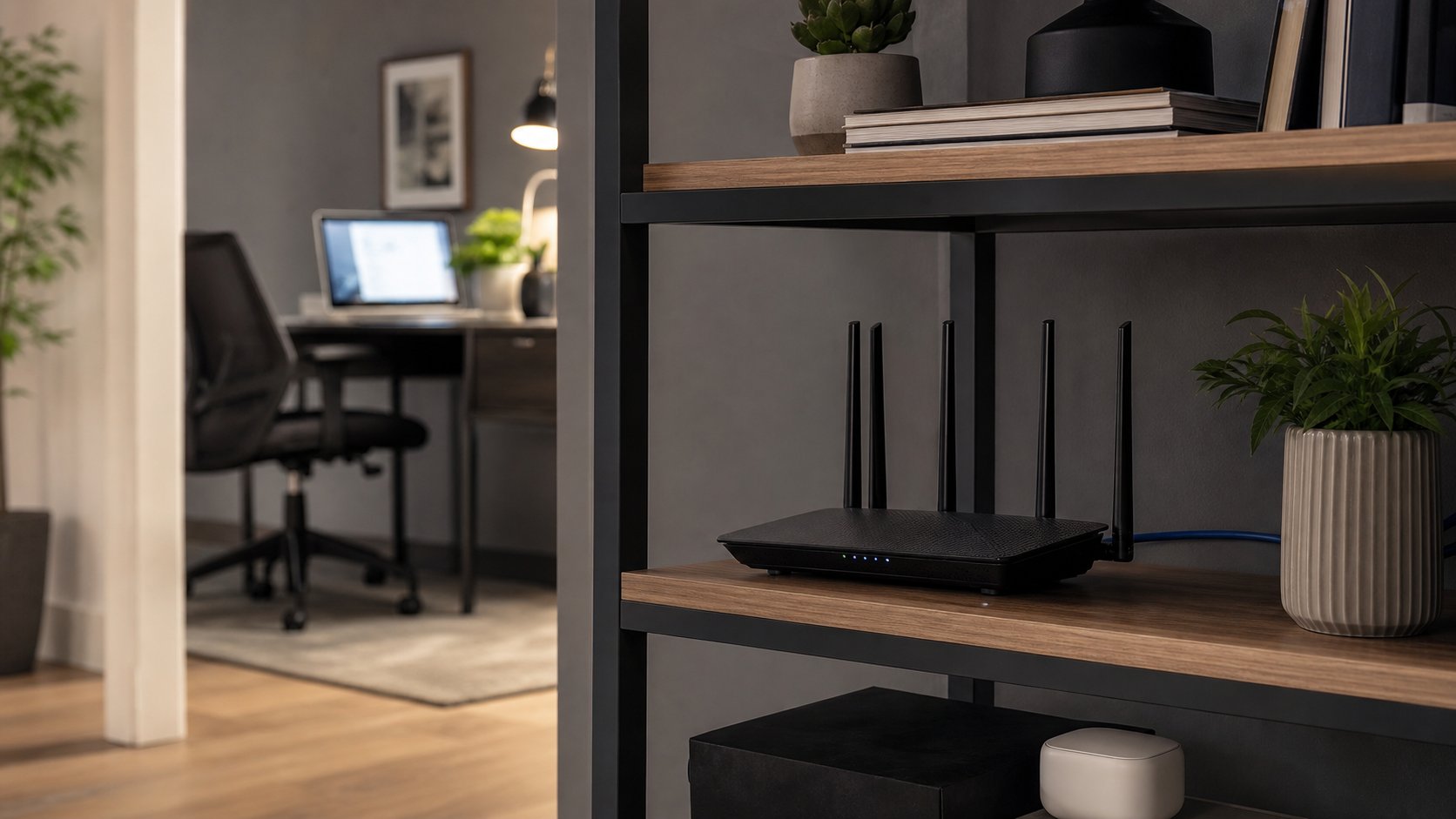
Router placement matters more than a speed label
Place the router:
- In the open
- Above floor level
- Near the center of the covered area
- Away from metal cabinets
- Away from large appliances and dense obstruction
- With ventilation clear
- Close enough to wire critical office equipment
Do not hide it inside a closed media cabinet for appearance.
Test the office with the door in its normal position. A hallway result does not represent the desk.
Wire the work computer when possible
Ethernet provides predictable latency and removes one wireless hop.
For a permanent desk, consider wiring:
- Main work computer or dock
- Network-attached storage
- Primary mesh nodes
- Video-call room equipment
- Printer when reliable network printing matters
A 1GbE cable is enough for many internet plans. Multi-gig ports matter when both ends and the cable path support the speed.
Understand router speed claims
A BE9300 or similar label adds theoretical maximum rates across bands. It is not the speed one device will receive.
Real performance depends on:
- Client antenna count
- Channel width
- Distance
- Walls
- Interference
- Regional power limits
- Wired backhaul
- Internet service
- Router load
Measure internet speed beside the router and at the office. Then test a local wired-to-wireless transfer if local network performance matters.
Security checklist
- Install current firmware.
- Change the administrator password.
- Use WPA3 where client support permits, or an appropriate transition mode.
- Disable remote administration unless needed and secured.
- Review UPnP requirements.
- Create a guest or IoT network where useful.
- Remove unused port forwards.
- Back up the configuration securely.
- Replace routers no longer receiving security updates.
- Follow employer rules for work devices and VPNs.
A work VPN does not replace router updates or secure Wi-Fi.
Video-call troubleshooting
Calls freeze but speed tests look fast
Check latency, packet loss and upload saturation. Cloud backup or camera uploads can fill the upstream connection.
Office signal is weak
Move the router, wire the desk or add a well-placed access point. Do not immediately add an extender in the weakest spot.
Router reboots
Check ventilation, power supply, firmware and electrical stability. Replace a failing adapter only with an approved specification.
Older devices disconnect
Review band steering, WPA mode and channel settings. Keep security strong while using a separate compatible network if the platform supports it.
Wi-Fi is good but internet is down
Test modem or fiber terminal status and provider service. A new router cannot restore an upstream outage.
Use the offline work plan for continuity.
What to check before buying
- Internet-plan speed
- Home size and construction
- Router placement options
- Number of wired ports
- Need for 2.5 or 10GbE
- Wi-Fi generations of key clients
- Mesh and wired-backhaul support
- Security-update history
- Subscription-gated features
- Local warranty and support
- ISP modem or authentication requirements
Avoid replacing the provider gateway until you understand bridge mode, telephone service and support implications.
Final recommendation
Choose ASUS RT-BE58U for affordable controls in a smaller home, TP-Link Archer BE550 for tri-band value and broad 2.5GbE, eero Pro 7 for simple mesh, or Ubiquiti Dream Router 7 for advanced network management.
Place the router well, wire the primary desk when possible and secure the administration account. Reliable remote work depends more on consistent coverage and low packet loss than the largest number printed on the box.