UPS Battery Backup for a Home Office: Sizing and Best Picks
Choose a UPS battery backup for your home office with six practical picks, a watts-and-VA sizing method, runtime guidance, safe installation and outage planning.
What to know first
- Buy for your workflow and connection needs, not headline specifications.
- Reliability and warranty often matter more than a minor speed gain.
- Check compatibility before committing to an accessory.
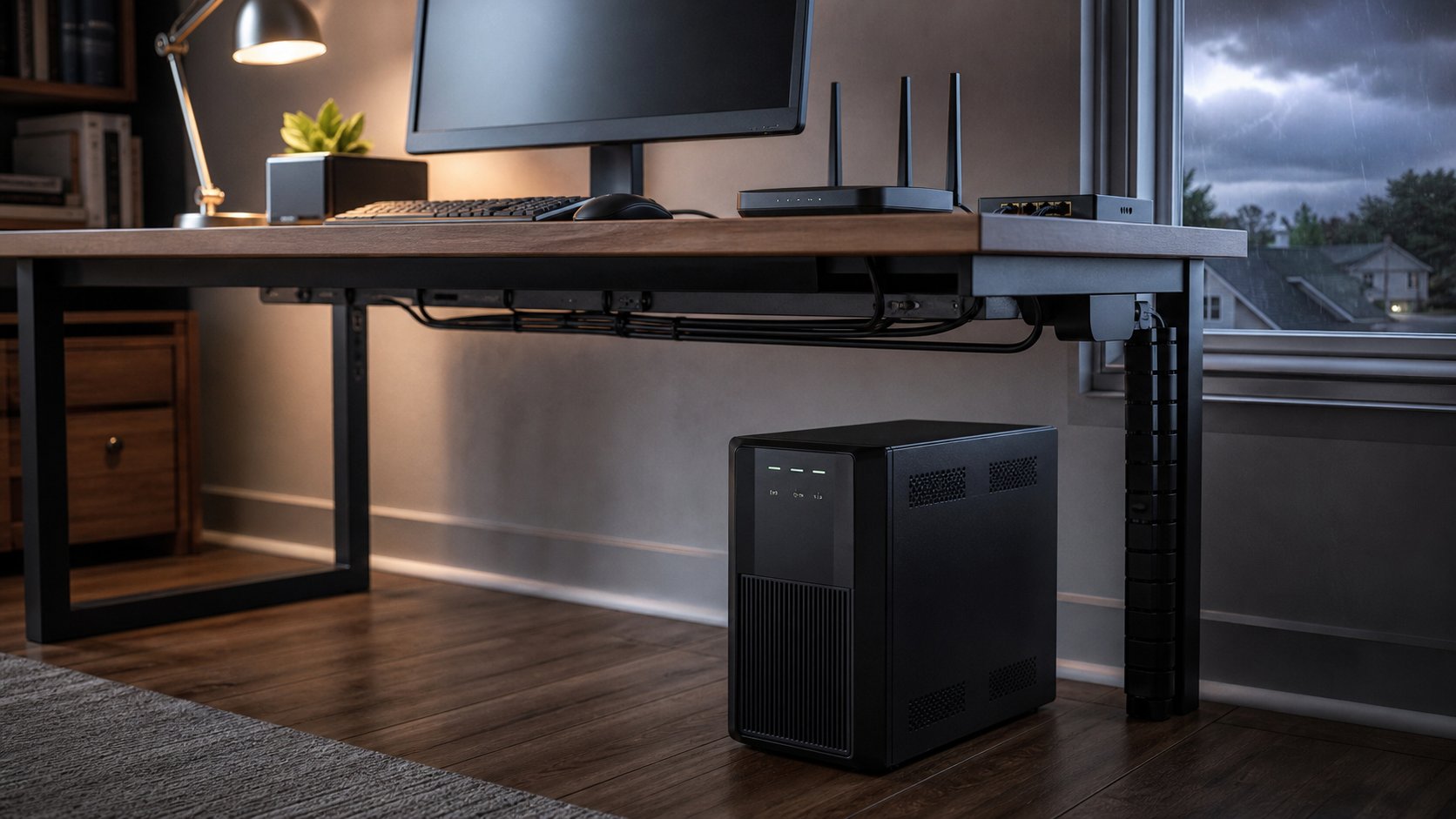
A UPS battery backup for a home office gives you minutes—not hours—to save work, keep networking online briefly and shut equipment down safely. Choose it from the actual watt load, required runtime, waveform, outlet type and local electrical system.
For many laptop-based offices, backing up the router and network equipment provides more useful runtime than putting every desk accessory on battery. Desktop computers and network-attached storage need enough capacity plus automatic-shutdown support.
The product examples below use current North American models to explain common tiers. Outlet, voltage, frequency and model names differ by country. Buy only a version approved for your local electrical system.
Quick picks
| Use case | Example model | Capacity and type |
|---|---|---|
| Best pure-sine desktop option | CyberPower CP1500PFCLCD | 1500VA / 1000W, line-interactive |
| Best APC pure-sine alternative | APC Back-UPS Pro BR1500MS2 | 1500VA / 900W, line-interactive |
| Best network and small-computer tier | CyberPower CP900AVR | 900VA / 560W, simulated sine wave |
| Best slim general office unit | Eaton 5S1500LCD | 1500VA / 900W, line-interactive |
| Best network-storage option | Eaton 5SC1000 | 1000VA / 700W, sine wave |
| Best basic router/laptop companion | APC Back-UPS BE850G2 | 850VA class, compact standby backup |
Verify current specifications and availability on the regional manufacturer page. Runtime varies sharply with load.
1. CyberPower CP1500PFCLCD: best pure-sine desktop option
The CP1500PFCLCD is a 1500VA/1000W line-interactive UPS with sine-wave battery output, automatic voltage regulation, an LCD and USB communication.
Best for: desktop PCs with active power-factor-corrected supplies, monitor, router and selected storage.
Strengths: relatively high watt capacity, sine-wave output and automatic-shutdown support.
Trade-offs: heavy lead-acid battery, audible alarms and short runtime near full load.
CyberPower lists only a few minutes at full load and longer at half load. Use the manufacturer’s CP1500PFCLCD specifications and runtime chart for your expected load.
2. APC Back-UPS Pro BR1500MS2: best APC sine-wave alternative
The BR1500MS2 provides 1500VA/900W capacity, sine-wave battery output, automatic voltage regulation, LCD status, USB shutdown communication and a user-replaceable battery.
Best for: a desktop workstation or small network setup that benefits from a pure sine wave and mature shutdown software.
Strengths: replaceable battery, status display and six battery-backed outlets in the North American model.
Trade-offs: 900W output ceiling and a long full recharge period after a deep discharge.
Check APC’s BR1500MS2 data for regional availability and replacement battery.
3. CyberPower CP900AVR: best midrange value
The CP900AVR is a 900VA/560W line-interactive unit with automatic voltage regulation and simulated sine-wave battery output.
Best for: router, modem, monitor and a modest computer whose manufacturer permits the waveform.
Strengths: useful middle capacity, USB communication and replaceable battery.
Trade-offs: simulated waveform may not suit every device. Confirm compatibility, especially for sensitive power supplies or motor loads.
CyberPower publishes a CP900AVR runtime and load table. Do not size from VA alone.
4. Eaton 5S1500LCD: best slim general office unit
The Eaton 5S1500LCD combines 1500VA/900W capacity, a line-interactive design, LCD information, USB communication and a relatively narrow tower body.
Best for: a conventional home office needing a stable tower footprint and broad outlet count.
Strengths: automatic voltage regulation, user interface and reputable office-power platform.
Trade-offs: check regional waveform specification and socket arrangement; the same family differs by market.
Eaton’s 5S1500LCD specifications list the electrical and environmental limits.
5. Eaton 5SC1000: best for network storage
The 5SC1000 family provides 1000VA/700W capacity with sine-wave output, line-interactive voltage regulation and USB communication in region-specific versions.
Best for: a NAS, small server, workstation or network equipment that needs clean battery output and graceful shutdown.
Strengths: sine wave, management support and a model range available for different electrical systems.
Trade-offs: higher cost than basic standby units and only brief runtime at high load.
Confirm the exact regional input and outlet version on Eaton’s 5SC UPS page.
6. APC Back-UPS BE850G2: best basic router and laptop companion
The BE850G2 is a compact 850VA-class backup with battery and surge outlets plus USB charging in supported markets.
Best for: network equipment, a laptop charger, small monitor and other low-power office electronics.
Strengths: compact format and straightforward protection.
Trade-offs: not the right choice for a high-draw desktop or equipment requiring pure sine-wave output.
Use the model’s regional watt rating and runtime graph—not the “850VA” name alone—to calculate fit. See the APC BE850G2 product page.
How to size a UPS
Step 1: decide what must stay on
Battery-back up only equipment needed to save work, preserve connectivity or shut down safely:
- Computer or laptop charger
- Primary monitor
- Router and modem or fiber terminal
- Network switch
- NAS or external storage that needs shutdown
- VoIP equipment if required
Put printers, heaters, shredders, lamps, vacuum cleaners and other high-draw or motor loads elsewhere unless the UPS manufacturer explicitly approves them. Laser printers can have large startup surges and generally should not use battery-backed outlets.
Step 2: measure or estimate watts
Use a plug-in power meter when it is approved for the load and local system. Otherwise add reliable manufacturer watt figures for normal and peak use.
A power supply’s maximum rating is not the same as actual consumption, but it can provide a conservative ceiling.
Step 3: check both watts and VA
A UPS has a watt limit and a VA limit. Neither may be exceeded.
APC’s current UPS sizing guide recommends watt capacity about 20–30 percent above expected load to provide headroom.
Example:
- Desktop during heavy work: 280W
- Monitor: 35W
- Router and fiber terminal: 25W
- NAS: 45W
- Total: 385W
- With 25 percent headroom: approximately 481W
Select a UPS whose watt capacity and VA capacity both exceed the requirement, then check runtime at roughly 385W on the manufacturer’s chart.
Step 4: choose runtime
A UPS is normally for:
- Bridging a brief interruption
- Saving work
- Keeping a call online long enough to communicate
- Triggering automatic shutdown
Five to fifteen minutes may be adequate for a desktop. A router at 20W can run much longer on the same battery than a workstation at 400W.
Do not infer runtime from VA. Use a load-specific graph.
Standby, line-interactive and online
Standby
The equipment normally runs from utility power and transfers to battery during an outage. It is economical for low-risk home electronics.
Line-interactive
Adds automatic voltage regulation, correcting some fluctuations without using the battery. This is the practical home-office default in areas with voltage variation.
Online double-conversion
Continuously converts power and provides strong isolation with no normal transfer time. It costs more, uses more energy and may make more noise. It is usually unnecessary for an ordinary home desk but appropriate for specific critical equipment.
Sine wave vs simulated sine wave
A pure-sine UPS produces a smoother battery waveform and offers wider compatibility with active-PFC computer power supplies, servers, NAS devices and some sensitive equipment.
A simulated or stepped approximation can work with many ordinary computers and network devices at lower cost.
Check equipment manufacturer guidance. If one device drops while others remain powered during a test, waveform incompatibility is one possible cause.
Never connect a device prohibited by the UPS instructions simply because its average wattage appears low.
Protect the internet connection
A laptop battery keeps the computer alive, but the call still ends if the router loses power.
Identify the whole path:
- Modem or fiber optical network terminal
- Router
- Mesh node required for the office
- Network switch
- VoIP adapter
Back up only the necessary nodes. The provider’s neighborhood equipment may also lose power, so local backup cannot guarantee internet service.
A mobile hotspot can be a separate contingency when coverage, plan limits and employer security policy permit it.
Install the UPS safely
- Plug it into the grounded wall outlet specified by the manufacturer.
- Do not connect one UPS to another.
- Do not use an extension cord or power strip unless the manufacturer and local code allow that exact arrangement.
- Keep vents clear.
- Leave access to the power button and plug.
- Keep away from water, direct heat and children’s play areas.
- Do not place the heavy unit on an unstable shelf.
- Protect cables from chair casters.
- Follow the stated temperature and humidity range.
A UPS contains substantial stored energy. Stop using a unit that swells, leaks, smells unusual, becomes excessively hot or shows physical damage.
Configure automatic shutdown
Connect the UPS communication cable to the computer or NAS and install only current manufacturer-approved software.
Set shutdown to occur with enough battery remaining to finish safely. Test configuration without risking active work or data.
For a NAS, confirm the UPS communication method, supported model list and behavior after power returns.
Test and maintain it
Monthly
Review status indicators, load percentage and alarms. Keep vents clear.
Every few months
Run the manufacturer’s self-test. Do not pull the wall plug as an improvised test unless instructions explicitly say to do so.
Annually
Review expected runtime and connected equipment. New monitors or computers may exceed the original plan.
At battery warning
Replace with the specified battery or replace the UPS according to manufacturer guidance. Lead-acid batteries commonly need replacement after several years, with heat and cycling shortening life.
Recycle batteries through an approved local program. Do not place them in household waste.
Final recommendation
Use a pure-sine 1500VA-class model such as CyberPower CP1500PFCLCD or APC BR1500MS2 for a substantial desktop setup. Choose a smaller unit for networking and laptop continuity when load calculations support it. Consider Eaton 5SC for compatible network storage or small-server use.
List only essential devices, calculate watts with headroom, check VA and read the runtime chart at your actual load. The best UPS is not the largest box under the desk; it is the one that gives your specific equipment enough time to continue briefly or shut down safely.