Best Microphones for Remote Work and Video Calls
Compare six USB microphones for untreated rooms, shared desks and polished presentations, then improve placement, gain and conferencing settings before upgrading.
What to know first
- Buy for your workflow and connection needs, not headline specifications.
- Reliability and warranty often matter more than a minor speed gain.
- Check compatibility before committing to an accessory.
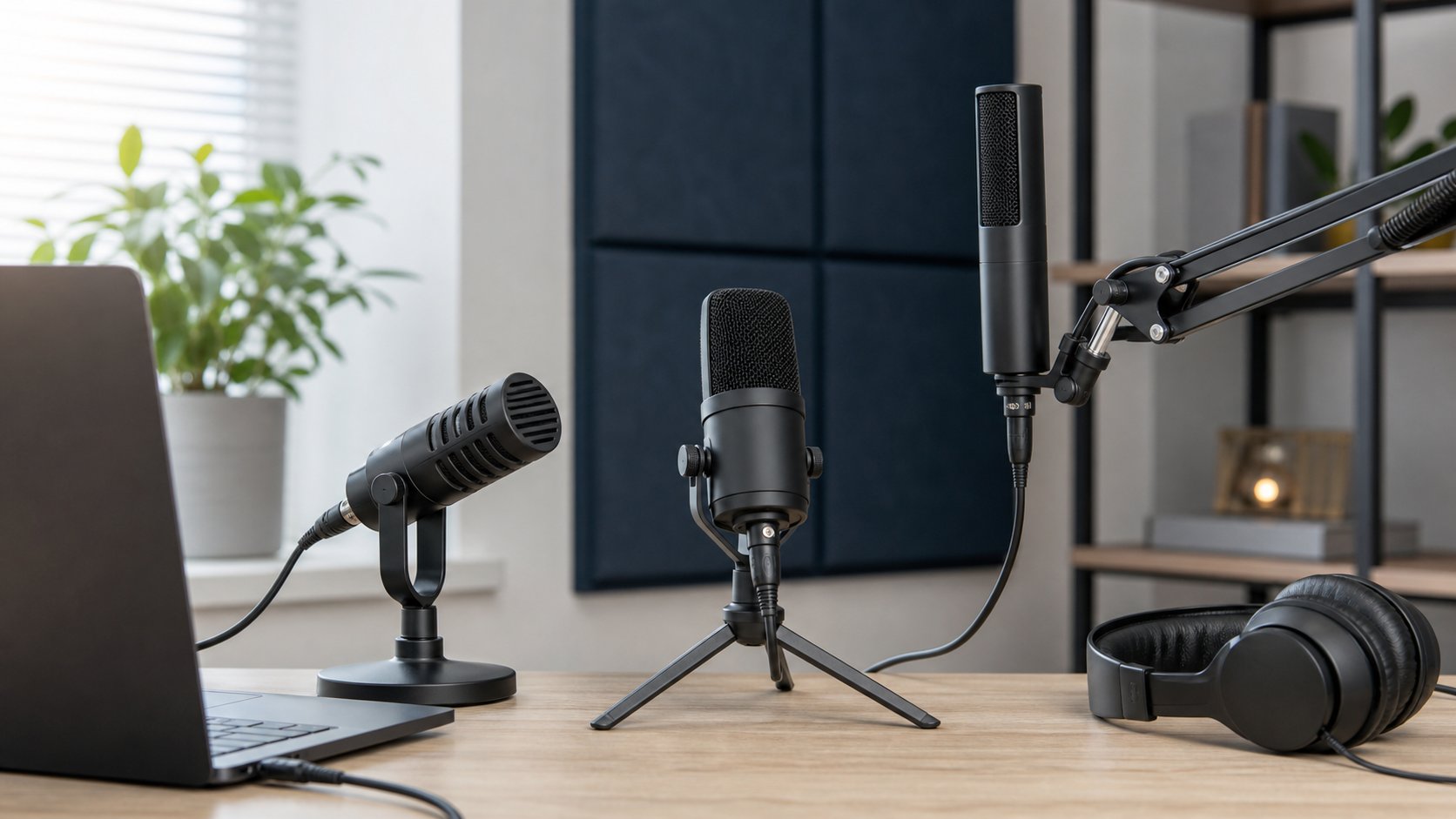
The best microphone for remote work is usually a close, directional mic—not the largest studio condenser on the far side of the desk. Shure MV6 is an approachable dynamic USB option with automatic processing. Samson Q2U provides a lower-cost USB/XLR path, while RØDE NT-USB+ and Audio-Technica AT2020USB-X suit quieter rooms where a condenser’s detail is useful.
A $30 change in placement can outperform a $200 hardware upgrade. This guide compares current manufacturer specifications and workflow fit; RemoteNest did not perform standardized acoustic, latency or noise-rejection testing.
Quick picks
| Microphone | Type | Best for | Main compromise |
|---|---|---|---|
| Shure MV6 | Dynamic USB | Untreated room and easy setup | Must stay close to the speaker |
| Samson Q2U | Dynamic USB/XLR | Budget and future interface upgrade | Basic included stand and lower-resolution USB path |
| RØDE PodMic USB | Dynamic USB/XLR | Polished close-mic speech | Heavy and benefits from a strong arm |
| RØDE NT-USB+ | Condenser USB | Quiet room and detailed voice | Captures more room reflection |
| Elgato Wave:3 | Condenser USB | Calls plus system-audio routing | Best features depend on software |
| Audio-Technica AT2020USB-X | Condenser USB | Natural voice and recording | Placement and room treatment matter |
1. Shure MV6: best easy dynamic USB mic
The Shure MV6 is an end-address dynamic USB-C microphone with a cardioid pickup pattern, headphone monitoring and app-controlled processing. Shure provides auto-level, digital pop filtering and noise-reduction options through its MOTIV software.
Best for: a typical home office with fan noise, reflective walls or a mechanical keyboard.
Strengths: close dynamic pickup, simple USB path and processing for users who do not want to set levels manually.
Trade-offs: it should sit only several inches from the mouth, which puts a microphone in the camera frame. Software filters can create artifacts when pushed too far.
2. Samson Q2U: best budget USB/XLR option
The Samson Q2U combines USB-C and XLR outputs, a cardioid dynamic capsule and zero-latency headphone monitoring. Samson publishes 16-bit recording at 44.1 or 48 kHz and includes a small tripod, windscreen and cables.
Best for: a first dedicated mic that can later connect to an audio interface.
Strengths: low entry cost, robust handheld form and both digital and analog outputs.
Trade-offs: the small tripod places it too far away on many desks. Move it closer with a stable stand before increasing gain. The on/off switch is not a sophisticated soft mute and can produce handling noise.
3. RØDE PodMic USB: best robust voice-focused upgrade
The RØDE PodMic USB is a dynamic cardioid microphone with USB-C and XLR connections, internal processing and headphone monitoring.
Best for: frequent presentations, training and recorded interviews from an untreated room.
Strengths: USB now and XLR later, voice-focused dynamic design and onboard monitoring.
Trade-offs: the metal body is heavy and needs a stand or boom arm rated for it. Close positioning requires attention to plosive sounds and camera composition.
4. RØDE NT-USB+: best detailed condenser for a quiet room
The RØDE NT-USB+ uses a side-address condenser capsule, USB-C, zero-latency headphone output and software-accessible APHEX processing.
Best for: a quiet, furnished room where voice detail matters for webinars or recording.
Strengths: straightforward USB connection, included pop filter and adjustable monitor mix.
Trade-offs: condenser sensitivity captures keyboard impacts, room echo and outdoor noise more readily. It cannot remove poor room acoustics.
5. Elgato Wave:3: best for routing computer audio
The Elgato Wave:3 is a cardioid condenser USB microphone paired with Wave Link mixing software. Elgato specifies 24-bit/96 kHz conversion, capacitive mute and Clipguard processing.
Best for: demonstrations, streaming or training where microphone, presentation and application audio need separate control.
Strengths: integrated software mixer, visible controls and headphone monitoring.
Trade-offs: the workflow depends on installed software and virtual audio devices. Employer-managed computers may not permit them, and routing mistakes can send private system audio into a meeting.
6. Audio-Technica AT2020USB-X: best traditional condenser form
The Audio-Technica AT2020USB-X is a side-address cardioid condenser with USB-C, headphone monitoring, mix control and capacitive mute. Audio-Technica lists recording up to 24-bit/96 kHz.
Best for: a quiet desk that also supports narration or simple content recording.
Strengths: conventional controls, direct monitoring and a familiar studio-style sound-capture approach.
Trade-offs: like every sensitive condenser, it reveals room reflections and desk vibration. A stable stand and some acoustic absorption matter more than maximum sample rate on a video call.
Dynamic versus condenser
Dynamic microphone
A dynamic mic is typically used close to the speaker. Its lower sensitivity can make room noise and reflections less prominent relative to the voice, although placement and polar pattern remain decisive.
Choose one when the room is untreated, other people are nearby or a loud keyboard is unavoidable.
Condenser microphone
A condenser captures more detail and often more of the room. It can sound natural in a quiet furnished space but becomes frustrating when placed at monitor distance with high gain.
Choose one when you can control noise and keep the microphone at a reasonable speaking distance.
“Dynamic rejects all noise” and “condenser is studio quality” are both oversimplifications.
Placement before processing
Start with the capsule about 4–8 inches from the mouth for a close-address mic, then follow the maker’s guidance. Speak into the correct side or end.
Position it:
- Slightly off-axis to reduce breath blasts
- Near mouth level without blocking the screen
- Away from monitor exhaust and laptop fans
- On a stable base or arm
- With the quiet side of a cardioid pattern toward the main noise
A cardioid microphone is least sensitive toward the rear only under ideal conditions; rejection varies by frequency and does not erase vibration traveling through the desk.
Set gain without chasing a meter
Gain controls the microphone’s input level. Too low makes software amplification reveal noise; too high clips loud words and magnifies the room.
- Disable aggressive automatic filters temporarily.
- Place the microphone correctly.
- Speak at normal and presentation volume.
- Set gain so loud phrases remain below clipping.
- Enable only the processing needed.
- Record and listen through ordinary headphones.
Do not copy a gain percentage from another person. Distance, voice and room are different.
Conferencing software can change the sound
Zoom, Teams, Meet and other platforms may apply automatic gain, echo cancellation and noise suppression. Combining maximum microphone processing with maximum app processing can make speech pump, gate or sound metallic.
Test three versions:
- Microphone processing only
- Conferencing processing only
- Moderate settings on both
Keep the version that preserves words during quiet and loud speech. Original-sound or music modes can disable protections needed when using speakers, so use them only with an understood signal path.
Use headphones to prevent echo
A close mic beside loud speakers can feed the far end back into the call. Headphones simplify echo control and let you monitor the microphone directly where supported.
Direct monitoring is useful because it has little or no software delay. Adjust the blend so your own voice is audible but not distracting. For all-day wear, compare headsets and earbuds.
Boom arm versus desktop stand
Desktop stand
Simple and portable, but it transmits typing and forces the microphone farther away unless the desk is deep.
Boom arm
Brings the mic close and moves away when not needed. Check desk clamp strength, product weight rating, spring tension and camera framing.
A microphone arm concentrates force like a monitor arm. Do not clamp it to glass, weak particleboard or a hollow desktop without manufacturer approval.
Privacy and mute behavior
Hardware mute, application mute and operating-system permission are separate controls. A glowing light may show only the microphone’s local state.
Before a sensitive conversation:
- Leave or end the meeting.
- Confirm the active input device.
- Use the app’s visible mute.
- Use hardware mute as a second layer.
- Disconnect or revoke permission when appropriate.
Never route confidential desktop audio through a virtual mixer without explicit authorization.
Run a repeatable test
Download the video-call gear test and record:
- Device and connection
- App and processing settings
- Mouth distance
- Quiet-room speech
- Fan or keyboard noise
- Plosives and sibilance
- Reconnection after sleep
- CPU or USB problems
Use the same short script and room each time. A controlled comparison is more informative than switching settings during unrelated meetings.
Common mistakes
Placing a USB mic beside the monitor. Move it close before raising gain.
Speaking into the wrong side. Side-address and end-address designs differ.
Buying a condenser for an echoing room. Improve the room or use a closer dynamic mic.
Mounting a heavy mic on a weak arm. Check capacity and clamp surface.
Stacking noise filters. Excess processing damages speech.
Choosing by sample rate. Meeting platforms compress audio; placement dominates.
Final recommendation
Choose Shure MV6 for the easiest close dynamic workflow, Samson Q2U for low-cost USB/XLR flexibility, and PodMic USB for a heavier voice-focused upgrade. Choose NT-USB+ or AT2020USB-X in a controlled room, and Wave:3 when software mixing is a genuine requirement.
Place the microphone close, set conservative gain and test in the actual meeting app. The best remote-work mic is the one that makes every word understandable without turning audio engineering into a second job.