Headset vs Earbuds for Remote Work: Comfort and Call Quality
Compare headsets and earbuds for remote work by microphone clarity, all-day comfort, battery life, hearing safety, room noise, portability and device compatibility.
What to know first
- Neutral, supported positions matter more than perfect posture.
- Movement throughout the day is part of the setup.
- Persistent pain deserves advice from a qualified clinician.
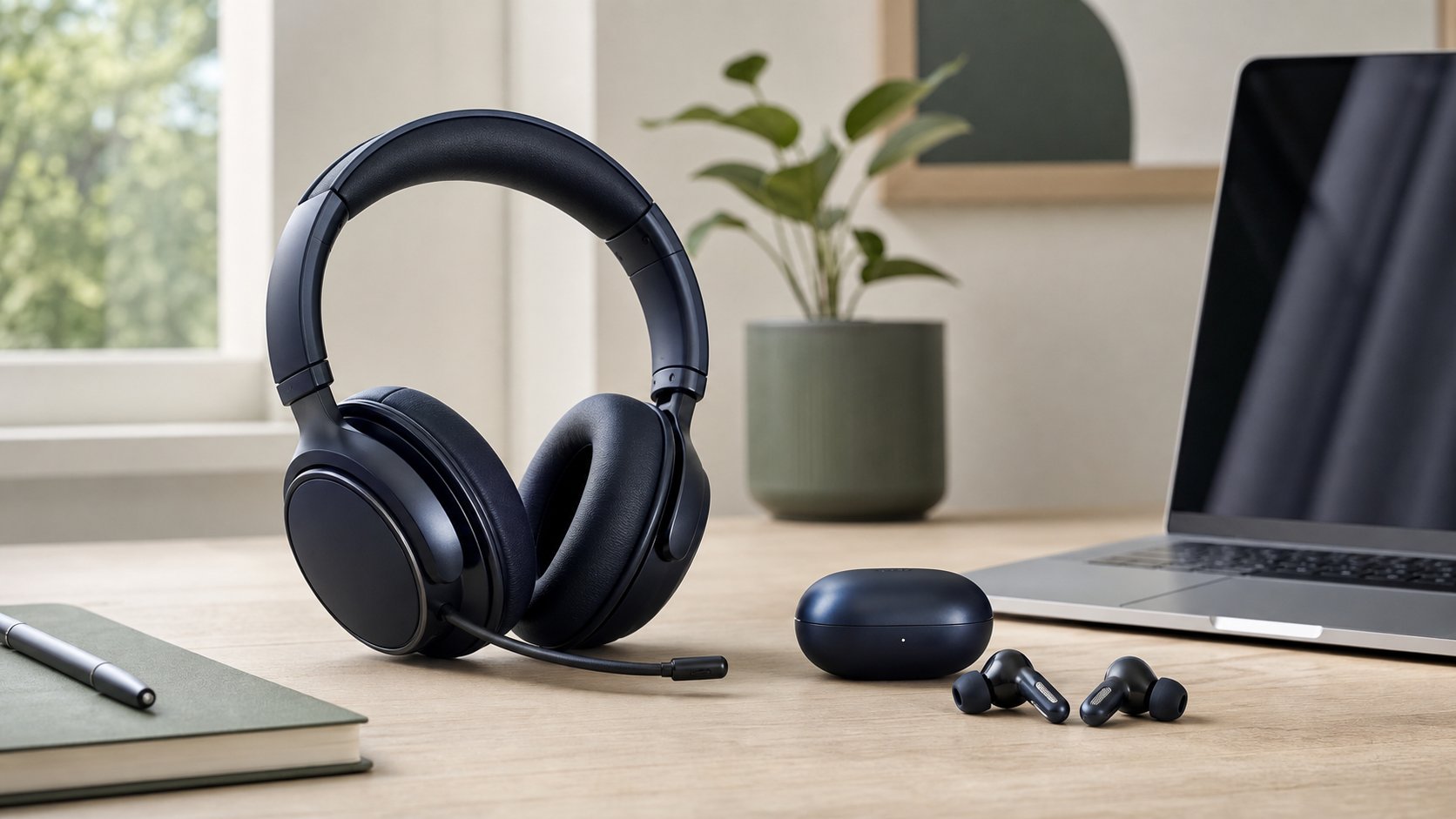
A headset is usually better for frequent remote-work calls because the boom microphone stays near the mouth, controls are easier to find and larger earcups distribute contact differently. Earbuds are better for portability, short meetings and users who dislike headbands.
Neither design is universally more comfortable or safer. Fit, listening level, call duration, device compatibility and room noise matter more than the category name.
Quick comparison
| Factor | Headset | Earbuds |
|---|---|---|
| Microphone position | Usually consistent with boom mic | Farther away or beamformed from ear |
| Portability | Bulky | Excellent |
| Battery capacity | Often longer | Smaller; case adds recharges |
| Heat | Earcups can become warm | Less around-ear heat |
| Ear-canal pressure | None for over-ear models | Fit and seal can create pressure |
| Visible mute controls | Often dedicated | Small touch or button controls |
| Background isolation | Passive and optional ANC | Seal plus optional ANC |
| Shared-room signal | Boom mic often advantageous | Varies greatly by model |
| Wired option | Common | Available but less common for call features |
| Risk of losing pieces | Lower | Higher |
For an eight-hour day, alternating audio methods may be better than wearing either continuously.
Microphone clarity
A microphone near the mouth captures a stronger voice signal relative to room noise. That is the primary advantage of an office headset with a boom.
Earbuds use microphones near the ears and signal processing to separate voice from surroundings. Good models can perform well, but quality can change in wind, kitchens, traffic or overlapping speech.
Do not judge only by how the other person sounds. Record the local microphone in the actual room and listen through neutral speakers or headphones.
The video-call setup guide explains microphone distance, room echo and lighting.
Headset microphone types
Fixed boom
Stays in a repeatable position. Check whether it works on the preferred side.
Flexible boom
Allows better placement but may drift or wear.
Retractable boom
Stores cleanly and can make mute status obvious. Moving parts add complexity.
Hidden or beamforming microphones
Improve appearance but place the microphone farther from the mouth.
Position a boom near the corner of the mouth, not directly in the breath stream.
Earbud microphone limitations
Earbud microphones depend heavily on fit, software and connection mode. Common problems include:
- Voice becoming thin when background suppression is aggressive
- Keyboard noise
- Wind noise
- One earbud using a different microphone mode
- Reduced computer audio quality during bidirectional Bluetooth calls
- Inconsistent switching between phone and computer
Test the exact conferencing app. A good phone call does not guarantee identical laptop behavior.
Over-ear vs on-ear headset comfort
Over-ear
Cushions surround the ear.
Advantages: less direct pressure on the outer ear and potentially better passive isolation.
Trade-offs: heat, weight and contact with glasses.
On-ear
Cushions rest on the ear.
Advantages: lighter and more compact.
Trade-offs: pressure can become uncomfortable during long calls.
Clamp force, cushion material, headband shape and weight distribution vary more than product labels suggest.
Earbud comfort
Earbuds can create pressure at the ear-canal entrance or outer ear. Fit tips change seal, bass, noise control and stability.
Stop use if they cause pain, skin irritation, discharge or persistent fullness. Clean them according to the manufacturer, do not share without appropriate hygiene and avoid forcing a larger tip.
People with ear conditions or hearing devices may need professional guidance.
Hearing safety
Hearing risk depends on sound level and duration, not whether the device is a headset or earbud.
The World Health Organization recommends keeping personal-device volume below about 60 percent of maximum, preferring well-fitted noise-cancelling devices where they reduce the urge to turn sound up, monitoring exposure where possible and taking quiet breaks.
Read WHO’s safe-listening guidance.
The 60-percent setting is a practical cue, not a calibrated measurement across every device. Use built-in exposure monitoring where available and keep call volume only as loud as necessary.
Ringing, muffled hearing or sound sensitivity after calls is a warning to stop exposure and seek hearing advice if symptoms persist.
Active noise cancellation
ANC reduces some steady low-frequency noise, such as fans or transit rumble. It is less effective against nearby speech and sudden sounds.
Benefits include lower required playback level and better concentration for some users.
Limitations include:
- Pressure sensation
- Battery use
- Reduced awareness
- Variable microphone performance
- Cost
Use transparency or awareness mode when safety requires hearing the environment. Do not rely on ANC as hearing protection in hazardous noise unless the product is certified for that purpose.
Wired vs wireless
Wired
Advantages: no battery, predictable connection and often simple controls.
Trade-offs: cable movement, limited range and adapter requirements.
Wireless USB receiver
Purpose-built office receivers can provide more predictable call controls and range than general Bluetooth.
Bluetooth
Advantages: broad phone and computer support.
Trade-offs: pairing complexity, shared audio profiles and inconsistent mute synchronization.
Employer security policy may restrict Bluetooth or require approved peripherals.
Multipoint and device switching
Multipoint allows connection to two or more devices, but behavior varies.
Test:
- Incoming phone call during a computer meeting
- Mute status after switching
- Music resuming unexpectedly
- Which device receives the microphone
- Whether corporate software detects controls
Automatic switching is convenient until it steals the audio at the wrong time.
Battery planning
Earbuds may have shorter continuous call time than their advertised total with the case. Call time is often lower than music playback because microphones and radio transmission remain active.
For wireless work audio:
- Check continuous talk time.
- Keep a charging cable accessible.
- Know whether the device works while charging.
- Set a low-battery warning.
- Keep a wired or speaker backup.
- Replace batteries only through safe approved service.
A headset that dies halfway through the afternoon is not an all-day tool.
Mute controls
Dedicated mute buttons are easier to verify than touch gestures.
Useful features include:
- Audible mute confirmation
- Visible indicator
- Boom-to-mute action
- Conferencing-app integration
- Physical button with clear feedback
Confirm software mute and hardware mute agree. Always check the meeting interface before discussing private information.
Glasses and headwear
Headset cushions can press glasses arms into the head and break the acoustic seal. Try:
- Lower clamp-force models
- Softer replaceable cushions
- Repositioning the headband slightly
- Lighter frames where already available
- Earbuds for shorter calls
Do not bend prescription glasses to accommodate a headset without professional adjustment.
Head coverings, hairstyles and hearing devices also change fit. A generous return window is important.
Room and household awareness
A remote worker may need to hear a doorbell, child, colleague or alarm.
Choose among:
- One-ear mono headset
- Transparency mode
- One earbud where the product supports it
- Open speakers at low level in a private room
- Scheduled headset-free periods
Never block critical environmental sound when safety requires awareness.
Privacy
Speakers can expose confidential conversation. Earbuds reduce playback leakage but the microphone still captures the room.
Use:
- A private location
- Visible mute
- Appropriate background
- Employer-approved device
- Headset storage that prevents household use
- Current firmware from the official application where authorized
Do not install unapproved peripheral software on a managed computer.
Compatibility checklist
Before buying, verify:
- Windows, macOS or Linux support
- Conferencing-app certification if controls matter
- USB-A, USB-C or audio-jack connection
- Phone support
- Bluetooth restrictions
- Sidetone control
- Replaceable cushions or tips
- Firmware-update process
- Return policy
- Warranty in your country
“Works with” may mean audio only, not mute-button synchronization.
A five-call test
Use the device for five normal calls and record:
- Setup time
- Microphone clarity
- Background noise reported by others
- Comfort after 30 and 60 minutes
- Mute reliability
- Device switching
- Remaining battery
- Any ringing or fatigue
Keep volume and room conditions comparable.
Common mistakes
Buying by music reviews. Meeting microphones and call profiles are different.
Using excessive volume to overcome noise. Improve fit or environment.
Assuming ANC blocks voices. It has limits.
Ignoring clamp force or ear tips. Fit determines comfort.
Trusting the advertised battery total. Check continuous talk time.
Installing unknown companion software. Follow IT policy.
Wearing audio all day without need. Use quiet breaks.
Final recommendation
Choose a boom-microphone headset for frequent meetings, noisy shared rooms and clear mute controls. Choose earbuds for portability, shorter calls and freedom from a headband.
Test the exact computer and conferencing app, keep volume modest and alternate with speakers or quiet breaks where privacy allows. The better choice is the device you can hear clearly at a safe level without pressure, heat or connection friction.