Anti-Fatigue Mat Review: Benefits, Limits and Buying Guide
Learn what anti-fatigue mats can and cannot do for standing work, how to choose safe firmness and edges, and why movement still matters more than standing all day.
What to know first
- Neutral, supported positions matter more than perfect posture.
- Movement throughout the day is part of the setup.
- Persistent pain deserves advice from a qualified clinician.
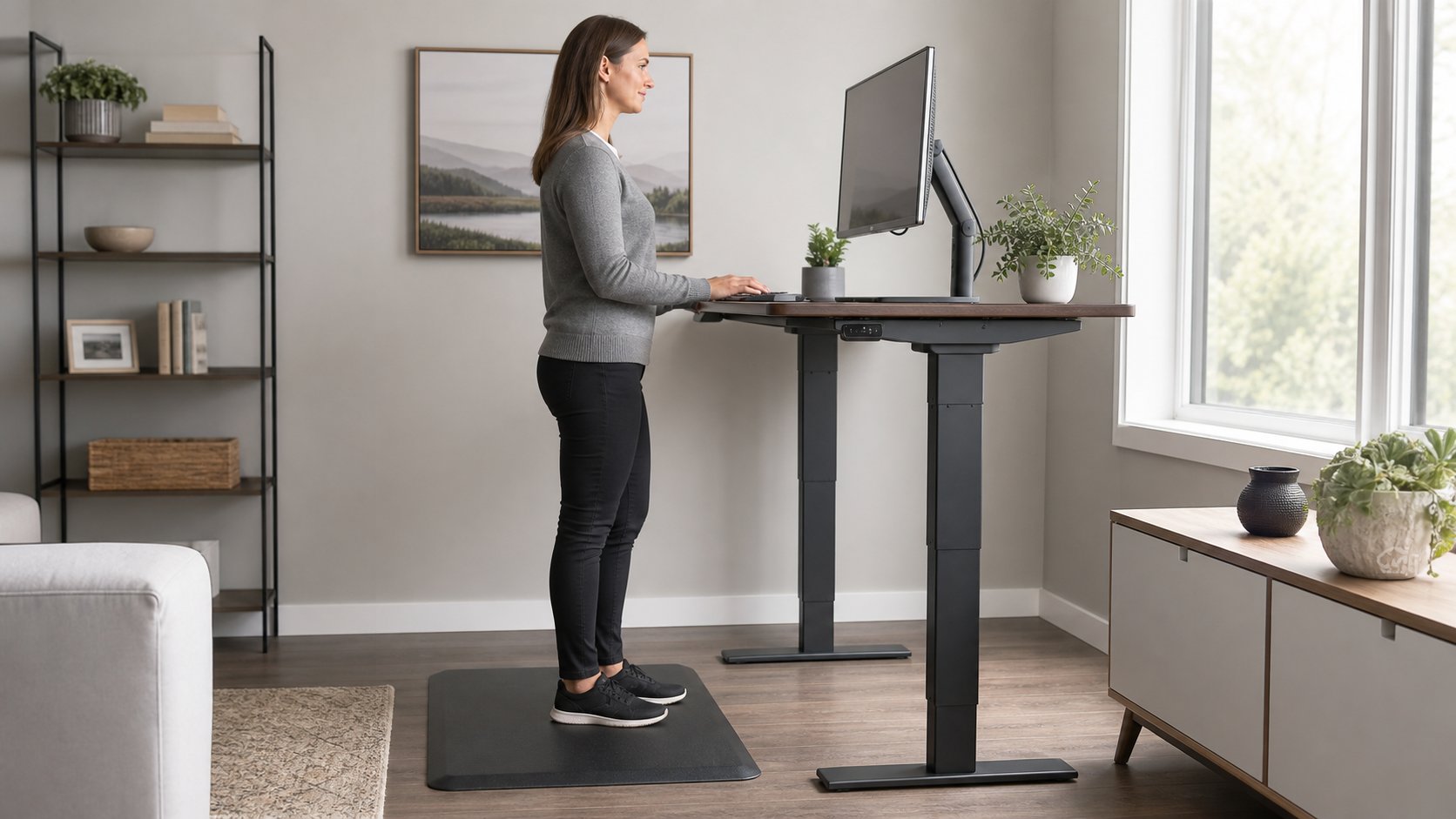
Anti-fatigue mats can make a hard floor more comfortable during standing, but they do not make prolonged standing harmless. Evidence and occupational guidance support mats as one part of a broader approach that includes position changes, suitable footwear, workstation fit and walking.
Choose a stable mat with beveled edges, moderate firmness and enough area for small foot movements. Avoid soft foam that bottoms out, curls or interferes with chair casters.
Quick verdict
| Claim | Practical verdict |
|---|---|
| Reduces discomfort on hard floors | Often helpful for some users |
| Prevents every problem from prolonged standing | No |
| Replaces movement | No |
| Makes standing all day desirable | No |
| Helps on carpet | Benefit may be smaller; stability must be checked |
| Needs to be very soft | No; excessive softness can feel unstable |
| Is required for short standing periods | Not necessarily |
| Can create a trip hazard | Yes, if edges curl or placement is poor |
A mat changes the standing surface. It does not change the duration by itself.
What anti-fatigue mats do
A resilient surface allows subtle ankle and leg movement and reduces the hard contact of concrete, tile or wood. Some people report less foot, leg or low-back discomfort than on a rigid floor.
Results vary by mat, footwear, duration, task and individual. Laboratory pressure or muscle measurements do not automatically predict comfort through an entire workday.
Use a mat as comfort equipment, not treatment for a medical condition.
What the evidence says
NIOSH’s review of prolonged standing found consistent reports of low-back pain, fatigue, muscle pain, leg swelling and discomfort. It reviewed interventions including mats, shoe inserts, sit-stand workstations and seating, and concluded that dynamic movement appeared to be the best overall solution.
Read the NIOSH prolonged-standing summary.
NIOSH workplace evaluations also recommend appropriate anti-fatigue mats where employees routinely stand. One current health-hazard evaluation describes broad coverage, beveled edges, adequate thickness and replacement of worn mats.
The evidence-aware conclusion: a suitable mat can improve comfort, but alternating positions remains essential.
Who may benefit
A mat is most likely to help when:
- The floor is concrete, tile or hardwood.
- Standing periods are regular but limited.
- The desk position already fits.
- Stable footwear is used.
- The mat covers the actual standing area.
- The user prefers a slightly resilient surface.
It may help less when standing is very brief, the floor is already cushioned or discomfort comes mainly from desk height.
Who should be cautious
Extra caution is appropriate for people with:
- Balance difficulties
- Reduced foot sensation
- Mobility-device needs
- Unstable joints
- A high fall risk
- Swelling or circulation concerns
- Shoes that catch on the surface
Seek individualized advice when a health condition affects standing or sensation. A flat, firm floor may be safer for some users.
Firmness: supportive, not squishy
The mat should compress slightly under weight and return promptly. If the foot sinks deeply, the ankles may work continuously to stabilize.
A very hard mat adds little over the floor. A very soft mat may:
- Feel unstable
- Slow foot movement
- Catch chair casters
- Bottom out under the heel
- Increase heat
- Develop permanent depressions
There is no universal firmness number for home-office mats. Test with ordinary work footwear and use a return policy when possible.
Thickness
Thicker does not always mean more comfortable. Material density and construction matter.
Occupational NIOSH reports commonly describe mats at least 0.5 inch thick in specific industrial settings, but a home office also needs safe transitions and compatibility with a chair.
Evaluate the complete product rather than buying by thickness alone.
Edge design
Beveled edges reduce the abrupt step between floor and mat. They should lie flat without curling.
Check every side that enters a walking path. A decorative raised border can still catch a shoe.
Avoid placing the edge where you naturally step backward from the desk.
Size and coverage
The mat should allow:
- Normal standing stance
- Small side steps
- Weight shifts
- Access to a foot rail if used
- Safe approach to the desk
A narrow mat encourages the feet to remain fixed. An oversized mat can obstruct the chair.
Outline the proposed size with removable tape before ordering.
Flat mat vs contoured mat
Flat mat
Advantages: predictable surface, easy movement and simpler cleaning.
Best for: first-time buyers and users who want unrestricted stance changes.
Contoured or active mat
Raised shapes support different foot positions and calf movement.
Advantages: more position options.
Risks: trip points, pressure under the foot and incompatibility with certain balance needs.
Use a contoured mat only when you can see the surface and move deliberately. Do not place it in a shared walkway.
Material choices
Polyurethane
Often combines resilience with durability. Quality and density vary.
Rubber
Can offer grip and durability but may be heavy, have an odor or mark some floors.
Foam
Light and inexpensive, with wide variation in recovery and lifespan.
Gel or multilayer construction
May distribute pressure differently but adds cost and weight. “Gel” alone does not prove better performance.
Check floor compatibility. Some backings can discolor or react with finished surfaces.
Shoes, socks or barefoot use
The same mat feels different under each condition.
Supportive footwear can improve stability during longer standing periods. Barefoot use increases direct pressure and exposes feet to edges or dropped objects.
Follow workplace rules and personal clinical guidance. Test the mat in the condition in which it will actually be used.
Use with a standing desk
Set desk height before judging the mat. Standing on a 2 cm surface effectively raises the body relative to the desk by 2 cm.
Recheck:
- Keyboard height
- Monitor height
- Mouse position
- Cable slack
- Standing-desk memory preset
The standing-desk calculator provides a starting range, but measure actual elbow position while standing on the mat.
Use with an office chair
Chair casters and soft mats often conflict.
Options:
- Move the mat fully away before sitting.
- Use a mat small enough to clear the chair path.
- Choose a desk layout with separate standing and seated zones.
- Select a model specifically designed for safe chair interaction.
Do not roll onto a soft edge repeatedly. It can damage the mat or stop the caster suddenly.
How long should you stand?
No mat creates a universal safe duration.
Start with five to fifteen minutes during a simple task, then sit or walk before discomfort builds. Increase only when comfortable and appropriate.
Signs to change position include:
- Foot pressure
- Calf fatigue
- Leg swelling
- Low-back discomfort
- Locked knees
- Leaning on the desk
- Reduced concentration
The goal is comfortable variation, not maximizing standing minutes.
Cleaning and maintenance
Follow the manufacturer’s material instructions.
Generally:
- Remove debris that creates pressure points.
- Wipe spills promptly.
- Allow the mat to dry fully.
- Avoid cleaners that damage the finish.
- Inspect edges and underside monthly.
- Keep the floor below it dry.
- Replace the mat if it cracks, curls or loses resilience.
Lifting a heavy mat can strain the hands or back. Slide or lift according to its instructions.
A one-week trial
Day 1
Use the mat for one short standing period and check stability.
Day 2
Test normal footwear and desk height.
Day 3
Observe whether the mat permits movement or encourages fixed stance.
Day 4
Test chair clearance and storage.
Day 5
Compare the same task on and off the mat for a brief period.
Record comfort, not only the number of minutes standing.
Common buying mistakes
Buying the softest mat. Stability matters.
Ignoring the edge. Curling creates a trip hazard.
Choosing a tiny footprint. Movement disappears.
Parking a chair on it. Casters can catch or damage the surface.
Expecting it to cure pain. A mat is not medical treatment.
Standing longer because the mat exists. Duration still matters.
Using loose household foam. Improvised material may slide, compress unevenly or catch shoes.
When to stop using the mat
Stop and reassess if the mat increases pain, numbness, instability, heat, swelling or near-falls. Remove it if edges no longer lie flat.
Persistent symptoms, unilateral swelling, weakness or balance changes should not be attributed only to desk setup. Seek appropriate medical care.
Final recommendation
Choose an anti-fatigue mat when hard flooring makes short standing periods uncomfortable. Look for moderate firmness, broad usable area, flat beveled edges, floor-safe backing and a return policy.
Use it with correct desk height, ordinary position changes and walking. The mat can make standing more comfortable; it cannot make static standing the goal of the workday.