Best Surge Protectors for a Home Office: 5 Safe Picks
Compare five surge protectors for home-office electronics and learn how to check certification, joules, protection indicators, outlet spacing and safe installation.
What to know first
- Buy for your workflow and connection needs, not headline specifications.
- Reliability and warranty often matter more than a minor speed gain.
- Check compatibility before committing to an accessory.
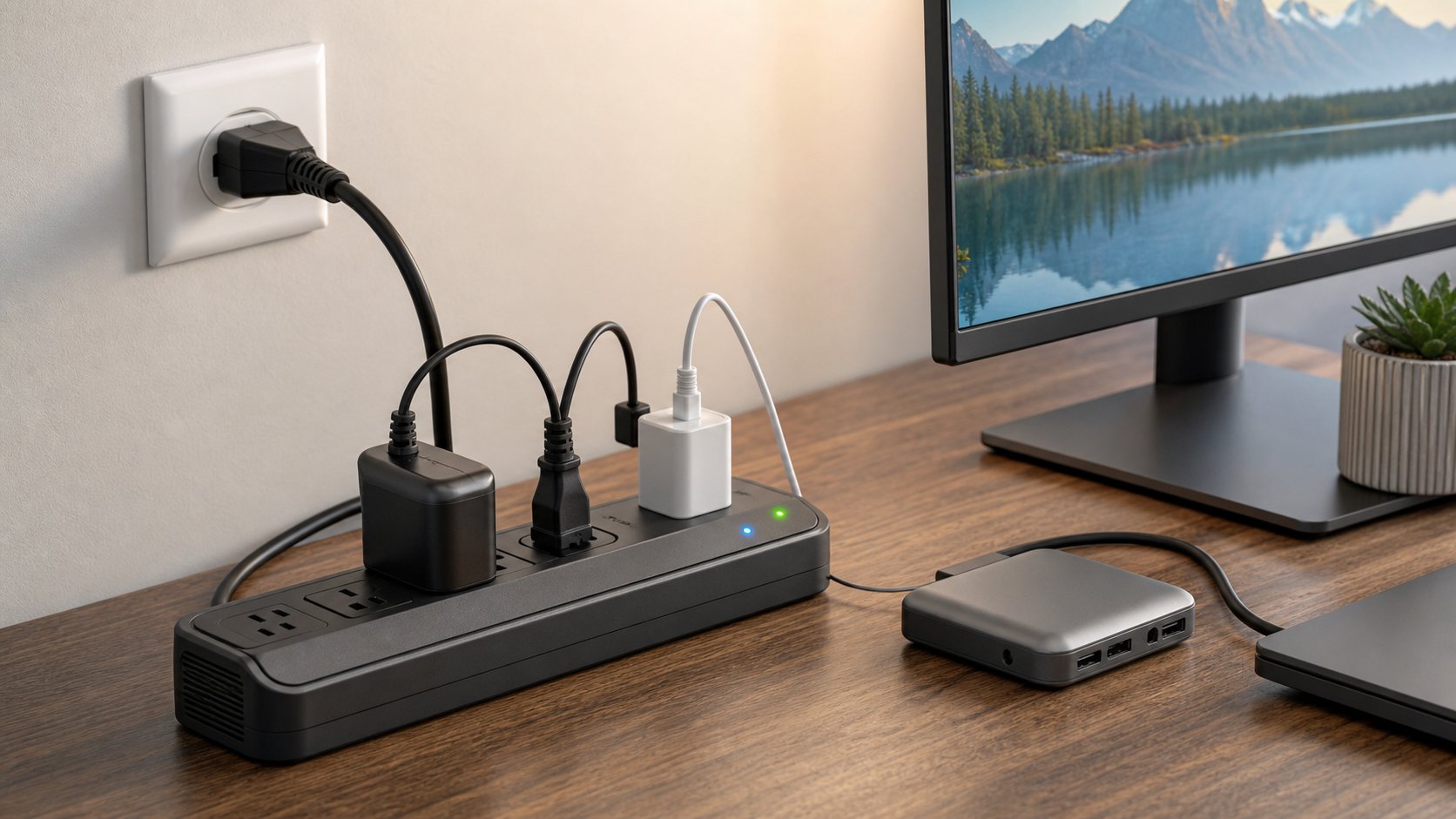
A good home-office surge protector is correctly certified for your region, matches the circuit and outlet, provides enough well-spaced receptacles and tells you when protection has failed. It is not the same as an ordinary power strip, and it cannot protect equipment from every direct lightning event.
Our five picks cover ordinary desks, many adapters, metal construction and advanced overvoltage shutdown. Models below are North American 120V examples. Buy only the version designed and certified for your country’s voltage, frequency and socket.
Quick picks
| Use case | Pick | Key feature |
|---|---|---|
| Best overall office strip | APC Performance SurgeArrest P11U2 | 11 outlets, transformer spacing and 2880J rating |
| Best value 12-outlet option | Eaton Tripp Lite TLP1208TELTV | 12 outlets, diagnostic lights and 2880J rating |
| Best high-joule office strip | Belkin BE112230-08 | 12 outlets and high published energy rating |
| Best metal heavy-duty strip | Eaton Tripp Lite ISOBAR6ULTRA | Metal case and isolated filter banks |
| Best advanced shutdown protection | Furman PST-8 | Extreme-voltage shutdown and non-sacrificial design |
This shortlist is based on manufacturer specifications and intended use, not destructive testing by RemoteNest. Verify current model documentation and certification before purchase.
1. APC Performance SurgeArrest P11U2: best overall
The P11U2 provides 11 outlets, including spacing for larger adapters, two USB-A charging ports, a 2880-joule rating and an eight-foot cord.
Best for: a typical computer, monitors, dock, speakers and low-power accessories.
Strengths: practical outlet layout, protection status indication and established documentation.
Trade-offs: older low-power USB charging is less useful for modern laptops and phones. Use their approved chargers instead.
APC lists the current P11U2 electrical specifications.
2. Eaton Tripp Lite TLP1208TELTV: best value 12-outlet option
This Protect It model combines 12 outlets, an eight-foot cord, diagnostic LEDs, 2880-joule rating and phone/coax protection.
Best for: desks with several power adapters and legacy signal lines.
Strengths: outlet count, right-angle plug and visible status.
Trade-offs: signal-line features add little when the office uses only fiber and Ethernet. Coax or phone protection must match signal requirements.
See Eaton’s TLP1208TELTV specifications.
3. Belkin BE112230-08: best high-joule office strip
Belkin’s 12-outlet home/office model provides spaced outlets, an eight-foot cord, protection and grounding indicators, overload protection and a high published joule rating.
Best for: many office devices with bulky adapters.
Strengths: layout, status indicators and broad availability.
Trade-offs: product pages can show different joule figures in marketing and technical sections. Use the exact model’s label and datasheet rather than a marketplace title.
Belkin publishes BE112230-08 technical details, including voltage protection ratings.
4. Eaton Tripp Lite ISOBAR6ULTRA: best metal option
The ISOBAR6ULTRA uses a metal housing, six outlets and isolated filter banks in a format common in workshops and professional desks.
Best for: a smaller set of valuable devices where metal construction and spacing are preferred.
Strengths: robust enclosure, filtering and established replaceable product documentation.
Trade-offs: fewer outlets and a heavier, bulkier body. Metal construction does not make overloading acceptable.
Confirm the current cord length, joule rating and regional certification for the exact Isobar revision.
5. Furman PST-8: best advanced shutdown protection
The PST-8 is an eight-outlet power conditioner with Furman’s surge protection, linear filtering and extreme-voltage shutdown.
Best for: audio, video and office electronics where sustained overvoltage shutdown and filtering justify a premium product.
Strengths: non-sacrificial surge design, abnormal-voltage response and 15A rating.
Trade-offs: long chassis and higher cost. It does not provide battery backup.
Furman’s PST-8 specifications list UL 1449 and UL 1363 compliance for the 120V model.
Surge protector vs power strip
A power strip provides more outlets. A surge protector includes components intended to limit transient overvoltage.
The Electrical Safety Foundation International warns that ordinary power strips do not provide surge protection. Look for explicit surge-protection certification, ratings and status indication.
Read ESFI’s surge protection overview.
Surge protector vs UPS
A surge protector limits certain voltage spikes. An uninterruptible power supply adds battery power for brief outages and may provide voltage regulation.
Use a UPS when equipment needs time to save work or shut down. Use the UPS battery-backup guide to calculate watts, VA and runtime.
Do not plug a UPS into a surge strip—or a surge strip into a UPS—unless both manufacturers explicitly approve the arrangement. Connect as instructed, commonly directly to a grounded wall outlet.
What UL 1449 means
UL 1449 is the North American safety standard for surge protective devices. Other countries use different standards and certification systems.
A certification mark should be verifiable and apply to the exact model. “Designed to meet” is not the same as listed or certified by a recognized testing organization.
For 120V products, documentation may include a voltage protection rating across line-neutral, line-ground and neutral-ground modes. Lower published VPR values generally indicate less let-through under the standardized test, but compare complete certified specifications.
What the joule rating tells you
Joules describe energy absorption capacity for many conventional surge protectors. A higher number can indicate greater cumulative capacity, but it is not a complete measure of protection.
Also check:
- Certification
- Voltage protection rating
- Protection modes
- End-of-life behavior
- Status indicator
- Circuit breaker
- Current rating
- Cord gauge and length
- Manufacturer warranty
Some advanced non-sacrificial designs use different protection methods and may not emphasize a large joule number.
Protection and grounding lights
A protected indicator shows whether the surge components remain active. A grounded or wiring indicator can flag some outlet problems.
An indicator is not a full electrical inspection. If an outlet is loose, scorched, hot, buzzing or repeatedly flagged, stop use and contact a qualified electrician.
Replace a protector when its protection-failure indicator changes according to the manual. Do not cover the lights permanently under furniture.
Count watts, not plugs
More outlets do not create more circuit capacity.
For a North American 15A, 120V strip, the published maximum may be around 1875W, but continuous-load rules and circuit sharing require care. Follow product and electrical-code limits.
Home-office computers and monitors are often modest loads, but heaters, kettles, air conditioners, refrigerators, microwaves, laser printers and motor equipment can draw heavily or surge at startup.
Do not use a desk surge protector for a space heater unless its manufacturer and the heater instructions explicitly allow the exact use. Many prohibit it.
Safe installation checklist
- Use the correct voltage and plug type.
- Plug into a properly grounded wall outlet.
- Do not remove the ground pin.
- Do not daisy-chain strips or protectors.
- Keep the cord out of rugs, doorways and caster paths.
- Do not staple or sharply bend the cord.
- Keep liquids away.
- Leave the protection indicator visible.
- Keep high-draw appliances on appropriate circuits.
- Replace damaged, hot or discolored equipment.
- Mount only through approved holes and orientations.
- Keep the wall plug accessible.
A surge protector should not be used to compensate for inadequate permanent wiring.
Whole-home and point-of-use protection
A panel-mounted whole-home device can limit surges entering the electrical system. Point-of-use protectors add a layer near equipment.
Whole-home installation belongs to a qualified electrician and must match the service and local code.
No surge protective device can guarantee survival of a direct lightning strike. ESFI recommends unplugging sensitive electronics well before a storm when safe and practical.
Protect every path
A damaging transient can arrive through power, coaxial, telephone or other conductive lines.
If a protector routes a data line, confirm it supports the required speed and signal quality. Old “network protection” limited to 100Mbps can bottleneck a Gigabit connection.
Fiber itself is nonconductive, but powered terminals and Ethernet equipment still connect to electricity.
When to replace a surge protector
Replace it when:
- Protection indicator says protection is lost
- Manufacturer replacement interval is reached
- It experienced a known major event and instructions call for replacement
- Cord, case or outlets are damaged
- Plugs fit loosely
- It overheats or smells unusual
- Electrical requirements changed
- Documentation or certification cannot be verified
Do not use age alone as a universal rule; follow the model’s design and manual.
Common mistakes
Buying a power strip without surge protection. Check certification and ratings.
Daisy-chaining. It increases fire and overload risk.
Hiding warning lights. You cannot see failure.
Using every outlet regardless of load. Count the connected equipment.
Expecting battery backup. Surge strips do not keep devices running.
Believing connected-equipment coverage is automatic. Warranty terms include installation, documentation and claim requirements.
Keeping a damaged protector because it still supplies power. Power can remain after surge protection fails.
Final recommendation
Choose APC P11U2 for a practical general desk, Eaton TLP1208TELTV or Belkin BE112230-08 for many adapters, ISOBAR6ULTRA for a metal six-outlet format and Furman PST-8 when abnormal-voltage shutdown and filtering justify the cost.
Certification, correct regional rating and safe installation matter more than USB ports or appearance. Plug the protector directly into an appropriate grounded outlet, keep the status indicator visible and replace it when the device says protection is gone.