Best Ergonomic Footrests: 5 Options for Better Chair Fit
Compare five ergonomic footrest designs by height, angle, movement, firmness and floor grip, then use a simple fit test to coordinate the footrest with your chair.
What to know first
- Neutral, supported positions matter more than perfect posture.
- Movement throughout the day is part of the setup.
- Persistent pain deserves advice from a qualified clinician.
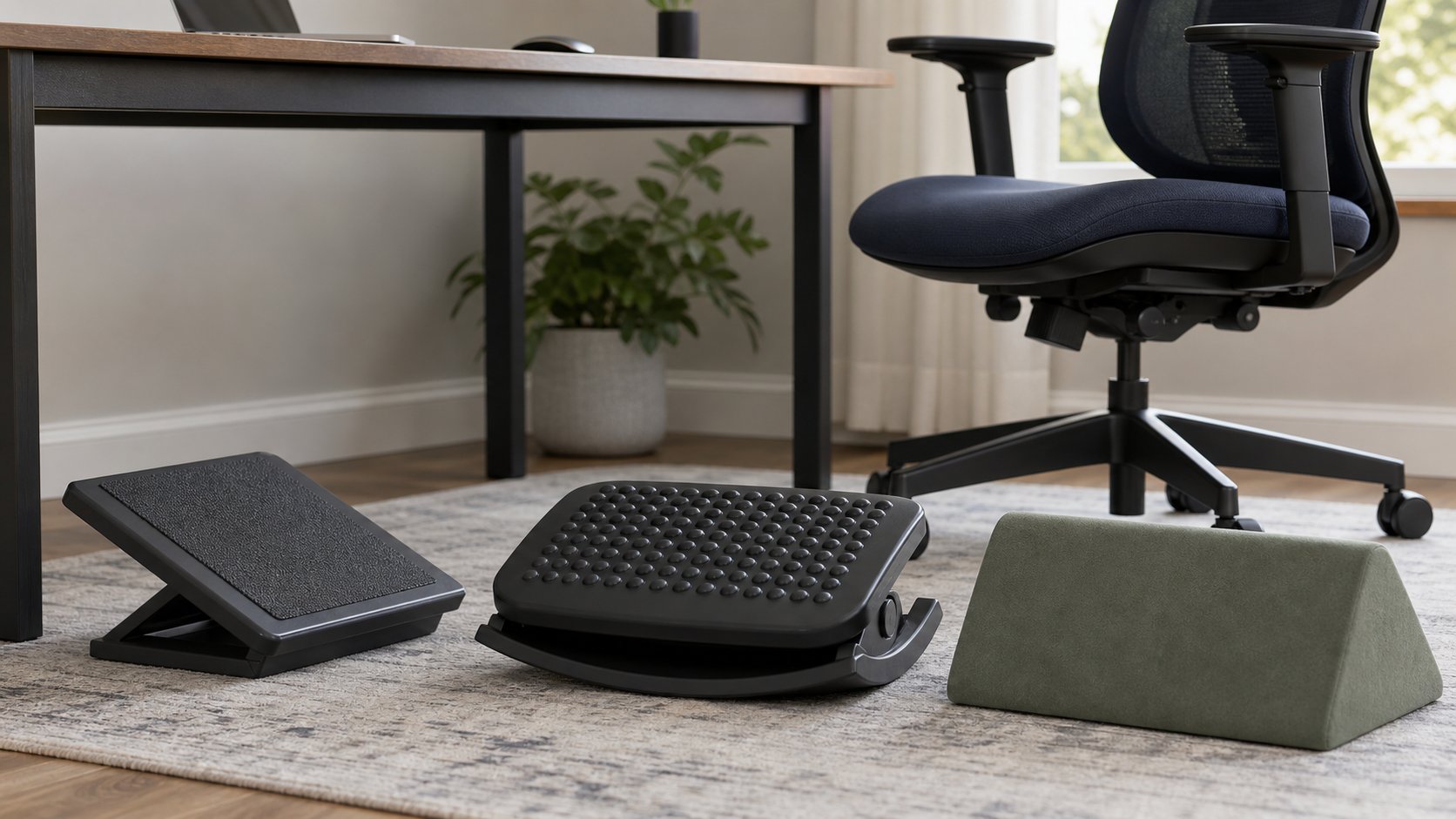
The best ergonomic footrest is stable, wide enough for both feet and adjustable to the height created by your chair and desk—not the model with the most massage bumps. Humanscale FR300 is the best rocking wooden option, Kensington SoleMate Plus offers convenient height and tilt control, and Fellowes Professional Series Ultimate provides a broad three-height platform. Foam and fixed rigid designs serve different needs.
A footrest helps when the keyboard surface requires raising the chair until the feet no longer rest securely on the floor. It does not correct a desk that forces excessive reaching, a seat pan that is too deep or a chair that cannot support the user.
Quick comparison
| Option | Best for | Adjustment style | Main trade-off |
|---|---|---|---|
| Humanscale FR300 | Controlled ankle movement | Rocking platform; 3.75–6.75 in range | Premium price |
| Kensington SoleMate Plus | Easy seated adjustment | 3.5–5 in and angle control | Mechanism needs clear floor space |
| Fellowes Professional Series Ultimate | Broad conventional support | Three height positions and tilt | Manual setup |
| ErgoFoam Adjustable | Soft contact and travel | Layered foam height | Compresses under load |
| Rigid fixed platform | Simple, predictable support | One measured height | No adjustment or rocking |
RemoteNest has not conducted laboratory durability, slip or pressure testing on these products. The shortlist uses manufacturer specifications and distinct fit needs.
1. Humanscale FR300: best rocking wooden footrest
The Humanscale FR300 uses a curved frame and rocking platform. Humanscale publishes a 3.75- to 6.75-inch adjustment range and a 16.9 × 12.2-inch platform.
Best for: users who want to change ankle position without sliding a soft cushion around.
Strengths: solid construction, broad platform and movement controlled by the feet.
Trade-offs: cost and a relatively tall minimum compared with a thin wedge. Rocking is not useful if the user needs a fixed, predictable angle.
2. Kensington SoleMate Plus: best easy-adjust mechanism
The Kensington SoleMate Plus publishes a 3.5- to 5-inch height range, adjustable tilt and a foot-pedal control.
Best for: shared workstations or users who want to change settings while seated.
Strengths: accessible controls and a textured surface.
Trade-offs: more moving parts and a base that must remain stable on the actual floor. Confirm current regional specifications; similarly named SoleMate models have different adjustments.
3. Fellowes Professional Series Ultimate: best broad conventional platform
The Fellowes Professional Series Ultimate Foot Support is documented with three height positions and a platform that can lock or tilt freely.
Best for: users who want a wide, conventional plastic support with coarse height choices.
Strengths: generous platform, simple manual adjustment and movement option.
Trade-offs: changing height requires more effort than a pedal mechanism. Verify the exact model code 8067001, because Fellowes sells several similar foot supports.
4. ErgoFoam Adjustable: best soft portable option
The ErgoFoam adjustable footrest uses a foam support with a removable layer and can be inverted for rocking.
Best for: socks-only use, portability and users who prefer soft contact.
Strengths: light, no mechanism and easy to move between rooms.
Trade-offs: foam compresses, so its working height can differ from the unloaded dimension. It is less predictable for users who need firm elevation and can collect dust or wear where shoes contact it.
5. Rigid fixed platform: best measured low-cost solution
A non-slip platform of the correct height can outperform an elaborate product when the chair and desk belong to one user.
Best for: a stable setup whose required elevation is already known.
Strengths: no moving parts, no compression and straightforward cleaning.
Trade-offs: no adjustment. A household box, stacked books or loose block is not an acceptable substitute if it shifts, collapses or creates a trip edge.
Choose a commercial stool or purpose-built support rated for the intended use. It should support the whole foot, resist tipping and remain stationary during chair movement.
Why foot support matters
OSHA’s computer-chair guidance recommends a stable footrest when an adjusted chair leaves the feet unsupported. The sequence matters:
- Adjust the chair so elbows can work near keyboard height with relaxed shoulders.
- Keep an appropriate gap behind the knees.
- If the feet do not rest flat, add support beneath them.
- Recheck the keyboard, backrest and armrests.
A footrest is therefore part of a system. It is not an isolated posture cure and should not be used to justify an excessively high desk.
Find the required height
Sit in the adjusted chair wearing normal work footwear. With thighs supported and no pressure behind the knees, measure the vertical gap between the floor and the bottom of the feet.
The required platform height should fill that gap while keeping knees and hips comfortable. It may change with footwear.
Use the footrest and chair fit worksheet to record settings over several workdays.
Choose the right platform size
Both feet should fit without being held together or constantly falling off the edges. Compare platform width and depth with your natural foot position—not shoe length alone.
A wider platform helps users shift position. A platform that occupies the whole under-desk area can interfere with chair casters, however. Mark the dimensions on the floor before ordering.
Fixed versus rocking
Fixed support
Useful when stable pressure helps the user maintain position and the required angle is known.
Rocking support
Allows ankle motion and position changes. Resistance should be controlled enough that the platform does not shoot away or demand constant effort.
Free-floating foam
Can invert between flat and rocking orientations but compresses and may slide. It works best on a clean, compatible floor.
Movement is not automatically better. Choose the behavior you will actually use during focused work.
Firm versus soft
A firm platform gives a repeatable height and works with shoes. A foam support feels gentler but may collapse under heel pressure and change angle over time.
If sensation, swelling, circulation or pain is a concern, ask a qualified healthcare professional for individualized advice. This guide cannot diagnose or treat a condition.
Floor grip and chair clearance
Test the footrest on the same surface where it will be used. Rubber feet that work on hard flooring may sink into carpet; a foam base may collect debris and slide.
Check that:
- The base stays in place under normal pressure.
- Casters cannot climb onto or catch the footrest.
- The platform does not strike a desk crossbar.
- The user can exit without stepping over a trip hazard.
- Cables do not cross the foot zone.
Do not tether a footrest to a chair or power cable.
Test it with your chair
A useful five-day trial is more informative than a five-minute impression.
Day 1: neutral setup
Adjust seat height, seat depth and back support. Add the footrest only after the upper workstation aligns.
Day 2: work footwear
Use the shoes or slippers worn most often. Note whether the platform is too tall.
Day 3: movement
Switch between flat and angled positions. Check whether movement is natural or distracting.
Day 4: under-desk access
Use drawers, controls and the normal chair path. Look for collisions.
Day 5: full-session decision
Keep the footrest only if it remains stable, supports the entire foot and does not increase discomfort.
Review the complete ergonomic setup guide alongside the trial.
Common mistakes
Buying by brand before measuring the gap. Minimum height can be too tall.
Resting only the toes. Support should not force constant calf effort.
Using a soft cushion that compresses flat. Evaluate loaded height.
Letting the footrest slide. Match the base to the floor.
Ignoring seat depth. A deep seat can press behind the knees even with supported feet.
Treating one position as mandatory. Comfortable position changes are normal.
When to change the desk instead
Consider a lower or height-adjustable desk when the footrest must be extremely tall, the chair arms cannot fit under the top or the keyboard remains above relaxed elbow height.
A keyboard tray may help only if it provides adequate leg clearance and a stable input surface. It can also create a new knee obstruction. Model the complete setup before adding hardware.
Final recommendation
Choose Humanscale FR300 for durable rocking movement, Kensington SoleMate Plus for convenient seated adjustment, Fellowes Ultimate for a broad conventional platform, ErgoFoam for soft portability or a purpose-built rigid platform after measuring a stable setup.
Adjust the chair first, measure the actual floor gap and test the product with normal footwear. The best ergonomic footrest disappears into the workstation because it supports both feet without sliding, crowding the chair or forcing one fixed posture.