Employer Home Office Stipend: How to Ask and What to Request
Make a clear case for a home office stipend with a business-focused request, sample email, realistic budget tiers and questions about ownership and tax treatment.

What to know first
- Prioritize comfort and reliability over matching finishes.
- Used commercial-grade equipment can beat new budget gear.
- Leave room for one upgrade after you test the setup.
To ask for a home office stipend, connect a specific work need to a reasonable business outcome. Request equipment or reimbursement that improves security, reliability, communication or safe sustained work—not a general allowance to redesign the room.
A strong request states the problem, proposes a modest solution, gives a documented cost and asks how the company’s existing policy works. It also clarifies who owns the equipment and what happens when employment ends.
This article provides general workplace and budgeting information. Tax, employment and reimbursement rules vary by country, state and worker classification. Ask payroll, human resources or a qualified local adviser how a benefit will be treated in your situation.
First, check the existing policy
Before writing a request, search:
- Employee handbook and remote-work agreement
- Expense and procurement policy
- IT hardware catalog
- Health and safety or workstation assessment process
- Benefits portal
- New-hire documentation
- Collective agreement, if applicable
The benefit may be called a remote-work allowance, equipment reimbursement, workstation budget, wellbeing benefit or reasonable-accommodation process.
Ask whether the company already provides chairs, monitors, headsets, security keys, internet support or coworking access through a central supplier. Standard equipment can be easier to approve and support than cash reimbursement.
Understand the common stipend models
One-time setup budget
A fixed amount supports initial furniture and equipment. It is simple to communicate but may not cover replacement or new remote employees consistently.
Reimbursement of approved expenses
The employee buys approved items and submits receipts. This offers documentation and spending control but may require the employee to pay upfront.
Company-purchased equipment
IT or procurement orders the equipment. Compatibility, security and warranty support are easier to manage. Choice may be limited, and the company usually retains ownership.
Recurring monthly allowance
A smaller payment may support internet, phone or coworking costs. Tax treatment and documentation requirements can differ from direct reimbursement.
Equipment lending library
Employees borrow monitors, chairs, docks or peripherals. This reduces duplicate purchases and can work well for hybrid teams.
Your request should fit the model the organization can administer.
Build a business case, not a shopping list
Use this structure:
- Current constraint: Describe the repeated work problem.
- Work impact: Explain the consequence for calls, reliability, security or sustained work.
- Proposed solution: Name the smallest equipment category that solves it.
- Cost: Provide one preferred option and one lower-cost alternative.
- Policy question: Ask whether the item can be purchased or reimbursed under an existing process.
Example:
My current laptop-only setup makes it difficult to review the live dashboard and incident notes together during support coverage. A 24-inch external monitor compatible with the company dock would provide the required working area. I found an approved-specification option at $190 and a basic alternative at $145. Is either available through our equipment catalog or eligible for remote-work reimbursement?
This is easier to evaluate than “Can I have money for my office?”
What to request first
Prioritize items with a clear work connection.
Strong first requests
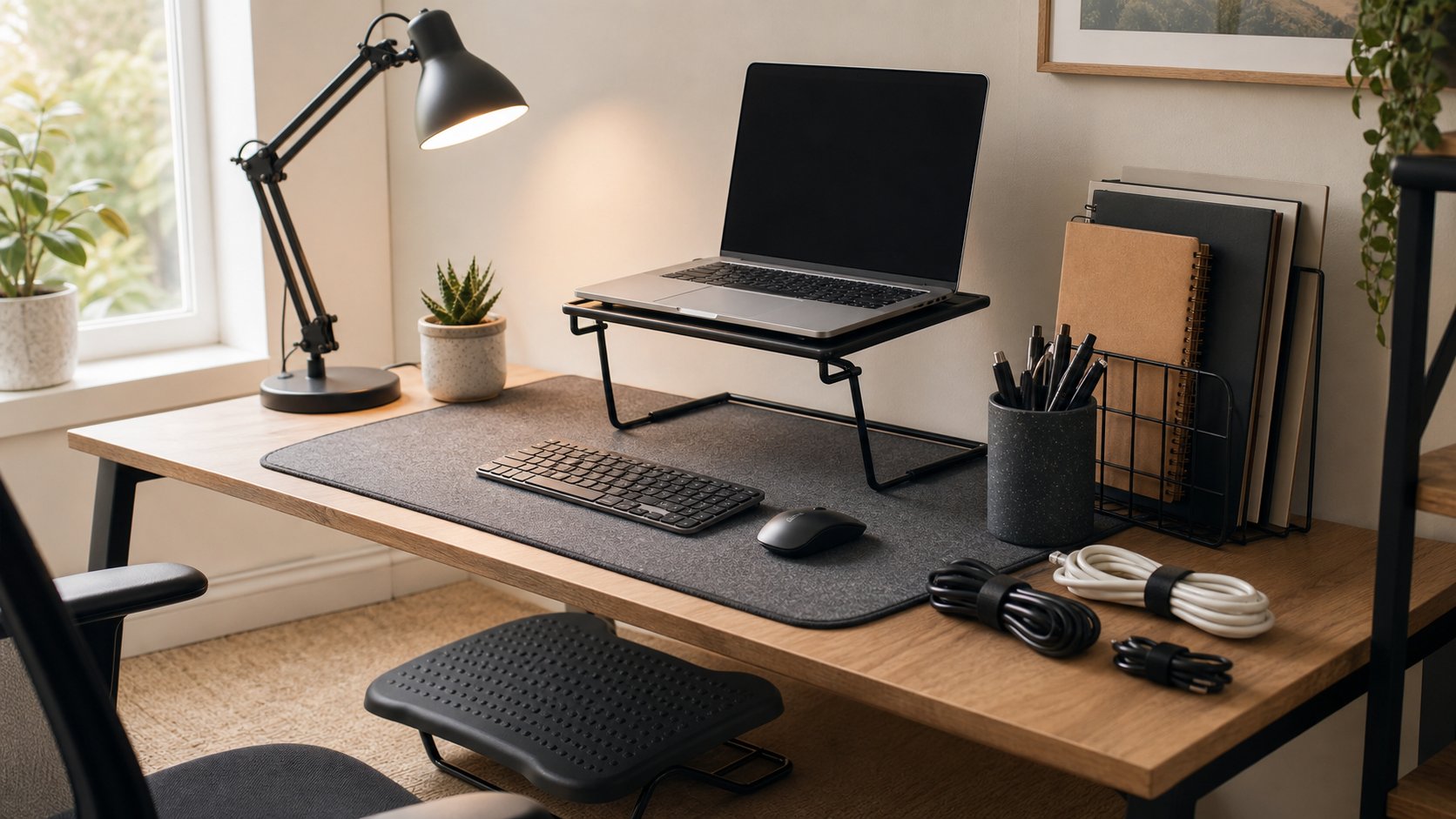
- External monitor for sustained laptop work
- Compatible dock or approved power adapter
- Headset for frequent calls
- Security key or employer-required network equipment
- Keyboard and pointing device
- Adjustable chair after a workstation assessment
- Task light when room lighting affects screen work
- Safe surge protection approved for company equipment
Requests that may need more explanation
- Standing desk
- Premium chair model
- Acoustic treatment
- Coworking membership
- Backup internet connection
- Camera and lighting equipment
Weak stipend requests
- Decorative furniture
- General room renovation
- Products chosen only for appearance
- Equipment unrelated to job duties
- An expensive bundle with no itemized purpose
You can request comfort and safety improvements without exaggerating medical claims. When a health condition or disability is involved, use the employer’s formal accommodation process rather than relying only on a general stipend conversation.
Realistic home office budget tiers
Local prices vary, but a tiered policy helps an employer understand scope.
| Budget tier | What it can reasonably support |
|---|---|
| $100–$200 | Headset, keyboard, mouse, task light or laptop stand |
| $250–$500 | Basic monitor and input setup, or contribution toward a chair |
| $500–$1,000 | More complete workstation with monitor, dock and adjustable seating |
| Above $1,000 | Specialized equipment, premium seating or role-specific technology |
Do not anchor the request to a premium amount if one mid-range item solves the problem. Ask whether the company can buy at a corporate rate.
Sample home office stipend email
Subject: Home office equipment request
Hi [Manager or HR name],
I reviewed our remote-work and expense policies but could not find guidance for [equipment category]. My current setup creates [specific recurring constraint], particularly during [work task].
I would like to request [item or reimbursement amount] to address this. The preferred option is [brief specification and cost], with [lower-cost option and cost] as an alternative. Both are compatible with [company laptop, dock or required software].
Could you let me know whether the company can purchase this through an approved supplier or reimburse it under an existing policy? I am also happy to complete a workstation or IT assessment first.
Please confirm any requirements for pre-approval, receipts, equipment ownership and return if employment ends.
Thank you, [Name]
Keep the email concise. Attach detailed product links only when requested or when the policy requires pre-approval.
How to ask during a manager conversation
Use a short three-part statement:
- “I have a recurring problem during [task].”
- “[Equipment] would address it, and the expected cost is [range].”
- “What process should I use to request or expense it?”
Pause after the question. Your manager may know an existing inventory or team budget you have not seen.
If the manager cannot approve it, ask who owns the policy and whether the need can be documented for the next budget cycle.
Questions to clarify before buying
Do not purchase until you understand:
- Is pre-approval required?
- Which item categories are eligible?
- Is there a preferred supplier or catalog?
- Does the allowance include tax and delivery?
- Must receipts show a specific name or address?
- Who owns the equipment?
- Who handles warranty claims?
- Can equipment be used for personal purposes?
- Must it be returned when the role or employment ends?
- Is the payment treated as reimbursement, allowance or taxable compensation?
- How often does the budget renew?
Save the approval and receipt with equipment serial numbers.
Tax treatment: ask before assuming
In the United States, employer reimbursements can be treated differently depending on how the arrangement is structured. The IRS employer guidance distinguishes accountable from nonaccountable plans. Under an accountable plan, expenses generally need a business connection, adequate substantiation and return of excess amounts.
A flat payment with no documentation may be handled differently from reimbursement of an approved business expense. Rules elsewhere vary substantially.
Do not rely on a general blog article to determine whether a stipend is taxable or deductible. Ask payroll how it will appear and consult a qualified adviser for personal guidance.
Equipment ownership matters
Company-owned equipment
The employer may control software, security, repair and replacement. You may need to return the item in good condition. Keep packaging only if policy asks for it; otherwise store serial and asset numbers.
Employee-owned equipment
You choose and retain the item, but may handle maintenance and compatibility. Reimbursement does not automatically mean ownership transfers; check the written policy.
Shared-cost equipment
If the company contributes toward a more expensive personal choice, document ownership, support and return expectations before purchase.
Ambiguity becomes expensive when a laptop, chair or monitor must be returned quickly.
If the employer says no
Ask which part cannot be approved: the category, amount, timing or policy.
Possible alternatives include:
- Borrowing equipment from the office
- Selecting a lower-cost approved option
- Using a purchasing catalog instead of reimbursement
- Requesting a workstation assessment
- Splitting the change across two budget periods
- Using a coworking benefit
- Reallocating an existing team equipment budget
- Revisiting the request during formal budget planning
Do not make tax, legal or safety threats during an ordinary benefits request. If you believe the employer is failing a legal obligation, seek advice through the appropriate local workplace, union or legal channel.
If you manage a remote team
A good stipend policy should define:
- Eligibility by worker type and location
- Approved categories and exclusions
- Budget amount and renewal interval
- Procurement and reimbursement steps
- Required documentation
- Compatibility and security review
- Ownership and return
- Accessibility and accommodation exceptions
- Tax and payroll treatment by jurisdiction
- Replacement, damage and warranty process
Standard starter kits reduce inequity and support burden. Keep an exception process for different body dimensions, disabilities, roles and local product availability.
Common mistakes
Buying before approval. A useful item may still fall outside the expense process.
Requesting a vague round number. Itemized needs are easier to evaluate.
Choosing equipment incompatible with company systems. Ask IT about docks, displays, security and drivers.
Forgetting delivery and tax. The approved amount may need to cover the total invoice.
Ignoring ownership. Know whether the equipment leaves with you.
Treating a stipend as a substitute for accommodation. Use the formal process when appropriate.
Final answer
Ask for a home office stipend by documenting one repeated work constraint, proposing the smallest reasonable solution and giving an itemized cost with an alternative. Check the existing policy first and ask whether procurement can supply the equipment directly.
Before purchasing, confirm approval, receipts, tax treatment, ownership, support and return requirements. A clear request is not about making the room look better. It shows how a specific investment supports reliable, secure and sustainable work.