The $1,000 Home Office Challenge: A Complete Budget Plan
Build a complete $1,000 home office around a quality chair, stable desk, monitor, input devices, lighting and connectivity with three adjustable allocation plans.
What to know first
- Prioritize comfort and reliability over matching finishes.
- Used commercial-grade equipment can beat new budget gear.
- Leave room for one upgrade after you test the setup.
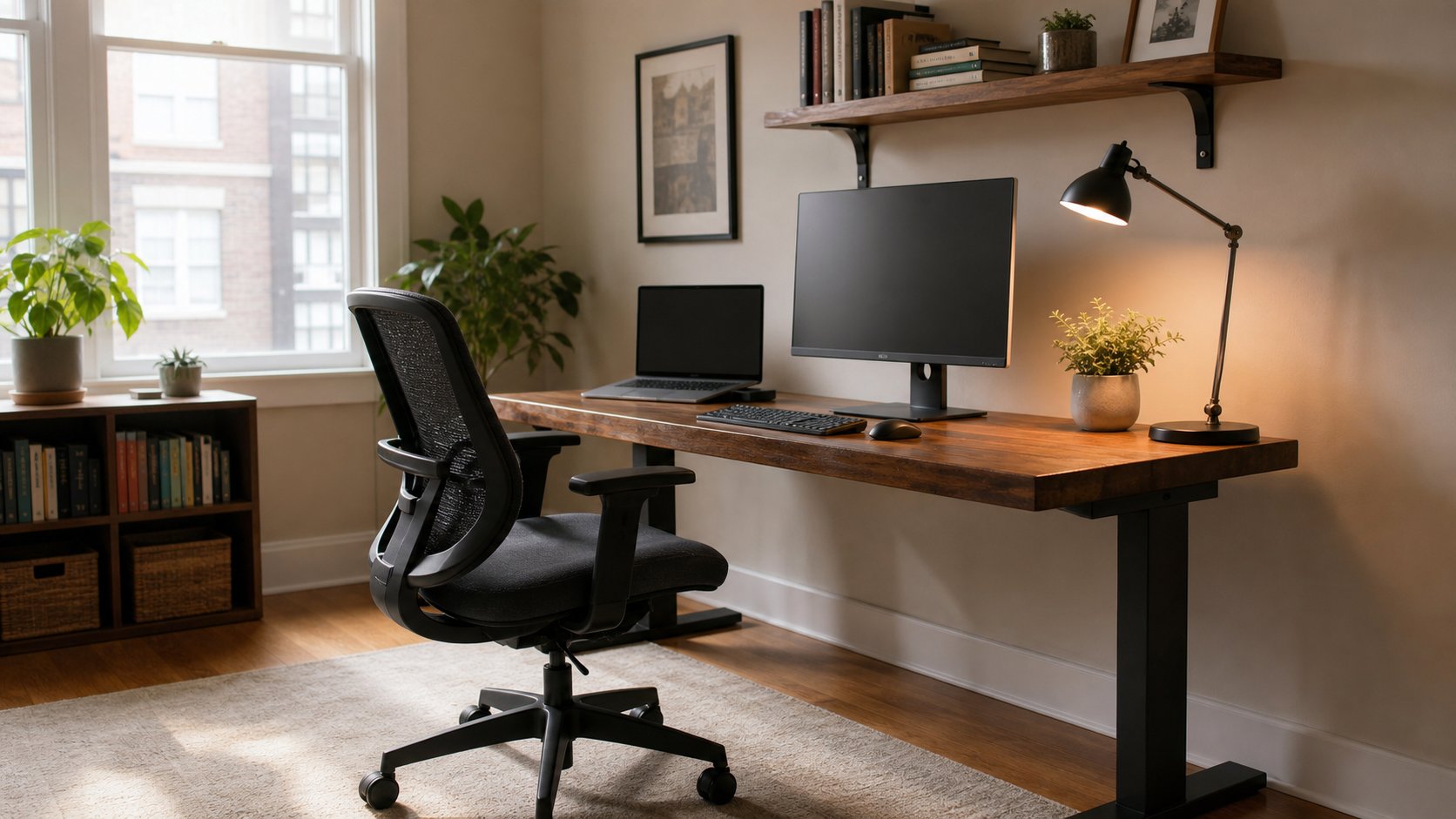
A $1,000 home office budget can cover a good used or entry-level commercial chair, stable fixed desk, 27-inch monitor, keyboard and mouse, task light, basic connectivity, power protection and contingency—assuming you already have the computer.
Spend by function rather than brand. Protect chair fit, desk stability and monitor readability first, then adapt the allocation to the equipment your employer provides.
Download the $1,000 Home Office Budget CSV
Balanced $1,000 allocation
| Category | Budget | Share |
|---|---|---|
| Chair | $300 | 30% |
| Desk | $180 | 18% |
| Monitor | $180 | 18% |
| Keyboard and mouse | $80 | 8% |
| Dock, hub or adapters | $70 | 7% |
| Task lighting | $40 | 4% |
| Network and power | $70 | 7% |
| Delivery and contingency | $80 | 8% |
| Total | $1,000 | 100% |
Prices, taxes and availability vary by country and date. Treat each amount as a ceiling to allocate, not a promise that a particular model will remain at that price.
What the plan assumes
The plan assumes:
- A suitable work computer already exists.
- Software is provided or separately budgeted.
- The room has safe electrical service.
- No construction is required.
- Internet service is an ongoing expense.
- A basic camera and audio device are already in the laptop or computer.
If you need a computer inside the same $1,000, reduce the furniture and monitor scope or consider approved refurbished hardware. Do not buy an unsuitable laptop to preserve the appearance of a complete room.
Priority 1: chair — $300
Put the largest single amount toward a chair because it is used for hours and difficult to improvise.
Look for:
- Seat height that supports your keyboard position
- Seat depth that leaves space behind the knees
- Comfortable back support
- Stable five-point base
- Working recline and tension
- Armrests that do not raise shoulders
- Size and load rating
- Parts or warranty support
A used commercial task chair can offer better adjustment and repair options than a new decorative “ergonomic” chair.
Inspect the secondhand equipment guide before buying locally.
Priority 2: desk — $180
Choose a simple fixed desk with:
- Adequate depth
- Stable frame
- Clear knee space
- Suitable load rating
- Safe edge finish
- Space for cable routing
- Clamp-compatible material if a monitor arm is planned
A fixed desk provides more stability per dollar than a very inexpensive motorized frame.
Measure the room and chair path before ordering. Delivery can consume a large share of the category.
The budget furniture guide explains used desks, tabletops and hidden costs.
Priority 3: monitor — $180
For general office work, a 24- or 27-inch monitor with readable resolution, digital inputs and a useful stand can fit this allocation.
Compare:
- Resolution and scaling
- Matte or glossy finish
- Brightness controls
- HDMI, DisplayPort or USB-C input
- VESA mounting
- Stand adjustment
- Warranty and dead-pixel policy
- Cable included
Do not spend the whole budget on maximum refresh rate when text clarity, connectivity and return policy matter more.
Center one monitor before considering a second.
Priority 4: keyboard and mouse — $80
Split the amount according to the device used most.
A simple wired keyboard and mouse can be more reliable than a feature-heavy wireless bundle. Check:
- Keyboard layout
- Front height
- Mouse fit
- Connection type
- Noise
- Battery or charging
- Employer security policy
A compact keyboard may move the mouse closer. A mechanical keyboard is optional, not a requirement.
Priority 5: dock, hub or adapters — $70
Buy only after listing required connections:
- Number and resolution of displays
- USB devices
- Ethernet
- Power delivery
- SD card
- Audio
A $70 hub may be enough for one display and ordinary peripherals. Multi-monitor docks with high charging power can cost much more; move budget from the monitor or accessories if the workflow truly requires one.
Use the docking-station guide to verify compatibility before ordering.
Priority 6: task light — $40
Choose an adjustable lamp that illuminates paper and keyboard without reflecting in the display.
Prioritize:
- Stable base or clamp
- Movable shade
- Replaceable bulb where practical
- Correct electrical certification
- Simple switch
- Enough reach
Wireless charging and decorative controls should not consume budget needed for a good beam.
Priority 7: network and power — $70
This category can include:
- Ethernet cable
- Approved USB Ethernet adapter
- Certified surge protector
- Reusable cable ties
- Router placement hardware
Do not buy a new router automatically. Test current Wi-Fi and wire the desk first when practical.
A surge protector does not provide battery backup. If outages are frequent, shift budget toward a correctly sized UPS and defer nonessential accessories.
Priority 8: contingency — $80
Reserve money for:
- Tax
- Delivery
- Return shipping
- Required cable
- Chair caster replacement
- Footrest
- Monitor adapter
- Assembly help
Do not spend contingency on decor before the workstation has survived two ordinary weeks.
Plan A: comfort-first setup
Best when the computer and monitor are already provided.
| Category | Budget |
|---|---|
| Refurbished commercial chair | $450 |
| Fixed desk | $220 |
| Footrest and task light | $80 |
| Keyboard and mouse | $100 |
| Network, power and cables | $70 |
| Contingency | $80 |
| Total | $1,000 |
This plan directs 67 percent to chair and desk.
Plan B: technology-first setup
Best when furniture exists but display and connectivity are weak.
| Category | Budget |
|---|---|
| Chair improvement | $200 |
| Monitor | $300 |
| Dock | $180 |
| Keyboard and mouse | $120 |
| Lighting | $50 |
| Network and power | $70 |
| Contingency | $80 |
| Total | $1,000 |
Confirm computer display limits before spending.
Plan C: sit-stand setup
Best when position changes are a known preference.
| Category | Budget |
|---|---|
| Sit-stand desk | $400 |
| Used task chair | $250 |
| Monitor | $150 |
| Keyboard and mouse | $70 |
| Lighting and cables | $50 |
| Contingency | $80 |
| Total | $1,000 |
At this budget, desk stability and warranty may require compromise. Keep the fixed-desk plan if a suitable adjustable frame is unavailable.
Buy used strategically
Good used candidates:
- Commercial chair
- Solid fixed desk
- Metal storage
- Monitor arm with all hardware and verified rating
- Business monitor with return rights
Buy new or from a trusted refurbisher when uncertainty is high for:
- Surge protectors
- Batteries
- Damaged electrical equipment
- Unknown chargers
- Upholstery with hygiene concerns
- Glass furniture with uncertain history
Total used cost includes transport and time.
What to borrow or reuse
Before shopping, inspect what you already have:
- Stable table
- Lamp
- External keyboard
- Ethernet cable
- Books for a temporary monitor riser
- Firm box to test footrest height
- Existing headphones
- Reusable storage containers
A safe prototype tells you the size or feature worth buying.
Use the free alternatives guide for reversible tests.
Where not to overspend
Matching furniture
Fit and stability matter more than finish.
Smart lighting
One well-placed lamp can outperform a collection of decorative lights.
Multiple monitors
Add a second only for a named workflow.
Desk accessories
Organize after two weeks of real use.
Premium cables
Buy the required certified specification and length, not decorative marketing.
Shipping memberships
Compare the complete delivered cost and return terms.
Hidden costs
Include:
- Sales tax or VAT
- Import duty
- Delivery
- Stair carry
- Assembly
- Wall fixing
- Return freight
- Recycling fees
- Replacement cable
- Power adapter
- Software subscription
A desk discounted to $150 with $90 delivery is a $240 decision.
Purchase sequence
Week 1: measure and stabilize
Set up existing equipment. Measure room, elbow height, screen distance and cable paths.
Week 2: chair
Test or order from a seller with a usable return policy.
Week 3: desk and monitor
Install the work surface before choosing monitor support.
Week 4: input, light and connectivity
Buy only the accessories that the assembled setup shows are missing.
This sequence prevents compatibility surprises.
How to evaluate value
Score each purchase from 1 to 5 on:
- Fit
- Daily impact
- Reliability
- Repairability
- Returnability
- Compatibility
An attractive accessory with low daily impact should not beat a stable chair or network fix.
Common mistakes
Including a laptop without changing scope. The remaining budget becomes unrealistic.
Spending $500 on the desk and $80 on the chair. Rebalance for daily contact.
Buying everything from one retailer. Compare used, refurbished and local options.
Forgetting delivery and tax. Keep contingency.
Buying a dock before checking the host. Ports do not guarantee display support.
Using the entire budget on sale day. Test in stages.
Choosing furniture from photos. Measure real dimensions.
If the budget is smaller
The complete office under $300 prioritizes existing furniture, a workable chair and basic accessories.
Do not finance decorative gear or compromise electrical safety to reproduce the $1,000 list.
Final recommendation
For a balanced $1,000 setup, allocate about $300 to the chair, $180 each to desk and monitor, $80 to input devices, $70 each to connectivity and network or power, $40 to light and $80 to contingency.
Adjust the categories around equipment already provided. Spend in stages and preserve the reserve until the system has been used. The challenge succeeds when every dollar solves a measured daily need—not when exactly $1,000 disappears.