Free Alternatives to Expensive Home Office Gear
Improve your home office without shopping. Use 15 safe alternatives for monitor height, standing breaks, lighting, focus, organization, sound and cable control.
What to know first
- Prioritize comfort and reliability over matching finishes.
- Used commercial-grade equipment can beat new budget gear.
- Leave room for one upgrade after you test the setup.
The best free alternative to expensive home office gear is often a change in placement, schedule or software you already own. Raise a monitor safely with broad books, face a window before buying a light, use operating-system focus tools before subscribing to an app and take movement breaks instead of assuming a standing desk is required.
Free should not mean unstable, electrically unsafe or uncomfortable. The 15 alternatives below use ordinary items and reversible changes.
Quick alternatives
| Expensive item | Free starting alternative |
|---|---|
| Standing desk | Short standing tasks at a safe counter plus movement breaks |
| Monitor arm | Original stand on broad stable books |
| Laptop stand | Stable riser plus external keyboard already available |
| Footrest | Firm filled box with non-slip base |
| Ring light | Face a window or diffuse an existing lamp |
| Second monitor | Split screen, virtual desktops and phone only when appropriate |
| White-noise machine | Fan, open-source audio or existing speaker |
| Productivity app | Built-in timer, calendar and focus mode |
| Desk organizer | Reused containers and one cleared drawer |
| Cable tray | Reusable ties and deliberate device placement |
| Video background | Plain wall, curtain or rotated desk |
| Document holder | Stable clipboard or binder beside the screen |
| Standing mat | Shorter standing periods and supportive footwear |
| Acoustic panels | Curtains, rug and upholstered furniture |
| Premium planner | Folded paper daily card |
Test the free version long enough to learn the measurement or feature an upgrade would need.
1. Standing desk alternative: movement away from the desk
A standing desk changes height; it does not create walking.
Try:
- Standing for an audio-only call at a safe counter
- Reading a paper document while standing
- Walking to refill water between blocks
- Performing a short household task
- Moving during a break
Do not build a full-day workstation by stacking a chair or unstable boxes on the desk.
If counter work feels useful, measure comfortable standing keyboard height before considering an adjustable desk. Compare the evidence in standing versus sitting.
2. Monitor arm alternative: use the stand and stable books
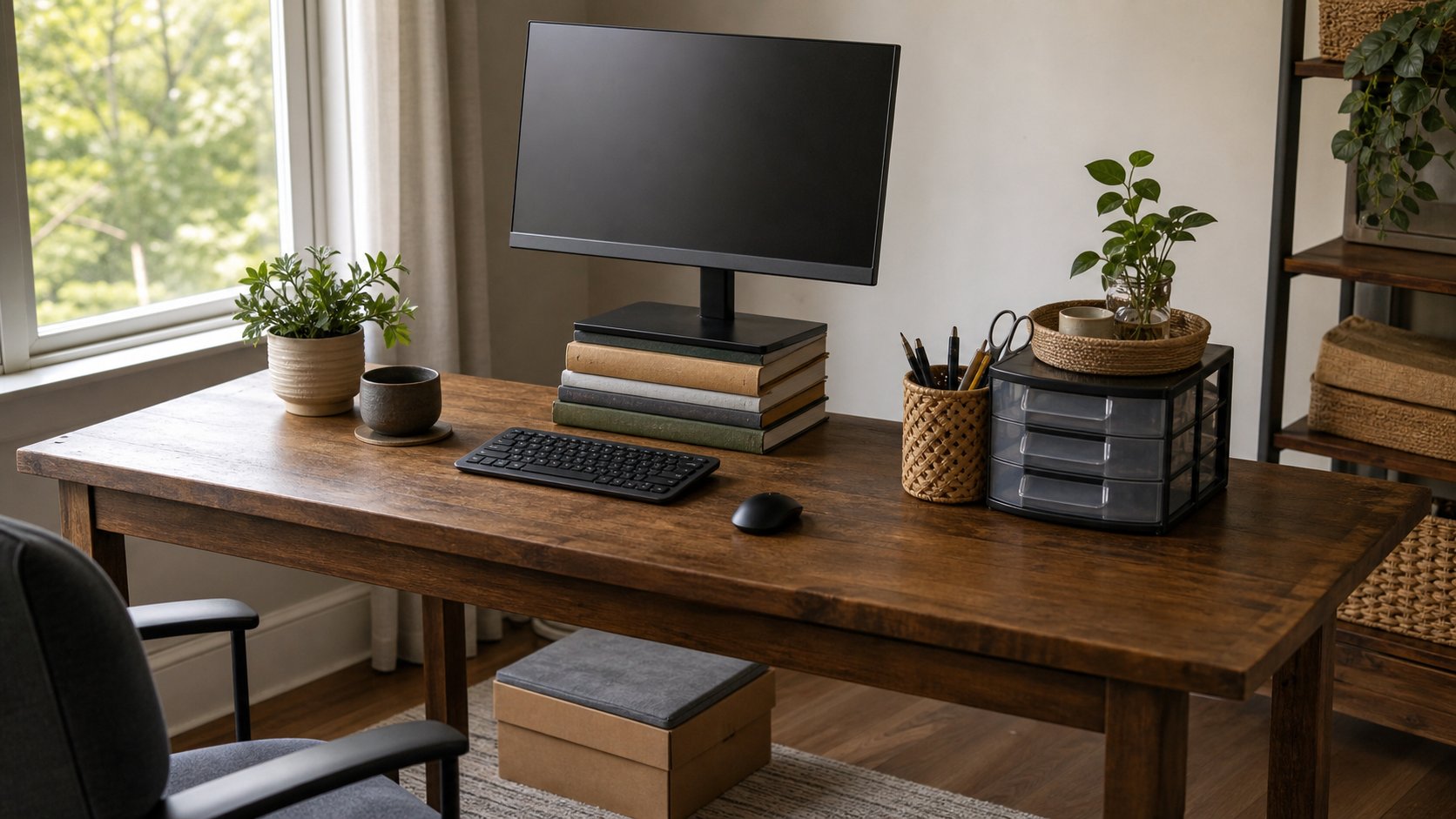
Place broad hardcover books under the original monitor base. The whole base must be supported, and the stack should stay low and stable.
Check:
- Books cannot slide
- Monitor cannot tip
- Ventilation remains clear
- Desk can support the weight
- Screen does not become too high
This solves height but not depth or side-to-side adjustment. If it works, measure the rise needed before buying a riser or arm.
3. Laptop stand alternative: stable riser plus separate input
Raise a laptop on a stable platform only when using an external keyboard and mouse for longer typing.
Possible risers:
- Broad books
- A rigid box designed to hold the weight
- A stable shelf board on secure supports
Keep vents clear and the entire computer stable. Do not place a powered laptop on bedding, cushions or folded clothing.
For short sessions without external input devices, keep the laptop lower and change position often.
4. Footrest alternative: firm filled box
A firm box can reveal the footrest height you need. Fill it so it cannot collapse, tape it closed and add a non-slip surface if necessary.
Both feet should fit. Keep it outside caster paths and replace it if damaged.
Do not use a rolling bin, ball or loose stack.
5. Ring light alternative: window placement
Face a window or place it 30–45 degrees to one side. Use a sheer curtain to soften direct sun.
At night, place an existing shaded lamp behind or beside the camera. Bounce harsh light from a pale wall instead of aiming a bare bulb into the eyes.
A better camera cannot compensate for strong backlight. Use the video-call setup guide for framing and audio.
6. Second monitor alternative: use virtual desktops
Before adding a screen, separate tasks digitally:
- Desktop 1: active project
- Desktop 2: communication
- Desktop 3: reference or meeting
Use split-screen for comparison and keyboard shortcuts to switch.
A phone or tablet can show a static reference only when security policy permits and the small screen does not cause leaning. Do not send confidential material to a personal device.
If switching remains the main friction, record which two windows must stay visible. That defines the eventual monitor need.
7. White-noise machine alternative: existing sound
A fan, air purifier already in use or an existing speaker can mask intermittent noise.
Use audio at the lowest helpful level. Avoid sleeping in headphones or playing sound loudly enough to hide alarms, people or environmental warnings.
Free audio sources may track users or include advertisements. Download approved offline sound when privacy or interruption matters.
Sometimes the better free solution is moving to the quieter side of the room or changing the focus block time.
8. Productivity-app alternative: built-in tools
Most systems already provide:
- Calendar
- Timer
- Do Not Disturb
- Website limits
- Reminders
- Notes
- Task list
- Screen-time reports
Use one calendar and one daily list before building a complex app stack.
For timer-based focus, follow the Pomodoro guide with any basic timer.
9. Desk-organizer alternative: remove before containing
Empty the desk. Return only daily items.
Reuse:
- A mug for pens
- A small box for adapters
- A clean food container for clips
- An envelope for receipts
- One existing drawer for weekly tools
Label contents on removable paper. Do not buy organizers for supplies that should leave the desk.
10. Cable-tray alternative: shorten the path
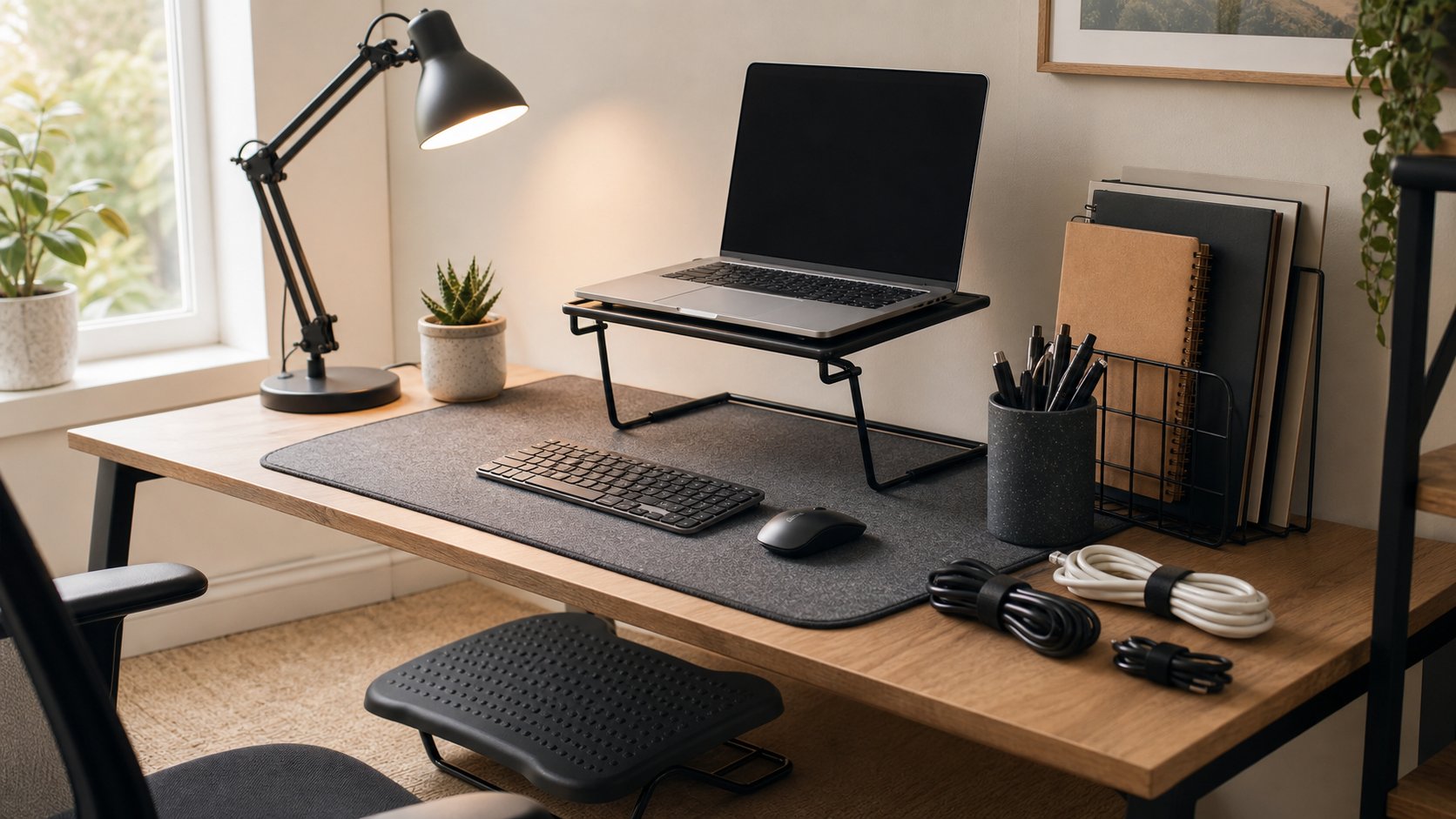
Move devices closer to power and data connections. Use reusable ties already available to group related cables loosely.
Create three routes:
- Power toward the outlet
- Display and data toward the computer
- One daily charging cable toward the front edge
Leave service slack. Do not coil high-power cables tightly, trap adapters in a closed box or attach cords with staples.
Electrical equipment should remain visible and ventilated.
11. Video-background alternative: rotate the desk
A plain wall often works better than purchased decor.
Try:
- Turning the camera away from household traffic
- Closing a curtain
- Removing readable documents
- Moving one lamp or plant already owned
- Using approved background blur
Check mirrors and glass for reflections. Privacy matters more than styling.
12. Document-holder alternative: binder or clipboard
Place a rigid binder, clipboard or cookbook stand already owned beside the monitor. Keep it stable and outside the keyboard area.
The document should be close enough to the screen to reduce repeated head turning.
Do not prop heavy books where they can fall onto the keyboard or hands.
13. Anti-fatigue-mat alternative: stand less
A mat can improve floor comfort, but it does not make long standing necessary.
Start with:
- Shorter standing periods
- Comfortable supportive footwear
- Small position changes
- Sitting before fatigue
- Walking instead of static standing
Do not substitute a folded blanket or loose foam that creates a trip hazard.
14. Acoustic-panel alternative: ordinary soft surfaces
Reduce echo by using items already in the room:
- Close curtains
- Put a rug on a hard floor
- Add a full bookcase behind or beside the desk
- Close the door
- Sit closer to the microphone
- Move away from a bare corner
Do not attach flammable improvised foam to walls or cover vents.
Microphone distance usually matters more than decorative acoustic panels.
15. Premium-planner alternative: one paper card
Fold a sheet of paper into four sections:
- Today’s outcome
- Meetings and deadlines
- Small tasks
- Capture for later
At shutdown, move unfinished work intentionally. Recycle the card only after necessary records are transferred.
This system has no notifications, login or subscription.
Free changes that improve ergonomics
Without buying anything:
- Bring keyboard and mouse closer
- Center the main screen
- Increase text size
- Clear knee space
- Support feet safely
- Move high-use tools into easy reach
- Change position regularly
- Stop cradling the phone
The full seven free ergonomic changes explains the adjustment order.
Free software alternatives
Use reputable open-source or built-in tools for:
- Office documents
- PDF viewing
- Password management where approved
- Video calls
- Time tracking
- Image editing
- File compression
Download only from official sources, review licenses and follow employer security policy. “Free” software can still cost data, attention or support time.
Our free software guide provides category-by-category options.
What not to improvise
Do not create free substitutes for safety-critical equipment.
Avoid:
- Homemade power strips or damaged extension cords
- Stacked furniture under a standing workstation
- Monitor mounts made from unsuitable hardware
- Unstable chair repairs
- Shelves without proper fixings
- Used smoke-damaged electrical equipment
- Unknown chargers and batteries
- Blocked laptop or router ventilation
A purchase or professional repair is justified when the free option cannot be made safe.
The “prototype first” method
Use an existing item to test the idea:
- Name the problem.
- Create a safe temporary change.
- Use it for three ordinary workdays.
- Measure what improved.
- Record exact dimensions.
- Decide whether a permanent product is still needed.
Example:
- Problem: monitor too low
- Prototype: two broad books
- Result: neck position improves
- Measurement: 7 cm rise
- Purchase decision: a stable 7–10 cm riser, not a random monitor arm
Free prototypes prevent feature shopping.
When buying is the better choice
Spend when the upgrade provides:
- Electrical safety
- Structural stability
- Required accessibility
- Reliable adjustment
- Data protection
- Employer compliance
- Reduced repeated pain or workflow interruption
- Repair and warranty support
Use the budget furniture plan for the core desk, chair and storage order.
Final recommendation
Start with placement and behavior: face the window, center the screen, clear the desk, use built-in software and move away from the workstation during breaks. Prototype height changes with safe, stable items and write down the successful measurements.
Free alternatives are most valuable when they teach you whether an upgrade solves a real problem. If the temporary fix is unstable, electrical or hard to maintain, stop improvising and buy or repair the correct equipment.