Secondhand Home Office Gear: Where to Buy and What to Check
Buy used office chairs, desks, monitors and accessories safely with inspection checklists, fair-value rules and a clear list of items to avoid secondhand.
What to know first
- Prioritize comfort and reliability over matching finishes.
- Used commercial-grade equipment can beat new budget gear.
- Leave room for one upgrade after you test the setup.
Secondhand home office gear can deliver better construction, adjustment and repairability than new budget equipment. A used commercial chair, solid desk or refurbished business monitor may cost less than a new product designed primarily to hit a low retail price.
The saving is real only when the item fits, works and can be transported safely. This guide explains where to buy, what to inspect and which products are better purchased new.
The best office gear to buy used
| Item | Used-value potential | Main risk |
|---|---|---|
| Commercial office chair | Excellent | Hidden wear, odor, wrong fit |
| Solid desk or table | Excellent | Transport and stability |
| Drawer unit or shelf | Good | Missing hardware, tipping risk |
| Monitor arm | Good | Missing mounts, worn tension |
| Business monitor | Good | Panel defects and port age |
| Docking station | Moderate | Compatibility and missing power supply |
| Keyboard and mouse | Moderate | Hygiene and switch wear |
| Surge protector | Poor | Unknown electrical history |
| Charger or battery | Poor | Safety, wear and authenticity |
Start with furniture. It is easier to inspect mechanically, has fewer rapidly changing standards and often survives several owners.
Where to buy secondhand office furniture
Office liquidators
Liquidators purchase equipment from companies that close or renovate. They often carry many identical commercial chairs and desks, making comparison easier.
Ask whether items were inspected, cleaned and repaired. Check the return policy and whether delivery includes stairs or assembly.
University and government surplus
Surplus sales can offer durable furniture at low prices. Inventory is inconsistent and items may sell as-is. Read collection rules carefully; some locations require removal during a narrow time window.
Refurbishment specialists
Specialists replace casters, gas lifts, arm pads or upholstery and may include a warranty. Prices are higher than person-to-person marketplaces but still below new premium furniture.
Ask which parts are original, which were replaced and whether the warranty covers labor and shipping.
Local marketplaces
Person-to-person platforms provide the widest range and best chance of a bargain. They also require the most judgment.
Meet in a safe place when possible, avoid advance-payment pressure and inspect the exact item before finalizing. Bring another person for heavy furniture.
Architectural salvage and charity shops
These sources work well for solid desks, tables, lamps and storage. Office-specific adjustable seating appears less consistently.
Do not assume an old item is strong. Check joints, repairs, pests, moisture damage and finish condition.
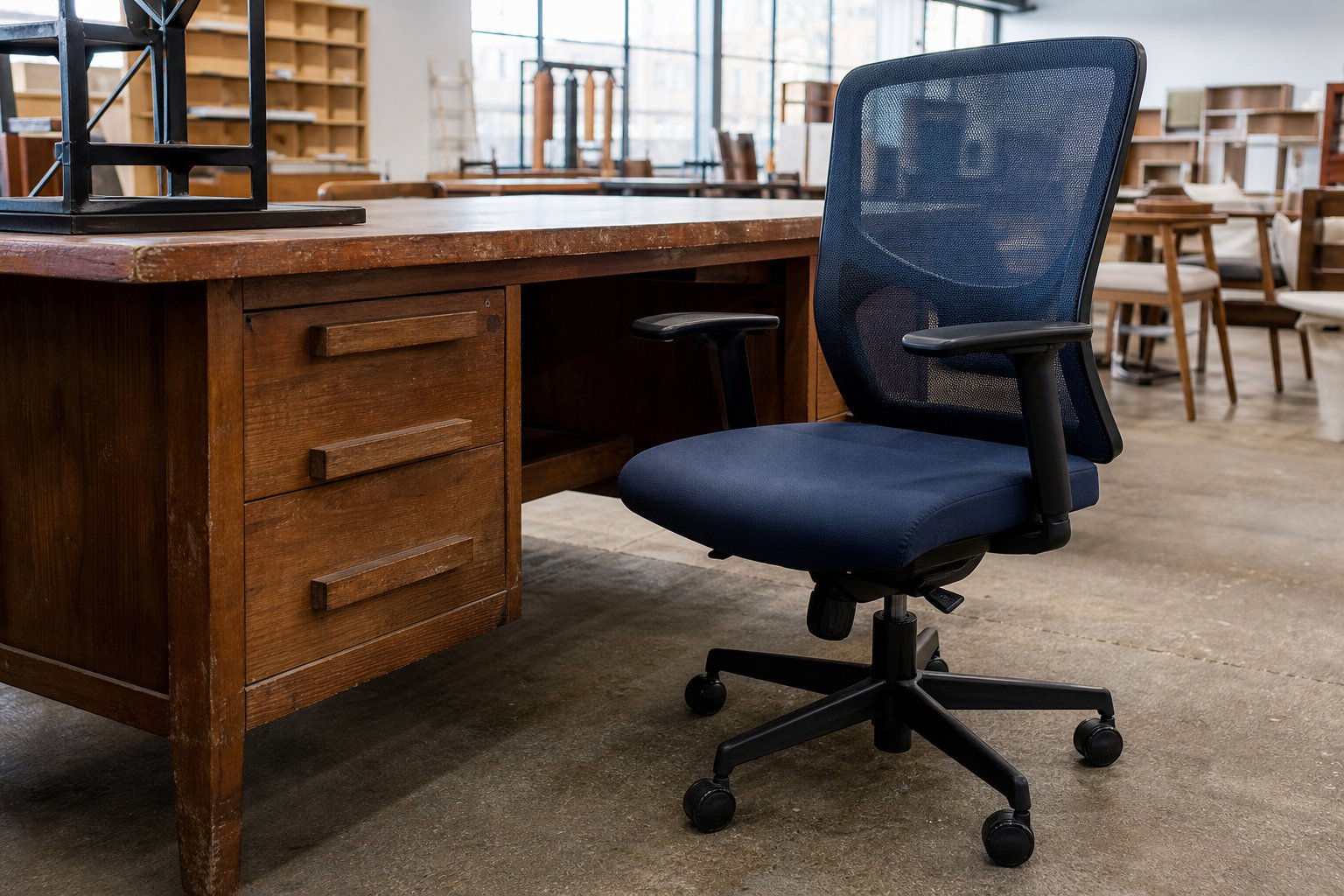
How to inspect a used office chair
A chair should fit you before it impresses you. Find the model label, then look up the original adjustment range and available replacement parts.
Seat and upholstery
- Check foam for permanent collapse or hard edges.
- Inspect fabric seams, mesh and the underside.
- Look for stains, odor and signs of pests.
- Sit for at least ten minutes if the seller allows it.
- Confirm the seat depth does not press behind the knees.
Mesh can stretch or tear at attachment points. Cracked foam or peeling bonded material can make a cheap chair expensive to restore.
Gas lift
Raise the chair to maximum height, sit normally and wait. It should not sink. Lower it through the full range and listen for scraping.
A replaceable gas lift is not necessarily a deal-breaker, but include the part, tools and labor in the price.
Tilt and backrest
Test every lever. Unlock recline, adjust tension and verify that the back returns smoothly. Check lumbar and back-height controls.
Rock the backrest gently from side to side. Excessive play may indicate worn mounts rather than a loose adjustment.
Arms and base
Adjust arm height, width and pivot where available. Pads should be secure. Inspect the five-star base for cracks around the caster sockets and center column.
Roll the chair on a clean floor. Replacement casters are inexpensive, but a cracked base is more serious.
Parts and authenticity
Commercial chairs usually carry a manufacturer label and date code. Compare the chair with official documentation. Counterfeit or assembled-from-parts products may be harder to repair and value.
Ask for the serial number before traveling when purchasing an expensive model.
How to inspect a used desk
Measure the desk before arranging transport. Include the longest component after disassembly, elevator dimensions, door width and vehicle space.
Check:
- The frame does not rock after feet are leveled.
- Fastener holes are not stripped.
- The desktop is not swollen from water.
- Laminate edges are not lifting.
- Drawers open without pulling the frame out of square.
- There is enough knee and chair clearance.
- Monitor-arm clamps can attach where needed.
For a standing desk, operate the full height range with weight on the surface. Listen for uneven motors and watch whether the legs rise together. Confirm the controller, power supply, cable and all frame hardware are included.
Replacement control boxes and motors may be specific to the frame generation.
How to buy a used monitor
A used business monitor is a good value when its resolution, ports and screen size fit current equipment.
Bring a laptop and the correct cable, or ask the seller to demonstrate a solid full-screen image in several colors.
Inspect for:
- Dead or stuck pixels
- Uneven backlight or dark corners
- Image retention
- Flicker at ordinary brightness
- Scratches visible when powered on
- Loose ports or intermittent connection
- Stand height and tilt function
- VESA mount compatibility
Check the manufacturing date and power consumption. A very old bargain may use more power, lack modern ports and provide lower resolution than a modest new display.
Avoid monitors with swelling, burning smell, exposed wiring or a damaged power supply.
Used monitor arms and laptop docks
Monitor arms
Confirm the arm’s weight range, VESA plate, desk clamp and every screw. Gas-spring arms have minimum as well as maximum weight requirements.
Move each joint through its range. An arm that drops under a compatible monitor may need adjustment or replacement.
Docks
Match the exact model number to your laptop, operating system and display needs. Ask for the original power adapter; an underpowered replacement can limit charging or connected devices.
Test Ethernet, display output, USB and charging. A USB-C connector does not guarantee every dock feature works with every computer.
Items usually better purchased new
Surge protectors and extension cables
Electrical protection components age and can be damaged by events you cannot see. Buy certified products from a reputable retailer for your local electrical standard.
Laptop batteries and power banks
Battery condition, cell quality and storage history matter. Use manufacturer-authorized or reputable new replacements with clear safety certification and warranty.
Unknown chargers
Counterfeit or damaged chargers can risk the device and household. A low price is not worth uncertain electrical safety.
Heavily upholstered furniture with poor provenance
If you cannot inspect and clean the item, pass. Odor, allergens, pests and deep stains can be difficult to remove.
Safety-critical mounting hardware
Replace missing wall anchors, monitor bolts and anti-tip hardware with the exact specification required by the manufacturer. Do not improvise from an unknown parts bin.
Calculate the real secondhand price
Use this formula:
Purchase price + transport + cleaning + missing parts + immediate repairs = real cost
Then compare it with a delivered new or professionally refurbished option that includes warranty and returns.
A chair priced at $150 may become $260 after van rental, new arm pads and a gas lift. That can still be a good value, but it is not a $150 decision.
Questions to ask the seller
- What is the exact model and approximate age?
- Why is it being sold?
- Which adjustments or ports have you tested?
- Are any parts missing or replaced?
- Was the item used in a smoke-free and pest-free environment?
- Can I test it before purchase?
- Is there a return period?
- Is the item assembled, and what tools are needed for removal?
Specific answers are more useful than “works great.”
Cleaning used office gear
Follow the manufacturer’s material guidance. Test cleaners on an inconspicuous area.
For hard surfaces:
- Disconnect power.
- Remove loose dust.
- Use a lightly damp appropriate cloth.
- Keep liquid away from ports, seams and motors.
- Dry before reconnecting.
For upholstery, check fabric codes and use suitable extraction or professional cleaning. Do not soak foam or cover odor with fragrance.
Clean keyboards and mice only with device-safe methods. Replace worn keycaps or grips when parts are available.
A smart used-office shopping sequence
- Measure the room and desk area.
- Define the missing function.
- Research three appropriate models.
- Learn common replacement-part prices.
- Set a real-cost ceiling.
- Inspect before paying.
- Transport with straps and padding.
- Clean, assemble and test immediately.
- Keep seller details and any receipt.
Do not buy a chair merely because the discount looks large. The correct size and adjustment range create the value.
Red flags that mean walk away
- The seller refuses basic testing.
- Electrical equipment has a cut, taped or hot cable.
- A chair sinks, cracks or has a damaged base.
- A desk frame twists under light pressure.
- Water damage has swollen engineered wood.
- Serial or model labels were removed from expensive equipment.
- The seller demands unusual payment or advance fees.
- The price depends on collecting immediately without inspection.
There will be another desk or chair. Safety and fit are worth waiting for.
Final verdict
The best secondhand home office purchases are commercial chairs, stable desks, storage and recent business monitors you can inspect. Buy from sources that let you test the exact item, then calculate transport and repairs before comparing with new.
Purchase power protection, questionable chargers and worn batteries new from reputable sources. Secondhand value comes from durable equipment with a long useful life—not from accepting risks that the first owner no longer wants.