Small Home Office Ideas: 20 Smart Setups for Tiny Spaces
Design a productive small home office with 20 realistic layouts, compact furniture dimensions and storage ideas for spaces under 100 square feet.
What to know first
- Start with the work you do, not the look you want.
- Protect clearances before choosing furniture.
- Spend first on items you touch for hours each day.
The best small home office ideas do not try to fit a large office into a tiny room. They reduce the footprint of the tasks, storage and equipment until the space supports an ordinary workday without feeling like permanent clutter.
Start with the work you need to do, not a furniture style. A laptop-based writer may need only a stable 100 cm surface. A designer with a large monitor needs more depth. Someone taking calls all day needs a calm camera background and better sound before extra storage.
These 20 layouts work in alcoves, bedrooms, living rooms and spaces under roughly 100 square feet. Each includes the constraint it solves and the trade-off to expect.
Measure the working envelope first
Record wall width, available depth, outlet position and door or drawer swing. Then include the chair—not just the desk—in the floor plan.
A compact desk often begins around these dimensions:
| Work pattern | Starting width | Starting depth |
|---|---|---|
| Laptop and notebook | 90–110 cm | 50–60 cm |
| Laptop plus one monitor | 110–130 cm | 60–70 cm |
| Large monitor on an arm | 120–140 cm | 65–75 cm |
These are planning ranges rather than rules. Tape the footprint on the floor and place a chair inside it. Confirm that you can sit, stand and pass behind the chair without moving furniture every time.
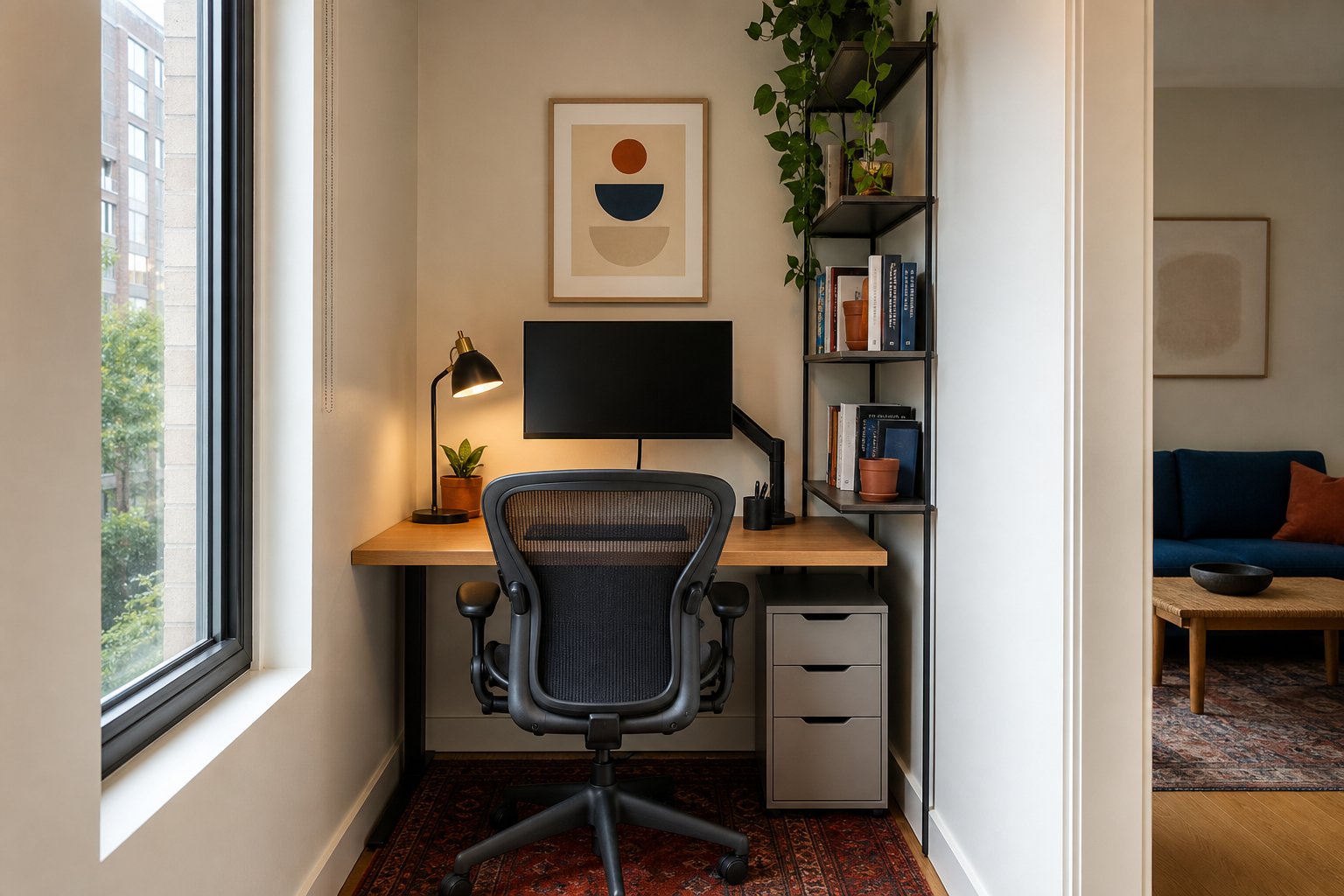
1. Turn a shallow alcove into a focused office
An alcove creates visual separation without consuming a full room. Use a desk cut to the available width and keep the surface shallow only if a monitor arm can preserve viewing distance.
Mount shelves above the screen, not directly above where your head travels. A wall light or clamp lamp saves desktop area. Paint or wallpaper inside the alcove to make the zone feel intentional.
Best for: laptop work, writing and one-monitor setups.
Watch for: poor ventilation and outlets hidden behind the desk.
2. Use a wall-mounted drop-leaf desk
A fold-down desk can return floor area to a bedroom or passage after work. Choose hardware rated for the desktop and equipment weight, and mount it to the correct wall structure.
A folding surface works best with equipment that packs into one nearby box. If a monitor, dock and microphone must be disconnected daily, the pack-down routine may become too demanding.
Best for: occasional remote work and multipurpose rooms.
Watch for: limited depth, wall-fixing requirements and cable movement.
3. Float a desk behind the sofa
The space behind a sofa can hold a narrow desk while using the seating to divide work from the rest of the room. Keep the desktop close to sofa-back height for a calm visual line.
Use a finished back panel or a cable tray because the rear of the desk remains visible. A compact chair that fully tucks under the surface preserves the walkway.
Best for: open-plan living rooms.
Watch for: glare from the television wall and traffic behind the chair.
4. Build a closet office
A shallow closet can become a work zone with a fitted surface, task light and vertical storage. Remove the doors only when your lease allows it; curtains can conceal the office with less construction.
Measure elbow room, ventilation and shelf clearance. Deep overhead shelves can cast shadows and make the space feel enclosed.
Best for: people who want work to disappear at night.
Watch for: heat, insufficient depth and a chair blocking the room when the office is closed.
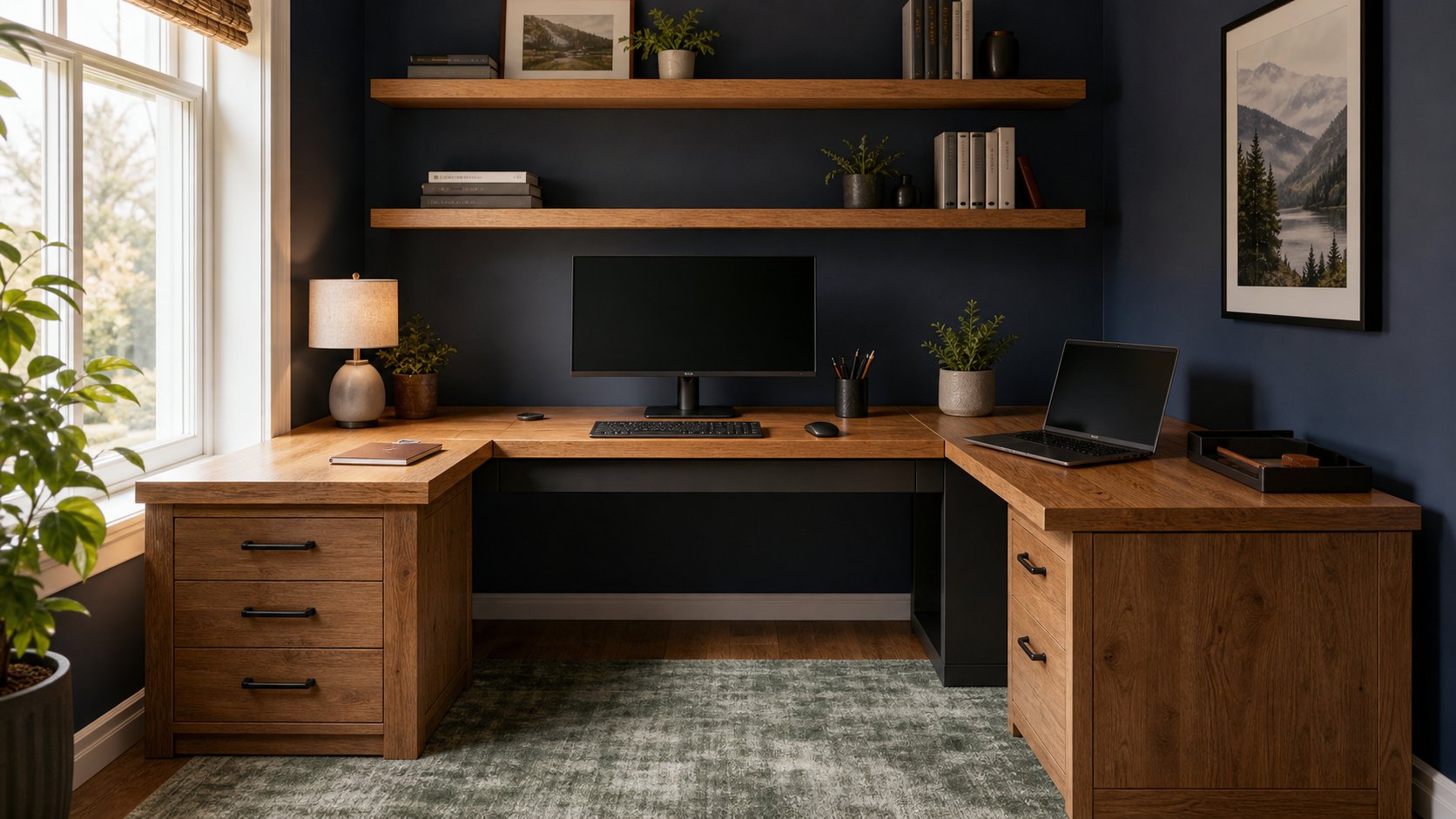
5. Choose a corner desk with one working wing
A compact L-shape uses a corner efficiently when one side holds the computer and the other supports paper, crafts or calls. Do not fill both sides with permanent equipment.
Place the primary monitor and keyboard so your torso faces one surface directly. Turning toward a monitor in the corner all day defeats the layout.
Best for: mixed digital and paper work.
Watch for: inaccessible corner space and oversized L-shaped frames.
6. Replace a nightstand with a desk
In a bedroom, a small desk can serve as a nightstand after work. Use a warm task lamp suitable for both roles and a closed drawer for work items.
Protect sleep cues: close the laptop, remove the task list and avoid placing the screen directly in sight from bed if possible.
Best for: studios and small bedrooms.
Watch for: work spilling into rest time.
7. Create a window-side office, not a window-facing office
Placing the desk perpendicular to the window uses daylight while reducing reflections. A light-filtering blind controls brightness changes.
Do not sacrifice a comfortable screen position for the view. Keep the primary monitor centered and use the window as a distance focus point during breaks.
Best for: visually pleasant daytime work.
Watch for: afternoon heat, glare and radiator clearance.
8. Use a compact secretary desk
A secretary desk combines a work surface with closed storage. Modern versions can hide a laptop, charger and notebook behind one door.
Check knee clearance and desktop depth. Traditional models may look ideal while placing the working surface too high or too shallow for daily computer use.
Best for: living rooms where office equipment must close away.
Watch for: limited monitor options and fixed work height.
9. Put vertical storage beside the desk
A tall narrow bookcase often works better than shelves directly overhead. It keeps frequently used items within a side reach and leaves visual space above the monitor.
Use the middle shelves for current work, lower shelves for heavy items and upper shelves for infrequent storage. Secure tall furniture according to the manufacturer’s instructions.
Best for: renters who cannot mount shelves.
Watch for: overfilling the shelf until it becomes visual noise.
10. Use a monitor arm to reclaim depth
A monitor arm can move the supplied stand off the desktop and allow a display to sit partly over the rear edge. Confirm the monitor’s weight and mounting pattern, desk thickness and rear clearance.
The arm does not make an extremely shallow desk ergonomic by itself. You still need a comfortable reading distance and space for the keyboard.
Best for: one larger monitor on a compact desk.
Watch for: particleboard desktops that cannot support a clamp without reinforcement.
11. Build a mobile office cart
A rolling cart can hold the laptop, headset, files and charger, then park beside a dining table during work. Afterward, the complete office moves to a closet.
Assign each shelf a function and route charging cables to one accessible point. Locking casters prevent the cart from moving while you retrieve equipment.
Best for: households sharing one table.
Watch for: using the cart as permanent unsorted storage.
12. Mount a pegboard for shallow storage
A pegboard holds headphones, cables and light stationery within a few inches of the wall. It is more adaptable than fixed small shelves.
Keep the central area behind the display calm. Place frequently handled objects to one side so reaching does not cross the screen or task lamp.
Best for: tools and accessories with awkward shapes.
Watch for: too many tiny containers and unsecured heavy objects.
13. Choose one large display instead of two
Two monitors require width, stands and additional cables. One appropriately sized display with virtual desktops or split-screen tools may create a cleaner small office.
A 27-inch screen is a common balance, but resolution, viewing distance and your work matter more than the diagonal measurement alone.
Best for: focused digital workflows.
Watch for: buying a screen too large for the available depth.
14. Use a laptop shelf above the keyboard zone
A stable laptop riser can place the screen above a compact external keyboard while using vertical space. Keep the laptop open enough for cooling and camera use.
Do not type on a laptop perched high on a stand. Separate input devices are what make the arrangement workable.
Best for: laptop-first workers.
Watch for: unstable stands and raised shoulders.
15. Create a two-position room
Instead of squeezing a sit-stand desk into a tight room, use the desk for seated work and a separate chest, shelf or counter for short standing tasks.
Move only the laptop or notebook. Calls, daily planning and reading work well in the second position.
Best for: people who want variation without a large adjustable frame.
Watch for: using a surface that is unstable or far too high for keyboard work.
16. Place storage under only one side
A narrow drawer unit under one end of the desk leaves the center open for the chair and allows the mouse hand to move freely.
Measure the remaining knee width before buying. Many attractive desk-and-drawer combinations push the user off-center.
Best for: small supplies and documents.
Watch for: legroom that looks sufficient in a product photo but is not.
17. Use a curtain as a visual divider
A ceiling or wall-mounted curtain can conceal a shallow office wall, soften sound and create a background for calls. Use appropriate mounting hardware and keep fabric away from heat sources.
A freestanding room divider offers a rental-friendly alternative, though it consumes more floor depth.
Best for: studio apartments and shared bedrooms.
Watch for: blocking daylight or ventilation.
18. Share one long wall between two workers
One continuous worktop can use less material and visual space than two separate desks. Give each person a defined cable tray, task light and storage zone.
Leave enough width that chairs and elbows do not collide. If calls overlap, acoustic separation matters more than a decorative divider.
Best for: couples and shared remote-work rooms.
Watch for: one person’s equipment slowly occupying the shared center.
19. Make the camera background do double duty
A shallow shelf behind the chair can store books and improve a video background. Keep it simple and secure. The camera sees less detail than you expect.
Test the view at your actual seated height. A good background may be only one lamp, one framed piece and a closed cabinet.
Best for: frequent client calls.
Watch for: placing private documents or reflective surfaces in view.
20. Build a complete pack-down ritual
The smallest office is sometimes no dedicated footprint at all. Use a laptop sleeve, one accessory pouch and a document box. Give each cable a fixed home.
A workable pack-down system should take less than five minutes. If it takes longer, remove equipment until the routine is sustainable.
Best for: dining-table offices and changing schedules.
Watch for: carrying equipment between rooms without a safe storage place.
Small-office storage rules
Use three levels:
- Desktop: only tools used in the current task.
- Reach storage: items used daily or several times per week.
- Archive storage: files and equipment used occasionally.
Closed storage calms a room, but do not buy containers before deciding what belongs in the office. Reduce duplicates first. Store bulk supplies elsewhere if the home layout allows it.
Lighting a tiny workspace
Small rooms amplify glare because the monitor sits close to walls and windows. Use a task lamp with an adjustable head, then add enough ambient light that the screen is not the only bright object.
A clamp lamp preserves surface area. Wall-mounted lights work well in alcoves when installation is permitted. For video calls, place soft light near the camera rather than adding several decorative lamps.
What to buy first
Prioritize in this order:
- A stable work surface with enough depth
- A chair that fits and can approach the desk
- A way to position the laptop or monitor comfortably
- Controllable task lighting
- Cable management
- Storage after the workflow is tested
A tiny office feels larger when the chair moves freely, the floor remains visible and only one or two cables reach the room. It feels smaller when every wall carries storage and every surface holds equipment.
Final layout checklist
Before committing to a design, confirm:
- The chair can move without blocking a door.
- The primary screen sits directly ahead at a readable distance.
- Daylight can be controlled.
- Power does not cross a walkway.
- Work items can be hidden or visually reduced after hours.
- You can change posture and leave the desk easily.
- The setup supports your real equipment, not a staged minimal version of it.
The best small home office is not the one that stores the most. It is the one that protects enough clear space for you to work, move and finish the day without the office taking over the room.