Best Desk Mats for Home Offices: 6 Practical Picks
Compare six desk mats by size, surface, backing and care, then choose one that fits your keyboard, mouse, writing habits and actual available desk depth.
What to know first
- Start with the work you do, not the look you want.
- Protect clearances before choosing furniture.
- Spend first on items you touch for hours each day.
The best desk mat for most home offices is not necessarily the largest or most expensive. It is the surface that fits the usable desktop, tracks reliably with your mouse, stays flat and tolerates the way you actually work. Logitech’s Desk Mat Studio Series is a sensible compact cloth option. Orbitkey adds cable and paper organization, while Grovemade’s Matte Desk Pad suits people who write by hand as often as they use a mouse.
This guide compares current manufacturer specifications and practical use cases. RemoteNest did not perform laboratory glide, spill or durability testing on these products, so treat each pick as a researched shortlist and confirm the exact material and regional return policy before ordering.
Quick comparison
| Desk mat | Best for | Published size or range | Main trade-off |
|---|---|---|---|
| Logitech Desk Mat Studio Series | Compact value | 27.55 × 11.81 in | Shallow for large keyboards |
| Orbitkey Desk Mat | Integrated organization | Up to 35.28 × 16.65 in | Thick layered edge and premium price |
| Grovemade Matte Desk Pad | Writing and natural materials | Five sizes up to 49 × 26.5 in | Linoleum needs appropriate care |
| Razer Strider XXL | Wide mouse movement | About 37 × 16 in | Gaming appearance and textured feel |
| IKEA RISSLA | Firm full-depth writing surface | 33.88 × 22.88 in | Heavy, rigid and too deep for small desks |
| Oakywood Felt & Cork Desk Mat | Soft, quiet workspace | Multiple sizes | Felt is harder to clean after spills |
Dimensions and availability can change. Measure the clear desk area rather than assuming a label such as “large” or “XXL” is consistent between brands.
1. Logitech Desk Mat Studio Series: best compact value
The Logitech Desk Mat Studio Series measures 700 × 300 mm, or 27.55 × 11.81 inches, and is 2 mm thick. Logitech specifies a recycled-polyester surface, natural-rubber anti-slip base, stitched edges and a spill-resistant coating.
Best for: a compact keyboard and mouse on a desk with limited depth.
Why it makes the list: the dimensions are easy to accommodate, the stitched perimeter should reduce edge fraying, and the cloth surface gives a familiar mouse-pad feel.
Consider before buying: 300 mm of depth is not enough to hold a monitor stand and leave generous wrist space. Natural rubber latex can also cause reactions for some people; Logitech includes that caution in its material specifications.
2. Orbitkey Desk Mat: best built-in organization
The Orbitkey Desk Mat combines a wipeable top layer with recycled PET felt. The large version is listed at 896 × 423 mm and 4.9 mm thick. Its design includes a magnetic cable holder, a stationery channel and a document layer.
Best for: charging cables that repeatedly slide behind the desk and papers that need a temporary home.
Why it makes the list: the organization features replace several loose accessories without using another tray.
Consider before buying: the layered design creates more height than a thin cloth mat. Confirm that your keyboard’s front edge and any separate wrist rest still feel comfortable. The hidden-paper feature is useful only if you establish a routine for emptying it.
3. Grovemade Matte Desk Pad: best for handwriting
Grovemade’s Matte Desk Pad uses natural linoleum over cork and comes in five sizes, from 24.75 × 11 inches to 49 × 26.5 inches. The manufacturer describes the surface as firm enough for writing and lists a 3.5 mm thickness.
Best for: people who switch between keyboard work, sketching and paper notes.
Why it makes the list: the range includes narrow keyboard pads and near-full-desk coverage. Cork provides a non-scratch underside without a rubber smell.
Consider before buying: natural linoleum is not a self-healing cutting surface. Keep blades, strong solvents and prolonged standing water away from it. A hard mouse user should confirm that the chosen sensor tracks well before the return window closes.
4. Razer Strider XXL: best for broad mouse travel
The Razer Strider line uses a textured hybrid surface and anti-slip base. The XXL format is designed to place a full keyboard and a wide mouse zone on one continuous pad.
Best for: low mouse sensitivity, creative work with sweeping movements or anyone who wants a broad cloth-like surface.
Why it makes the list: a wide format avoids the edge between a keyboard mat and separate mouse pad.
Consider before buying: the textured surface can feel rougher under the forearms than fine cloth or smooth linoleum. Branding and edge treatment vary by model, so review current product photographs rather than relying on older listings.
5. IKEA RISSLA: best rigid full-depth pad
The IKEA RISSLA desk pad measures 33 7/8 × 22 7/8 inches. Its layered construction includes polyurethane, polypropylene, paper and steel, with a bent front edge that holds the pad against the desk.
Best for: a firm writing surface that covers most of a conventional desktop’s depth.
Why it makes the list: the rigid construction stays put and the surface wipes clean with a damp cloth under IKEA’s care instructions.
Consider before buying: it is heavy, inflexible and too deep for many compact desks. The steel layer may affect some wireless peripherals, so test keyboard and mouse reception before the return window closes.
6. Oakywood Felt & Cork Desk Mat: best soft surface
The Oakywood Felt & Cork Desk Mat pairs a felt working surface with cork underneath.
Best for: reducing the sound of keys and objects touching a hard desktop.
Why it makes the list: felt feels warm and helps prevent small metal accessories from scratching the desk.
Consider before buying: felt holds crumbs, dust and liquid more readily than a sealed top. A felt mat is a poor fit if coffee spills are frequent or if you need a smooth surface for detailed handwriting.
Choose the right size
Measure four zones separately:
- Keyboard width, including the numeric keypad.
- Normal mouse movement from the keyboard edge.
- Clear depth between your body and monitor base.
- Space required by a notebook, control pad or drawing tablet.
Add only the margin you can physically fit. A full-cover mat can interfere with monitor clamps, cable grommets and the curved front edge of a desk. It may also bridge an uneven seam in an L-shaped surface.
Download the desk accessory fit planner to record the desk and accessory dimensions before comparing products.
Match the surface to the task
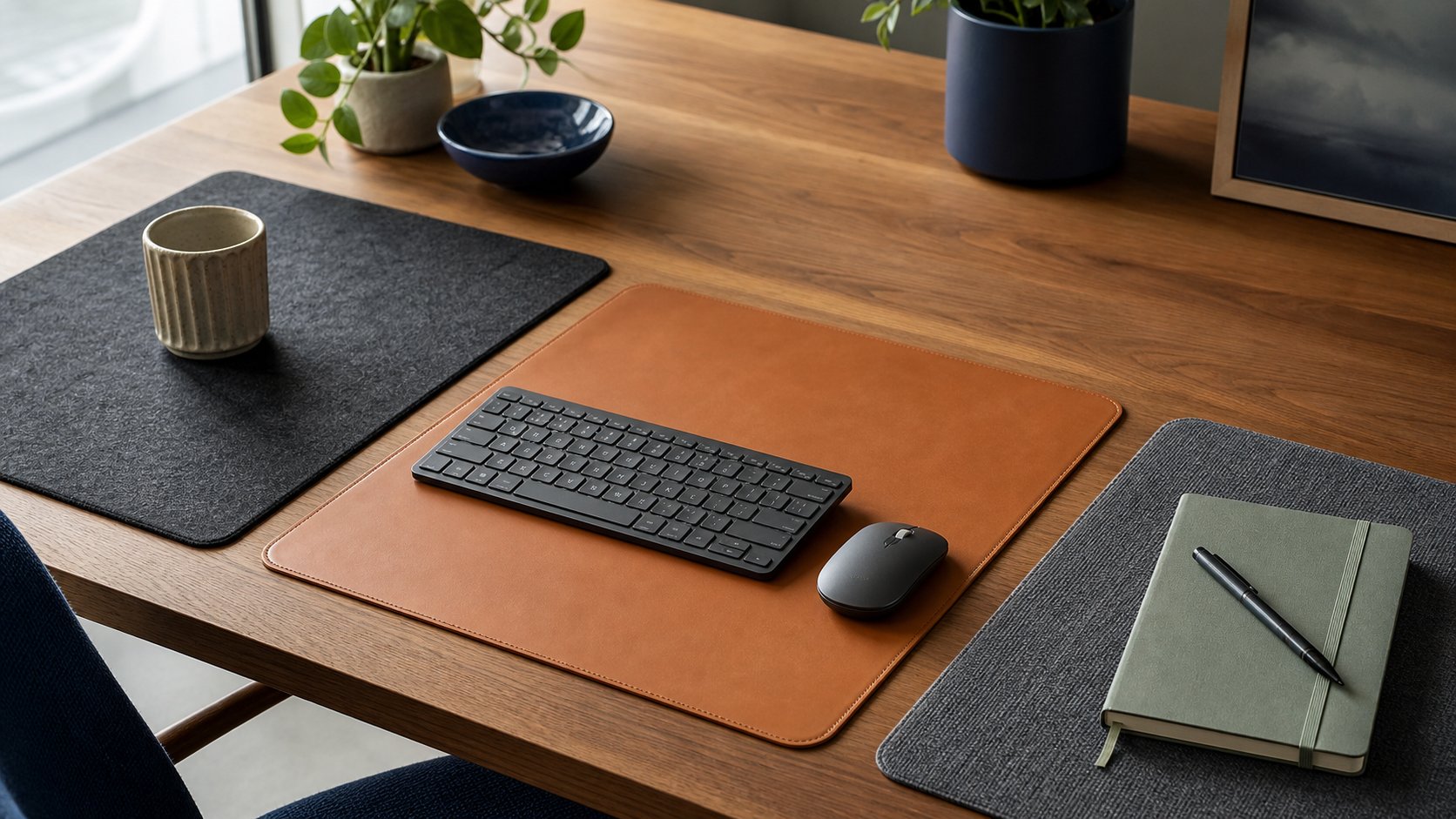
Cloth and woven polyester
Cloth is familiar, quiet and usually forgiving for optical mice. It can absorb skin oils and spills, so check whether the mat can be hand-washed and whether the coating has special instructions.
Linoleum and cork
Linoleum offers a firmer writing surface. Cork protects the desk and adds slight cushioning, but edges can be damaged by soaking or aggressive cleaning.
Synthetic leather
Synthetic leather is easy to wipe and visually clean. It may develop dents under monitor stands and can feel warm against bare forearms.
Wool felt
Felt reduces impact noise and keeps accessories from sliding. It is harder to deep-clean and may not provide the consistent glide preferred for precision pointer work.
Hard plastic or glass
Hard pads provide low friction but can amplify mouse and keyboard noise. Glass requires a compatible mouse sensor and careful edge handling. Neither is the default recommendation for a shared, quiet home office.
Check mouse tracking and keyboard stability
A mat can look excellent while making daily input worse. During the return period:
- Move the pointer slowly across the entire surface and watch for jumps.
- Test selection work at the speed used for spreadsheets or design.
- Confirm the keyboard feet do not rock on stitched borders.
- Check whether the mat creeps when you type.
- Use the setup for at least one long work block.
If a mouse behaves inconsistently, first clean its sensor and test a plain surface. Do not immediately change sensitivity to hide tracking errors.
Avoid monitor and laptop heat problems
Most passive desk mats do not meaningfully cool electronics. Keep laptop intake and exhaust vents clear, especially when a thick felt or layered mat reaches underneath the computer. Do not place a hot power adapter inside a document pocket or beneath a non-breathable pad.
A heavy monitor should normally remain on the desk or an appropriate stand, not on a soft mat that allows the base to wobble. For a raised screen, use the correct monitor-height guide and verify stability.
Cleaning and care
Follow the product instructions because one cleaning method does not suit every surface.
- Blot liquid promptly instead of rubbing it outward.
- Unplug electronics before cleaning around them.
- Avoid bleach and strong solvent unless the maker explicitly allows it.
- Let a washed cloth mat dry completely and flat.
- Lift rather than drag heavy monitor bases.
- Rotate a reversible pad only if both sides are intended for use.
Do not assume “water resistant” means washable or waterproof.
When a desk mat is not worth buying
Skip one when it would cover ventilation, obstruct a clamp, reduce writing stability or solve no actual problem. A small dedicated mouse pad is often better on a very shallow desk. Adhesive cable clips and a separate tray may organize cables more effectively than a premium layered mat.
If the whole surface is crowded, address the layout first with the cable-management guide and small-home-office ideas.
Final recommendation
Choose the Logitech Studio Series for a compact cloth mat; Orbitkey when cable and paper organization justify the thicker construction; Grovemade Matte for a writing-friendly surface; Razer Strider XXL for wide mouse travel; IKEA RISSLA for rigid full-depth coverage; and Oakywood when a quiet felt surface matters most.
Measure width and depth, identify the mess or surface problem you are solving, and test pointer tracking before the return period ends. The best desk mat should disappear into the workflow rather than becoming another item that needs managing.