Best Desk Organizers for Remote Work: 6 Useful Systems
Compare six desk organizers for paper, cables and daily tools, with a method for sizing compartments and keeping storage from becoming another layer of clutter.
What to know first
- Start with the work you do, not the look you want.
- Protect clearances before choosing furniture.
- Spend first on items you touch for hours each day.
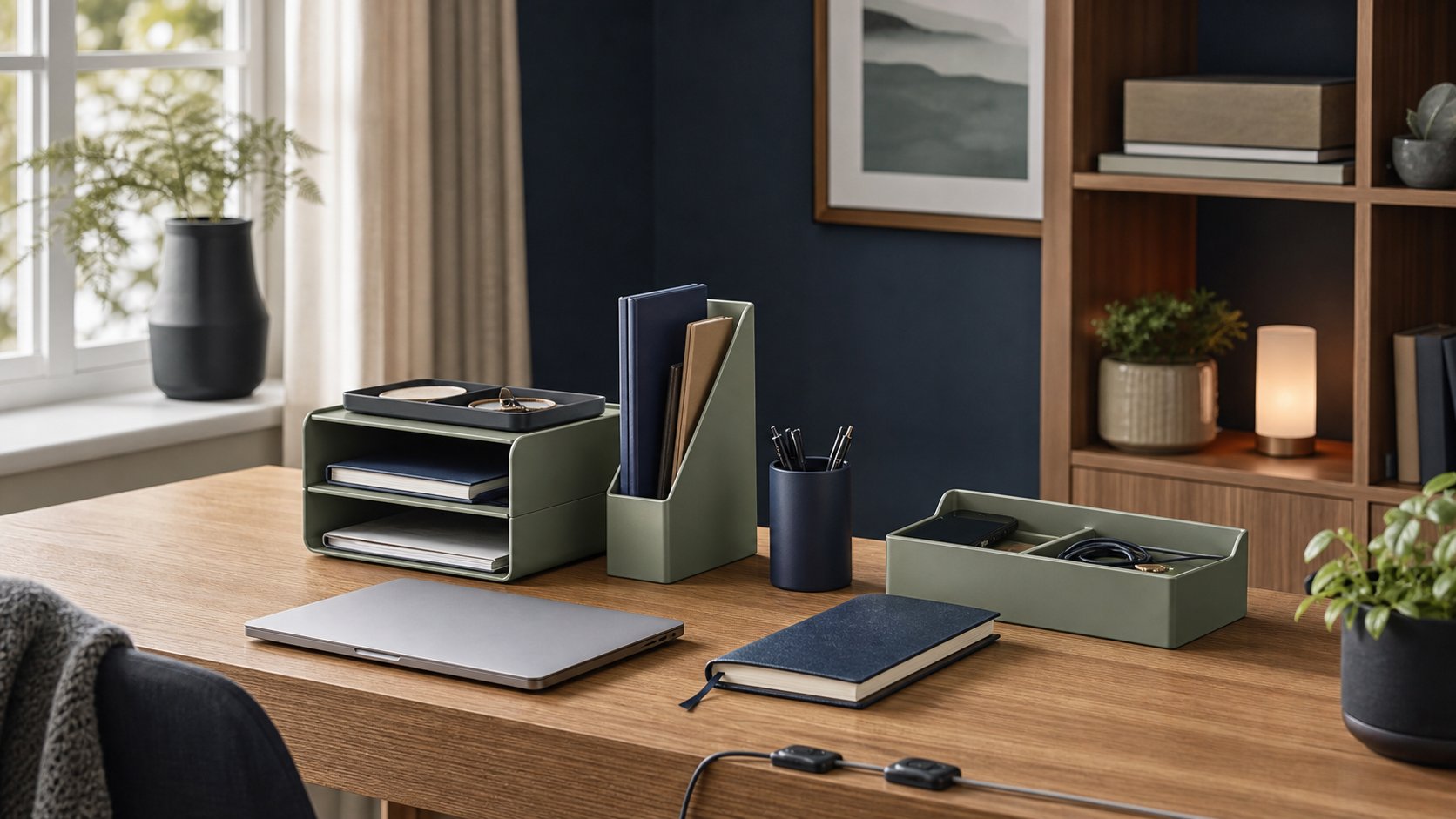
The best desk organizer is sized for the few objects that must stay within reach. It should not become a display case for everything that could fit. Grovemade’s Desk Tray is a premium fixed-compartment choice, Orbitkey Nest v2 works for portable technology, and Bellroy’s Desk Caddy moves easily between home and shared workspaces. For paper-heavy work, a vertical file or monitor stand with a drawer can be more useful than either.
These picks are based on current manufacturer information and distinct workflows. RemoteNest has not tested their long-term wear, so confirm dimensions, materials and return terms for the exact version you buy.
Quick picks
| Organizer | Best use | Format | Main limitation |
|---|---|---|---|
| Grovemade Desk Tray | Permanent premium setup | Low divided tray | Fixed compartments and high price |
| Orbitkey Nest v2 | Small tech and hot-desking | Lidded portable case | Charging requires external power |
| Bellroy Desk Caddy | Work between rooms | Fold-open pouch | Limited paper storage |
| IKEA ELLOVEN | Monitor plus loose paper | Stand with drawer | Raises the monitor by a fixed amount |
| Yamazaki Tower organizer | Mail and notebook staging | Vertical open storage | Contents remain visible |
| Ugmonk Gather | Modular desktop system | Rail and movable pieces | System cost grows with modules |
1. Grovemade Desk Tray: best permanent tray
The Grovemade Desk Tray combines an aluminum chassis with cork compartments. Grovemade publishes three sizes with a common 8.75-inch depth and 1.5-inch height.
Best for: pens, adapters, earbuds and small tools that live at one workstation.
Why it works: the low profile keeps contents visible, and the sizes coordinate with Grovemade desk shelves.
Trade-off: fixed pockets require your belongings to fit the product rather than the reverse. Measure the longest pen, dongle and charging case before ordering. A tray this refined is unnecessary if a simple washable insert would do the same job.
2. Orbitkey Nest v2: best portable tech organizer
The Orbitkey Nest v2 is a lidded organizer with movable dividers and a charging surface. Orbitkey lists dimensions of 240 × 120 × 50 mm and wireless output up to 15 W for compatible devices, with lower output specified for some Apple devices.
Best for: a mouse, short cables, earbuds and adapters that travel between a desk, meeting room and bag.
Why it works: a closed case protects the small kit during transport, while the lid serves as a valet tray.
Trade-off: the wireless charger still needs a cable and compatible power source. Thick cases, device alignment and charging standards affect performance. Do not store a warm power brick in a closed compartment while it is operating.
3. Bellroy Desk Caddy: best room-to-room option
The Bellroy Desk Caddy is a structured zip pouch designed to open into an accessible tool holder.
Best for: workers who alternate between a dining table, home office and coworking space.
Why it works: the whole daily kit can move in one trip and close when work ends.
Trade-off: a pouch is less efficient for full-size documents or objects that must remain visible. Loading every spare cable into it creates the same search problem in a portable format.
4. IKEA ELLOVEN: best monitor stand with a drawer
The IKEA ELLOVEN monitor stand combines a fixed-height platform with a shallow drawer.
Best for: notebooks, sticky notes and small tools where the monitor also needs a modest lift.
Why it works: the area beneath a monitor becomes usable storage without adding another tower to the desk.
Trade-off: monitor height is an ergonomic setting, not a storage decision. A fixed riser is unsuitable when it places the display above your comfortable gaze. Check the complete screen position with the monitor-height guide before keeping it.
5. Yamazaki Tower: best vertical staging area
Yamazaki Home’s Tower desk organizers use compact vertical forms for mail, notebooks and stationery.
Best for: a small number of active documents that would otherwise spread flat across the work surface.
Why it works: vertical storage consumes less desktop width and makes work-in-progress easy to see.
Trade-off: open storage can look busy and collect dust. Tall files can also block a window, lamp or camera frame. Keep only current material there and archive finished work elsewhere.
6. Ugmonk Gather: best modular system
Ugmonk Gather is a modular desktop system built around a base with movable holders and trays.
Best for: a stable desk where the mix of phone, cards, pens and notes changes over time.
Why it works: modules can move instead of forcing one fixed arrangement.
Trade-off: buying multiple pieces can cost much more than a conventional tray. The system still occupies a defined footprint, and unused modules become clutter themselves.
Start with an inventory, not a product
Empty the current desk organizer and sort every object into four groups:
- Used several times each day: keyboard accessories, one pen, current notebook.
- Used weekly: card reader, measuring tape, spare charging cable.
- Reference material: documents that have a specific active purpose.
- No current job: duplicates, dead batteries, obsolete adapters and promotional items.
Only the first group needs immediate reach. Weekly tools can live in a drawer or labeled box. Reference material needs a dated review point. Recycle electronic accessories through an appropriate local service rather than putting unknown batteries in household waste.
Measure the actual kit
Record the longest, widest and thickest daily objects. Then note:
- Clear desktop width and depth
- Maximum safe monitor height
- Drawer opening clearance
- Cable bend radius
- Whether the organizer travels
- Whether it needs to close
- Which hand reaches for each tool
Use the desk accessory fit planner to compare these constraints. Product exterior dimensions do not tell you the usable size of each compartment.
Match storage to the object
Shallow trays
Best for objects used every day. They prevent stacking but consume surface area.
Drawers
Best for items that should disappear visually. Deep drawers need dividers or they become mixed storage.
Vertical files
Best for a small number of active papers and notebooks. Label slots by action—such as “review” or “scan”—rather than vague topics.
Pouches and caddies
Best for mobile work. A complete charging kit can stay together, but every added duplicate increases weight.
Monitor shelves
Best when they improve screen height and create storage simultaneously. Do not compromise viewing position just to gain a drawer.
Pegboards and wall rails
Best for tools that are safe to hang and used frequently. Check wall construction and use suitable fasteners; adhesive failure above electronics can be expensive.
Build a one-touch return rule
An organization system survives when each object can be returned with one simple motion. If a cable must be coiled perfectly, a lid removed and two boxes shifted, it will remain on the desk.
Assign:
- One landing place for the phone
- One live charging cable per device type
- One container for writing tools
- One inbox for unprocessed paper
- One location for adapters
Labels should describe actions. “To file,” “to scan” and “waiting” are more useful than “miscellaneous.”
Keep cables separate from paper
Power and data cables need relaxed bends and ventilation around adapters. Do not trap an energized power brick under paper or in a tightly packed pouch. Route permanent cables with the desk cable-management guide and reserve the organizer for removable accessories.
For wireless-charging organizers, use a compatible listed power supply and inspect cables for damage. Charging features are conveniences, not reasons to ignore heat or electrical condition.
Run a two-week reset
For two weeks, place a small removable marker beside every item you use. At the end:
- Keep daily objects on the desk.
- Move weekly items to nearby storage.
- Archive reference material.
- Donate safe duplicates.
- Recycle failed electronics appropriately.
Then set a five-minute Friday reset. Empty the paper inbox, return adapters and wipe the organizer according to its material instructions.
Common mistakes
Buying more compartments than needed. Empty sections invite random objects.
Using storage to raise a screen. Monitor position should come first.
Keeping every cable nearby. One verified spare is enough for most connectors.
Choosing opaque storage without labels. Hidden clutter is still clutter.
Blocking airflow. Laptops, docks and power supplies need ventilation.
Ignoring dominant-hand reach. A frequently used tray across the body adds needless movement.
Final recommendation
Choose Grovemade for a permanent low-profile premium tray, Orbitkey Nest v2 for a contained technology kit, Bellroy for movement between rooms, IKEA ELLOVEN when its fixed monitor lift is correct, Yamazaki for vertical paper staging, and Gather when modularity justifies the investment.
Start by removing objects, not adding storage. A good organizer gives every necessary item an obvious home and leaves enough clear surface for the work itself.