Best Monitor Arms for Home Offices: 5 Practical Picks
Compare five monitor arms for standard screens, heavy ultrawides and dual displays, then verify weight, VESA pattern, desk strength, clamp clearance and range.
What to know first
- Start with the work you do, not the look you want.
- Protect clearances before choosing furniture.
- Spend first on items you touch for hours each day.
The best monitor arm is the one that supports the screen’s actual weight and VESA pattern, fits the desktop material and reaches the required position without sagging. For most conventional monitors, the Ergotron LX is a strong premium reference. The VIVO STAND-V001Q offers a lower-cost pneumatic option, while the Ergotron HX family handles much heavier displays.
Do not buy by screen diagonal alone. Weight without the original stand, monitor depth, curved-screen leverage and desk construction determine compatibility.
Quick picks
| Use case | Monitor arm | Published capacity |
|---|---|---|
| Best overall standard arm | Ergotron LX | 7–25 lb / 3.2–11.3 kg |
| Best budget dynamic arm | VIVO STAND-V001Q | 2.2–20 lb / 1–9.1 kg |
| Best premium lightweight arm | Humanscale M2.1 | Up to 22 lb / 10 kg in select configurations |
| Best design-focused arm | Herman Miller Flo | 4.4–15.4 lb / 2–7 kg |
| Best for heavy or large displays | Ergotron HX family | Configuration-specific; verify monitor and pivot |
These selections are based on current manufacturer specifications and use cases, not a claim that RemoteNest performed laboratory load testing. Confirm the exact regional model before ordering.
1. Ergotron LX: best overall
The LX is a widely specified gas-spring arm for conventional monitors. Ergotron publishes a 7–25 lb capacity, 13 inches of lift and VESA 75 × 75 and 100 × 100 support for the standard LX family.
Best for: 24- to 34-inch flat monitors within the stated weight range.
Strengths: broad movement, established replacement ecosystem, long warranty and clamp or grommet mounting options on relevant versions.
Trade-offs: premium price, substantial rear extension and a lower limit that can be too high for very light portable displays.
Use Ergotron’s LX dimensional information to model wall clearance and reach. Screen size can exceed a marketing recommendation only when all weight, depth, VESA and clearance requirements still pass.
2. VIVO STAND-V001Q: best budget dynamic arm
VIVO lists the STAND-V001Q for 13- to 32-inch screens weighing 2.2–20 lb, with VESA 75 and 100 patterns, up to 23.5 inches of extension and compatibility with desktops approximately 0.5–3 inches thick.
Best for: a conventional single monitor where price matters and the desk accepts the clamp.
Strengths: broad published weight range, pneumatic adjustment and integrated cable routing.
Trade-offs: less premium finish and support than high-end workplace systems. The screen must stay inside the real weight range after accessories are attached.
Review the current VIVO STAND-V001Q specifications. Do not confuse it with similarly named fixed-pole or mechanical models.
3. Humanscale M2.1: best premium lightweight arm
The M2.1 uses weight-compensating spring technology and Humanscale’s Smart Stop feature. Selected configurations support monitors up to 22 lb, though curved screens and multi-monitor attachments can have lower limits.
Best for: a refined single-monitor workstation where easy adjustment and configurable mounting matter.
Strengths: clean cable management, configurable links and professional workplace support.
Trade-offs: high price and configuration-dependent capacity. Humanscale has also introduced newer M/Class models in some markets, so model naming deserves careful review.
Check the M2.1 configuration page and its linked capacity chart for the exact mount, links and screen shape.
4. Herman Miller Flo: best design-focused arm
The current Flo arm supports flat and curved monitors up to 34 inches within a published 2–7 kg range, with 19 inches of vertical adjustment, VESA mounting and integrated weight indication.
Best for: lighter modern monitors, design-conscious rooms and users who reposition the display often.
Strengths: smooth adjustment, refined cable management and a long commercial warranty.
Trade-offs: lower maximum weight than heavier-duty arms and a premium price.
Herman Miller’s Flo product sheet lists the current screen, tilt and weight range. Older Flo versions may differ.
5. Ergotron HX family: best for heavy displays
The HX line is designed for heavier single, dual and triple configurations. The correct version and pivot matter, particularly for deep curved ultrawides.
Best for: heavy 38- to 49-inch displays, large curved monitors or paired screens that exceed ordinary arm limits.
Strengths: high capacity, large reach and purpose-built heavy-display accessories.
Trade-offs: cost, arm weight, large clamp forces and significant wall clearance. Some ultrawides require the HD Pivot rather than the standard pivot.
Ergotron’s HX documentation lists different capacities for single arms, dual bows and triple kits. The HX dual specifications allow two screens up to 17.5 lb each in that configuration; that does not mean every HX accessory has the same limit.
Measure the monitor correctly
Find the manufacturer’s monitor weight without its original stand. Then add:
- VESA adapter
- Webcam or light mounted to the display
- Soundbar
- Privacy filter
- Attached mini computer
- Any bracket hardware not included in the stated test
Operate with margin rather than exactly at the published maximum.
Curved and unusually deep displays create more leverage than a thin flat panel at the same weight. Use the arm maker’s curved-screen guidance.
Confirm the VESA pattern
Most monitor arms use VESA 75 × 75 mm or 100 × 100 mm patterns. Some monitors need a manufacturer-specific adapter.
Check:
- Hole spacing
- Screw size and depth
- Recessed mounting area
- Adapter availability
- Interference with ports
- Quick-release plate dimensions
Never substitute longer screws without authorization. A screw that reaches internal components can damage the display.
Inspect the desktop
A monitor arm concentrates load at the mount.
Suitable surfaces are usually:
- Solid wood of adequate thickness
- Quality plywood
- Desktops explicitly rated for monitor clamps
- Commercial laminate tops with appropriate structure
Use caution with:
- Hollow-core tops
- Particleboard near an edge
- Glass
- Stone
- Damaged or swollen material
- Narrow rear rails
- Sit-stand cable channels
A reinforcement plate spreads force but cannot make an unsuitable desktop structurally safe.
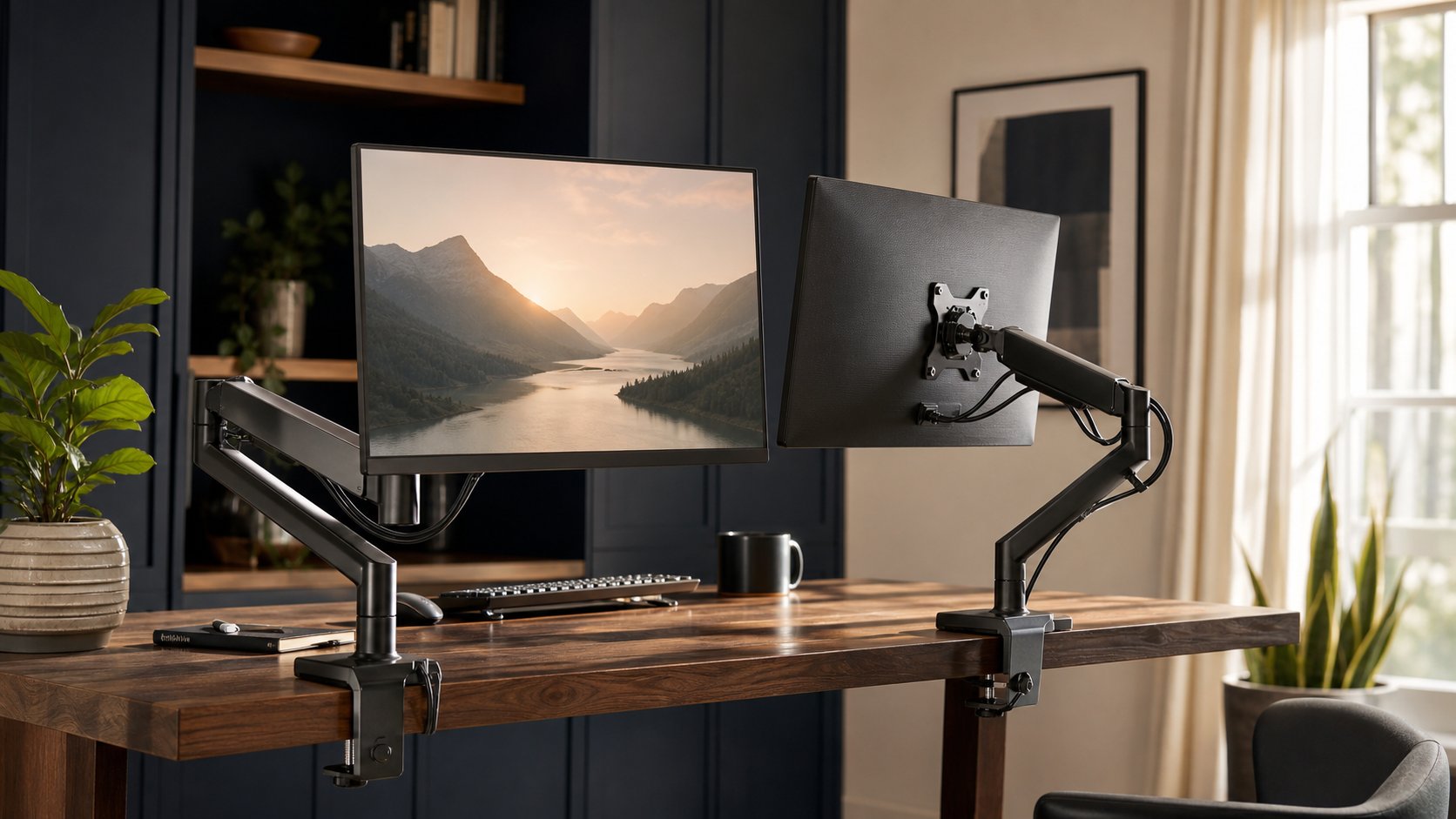
Clamp vs grommet mount
Clamp
Attaches at the edge and is easy to remove.
Check clamp opening, rear clearance and edge construction.
Grommet
Passes through an approved hole and can place the arm away from the edge.
Check hole diameter, underside access and load distribution. Do not drill without understanding the desktop structure and any embedded wiring.
Wall mount
Frees desk space but requires suitable wall structure, correct fasteners and no conflict with sit-stand movement.
Use a qualified installer when wall construction is uncertain.
Calculate rear clearance
Articulating arms often extend behind the desk when the screen moves closer to the wall. Measure:
- Desk-to-wall gap
- Full arm fold
- Window trim
- Shelf depth
- Curtain movement
- Cable bend radius
- Sit-stand travel
A monitor arm can require more wall clearance than the original stand.
Single arms vs dual crossbar
Two independent arms
Advantages: each screen adjusts separately, easier mixed sizes and better future flexibility.
Trade-offs: two clamps and more setup time.
Dual crossbar or bow
Advantages: matching screens align and move together.
Trade-offs: total-load limits, reduced independent movement and concentrated force at one base.
Use the multiple-monitor setup guide before choosing a dual or triple system.
Range matters more than maximum height
The screen must reach low enough as well as high enough. Check:
- Lowest VESA center
- Highest VESA center
- Forward extension
- Side reach
- Tilt
- Portrait rotation
- Folded depth
A tall monitor with a high VESA pattern may remain too high even when the arm is at its minimum.
Cable routing
Leave enough slack for every movement.
- Move the arm to maximum extension.
- Rotate the display to each allowed orientation.
- Tilt fully within the intended range.
- Route cables through clips without tight bends.
- Create a service loop before the computer or dock.
- Test sit-stand travel if applicable.
Do not route a connector so arm movement pulls directly on the monitor port.
Installation checklist
- Remove the monitor from power.
- Protect the screen on a clean padded surface.
- Use the supplied screws and spacers.
- Tighten evenly without overtightening.
- Support the monitor during attachment.
- Adjust spring tension only within instructions.
- Set movement stops where available.
- Recheck the clamp after initial use.
- Keep children from hanging on the arm.
Large or heavy displays often require two people.
Common mistakes
Buying by diagonal size. Weight and depth govern the arm.
Ignoring the lower weight limit. A light display may rise or drift.
Clamping to a hollow top. Surface damage can be sudden.
Forgetting the VESA adapter weight. It counts.
Using one dual arm for mismatched screens. Independent arms may fit better.
Pushing the desk against the wall. The elbow needs clearance.
Hiding cables without service loops. Ports take the strain.
Final recommendation
Choose Ergotron LX for a conventional premium single-monitor setup, VIVO STAND-V001Q for a lower-cost dynamic arm, Humanscale M2.1 or Herman Miller Flo for refined lighter-screen installations, and the correct Ergotron HX configuration for heavy displays.
Before ordering, verify monitor weight without stand, VESA pattern, screen depth, desktop construction, clamp opening and full movement envelope. The best monitor arm is not the strongest model—it is the one whose complete range safely fits your actual screen and desk.