Posture Correctors for Desk Workers: Do They Help?
Review evidence for posture braces, shirts and wearable sensors, including short-term feedback, uncertain lasting benefits, fit risks and better desk alternatives.
What to know first
- Neutral, supported positions matter more than perfect posture.
- Movement throughout the day is part of the setup.
- Persistent pain deserves advice from a qualified clinician.
Posture correctors can provide a short-term reminder or change alignment while worn, but evidence does not show that generic braces create a permanently “correct” posture for desk workers. Wearable feedback sensors may improve awareness during use, yet studies are small, varied and generally short.
A device should not replace workstation adjustment, movement, strengthening prescribed for an individual or assessment of persistent symptoms.
Evidence at a glance
| Claim | Current evidence |
|---|---|
| Reminds the user when they slouch | Plausible; feedback devices can do this during use |
| Changes alignment while worn | Some short-term studies report changes |
| Permanently fixes posture | Not established |
| Treats neck or back pain | Not established for generic consumer devices |
| Strengthens postural muscles | Not established |
| Prevents all desk discomfort | No |
| Can cause irritation or pressure | Yes |
| May help as part of clinical care | Possibly, when professionally selected |
There is no single perfect sitting shape to maintain all day.
What the research says
A 2026 systematic review of wearable posture devices found that several studies reported immediate improvements in alignment, awareness or self-reported outcomes. However, devices and protocols differed substantially, samples were small, follow-up was short and many studies lacked strong independent control groups.
A 2024 rapid review of biofeedback wearables similarly found promising short-term changes in selected movements, while emphasizing varied methods and limited evidence.
These reviews include sensors, feedback systems and specialized supports—not only inexpensive shoulder straps sold online. Results cannot be generalized to every consumer corrector.
Posture is not one fixed position
Comfortable desk work allows variation:
- Upright task sitting
- Supported recline
- Brief forward movement
- Standing
- Walking
- Reaching within a normal range
The problem is often prolonged exposure, poor fit or workload rather than deviation from a photograph.
A brace that forces one position can reduce useful movement.
Types of posture corrector
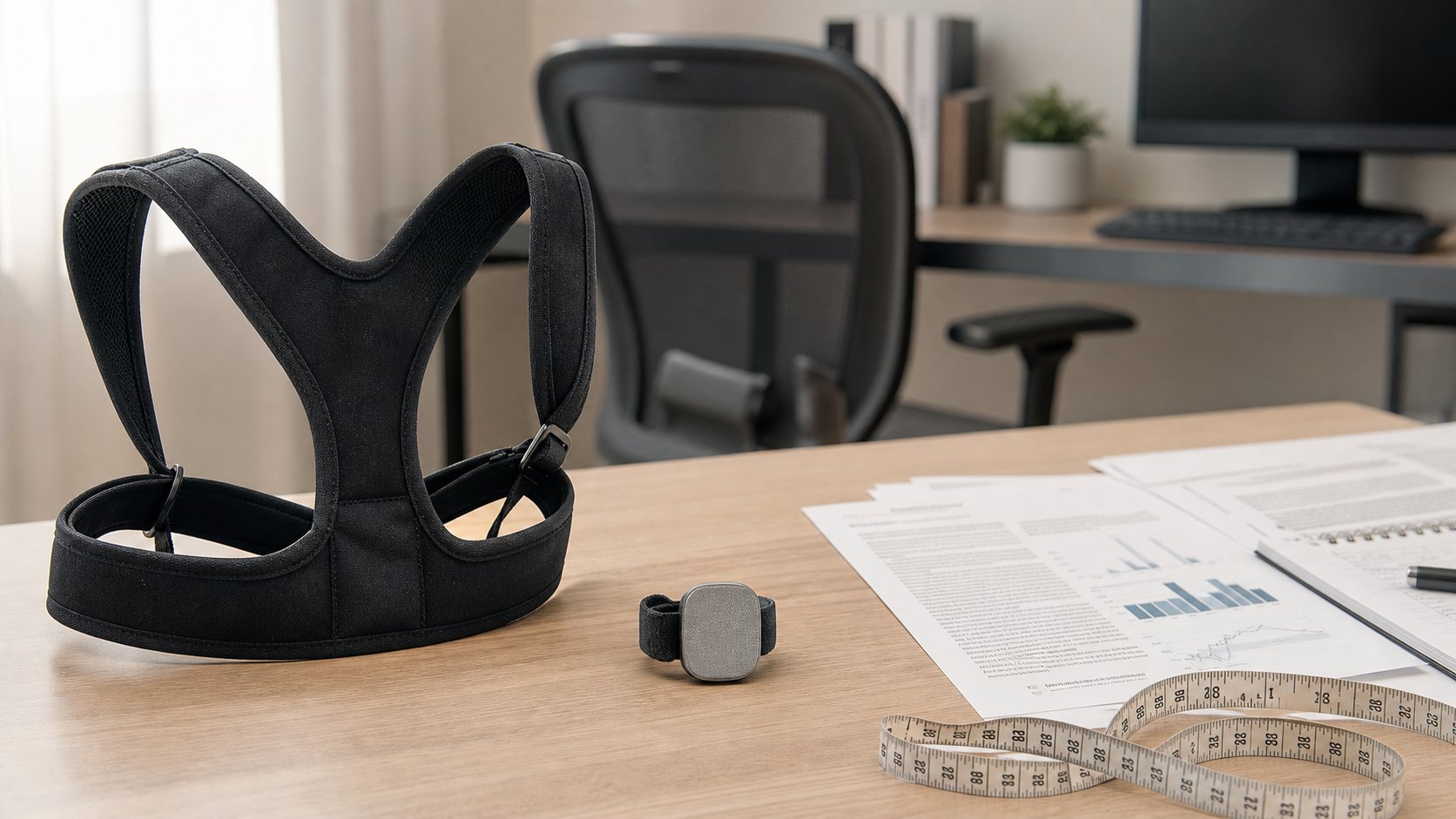
Shoulder strap brace
Elastic straps pull the shoulders backward.
Possible use: tactile reminder for short periods.
Limitations: pressure near the armpits, skin irritation, restricted movement and no direct correction of desk height.
Posture shirt
Elastic panels create tension across the torso.
Possible use: lower-profile cue under clothing.
Limitations: heat, compression, sizing and washing durability.
Wearable sensor
A small device vibrates or alerts when the torso exceeds a calibrated angle.
Possible use: awareness and behavior experiment.
Limitations: false alerts, privacy, app dependency and a definition of “bad posture” that may be too rigid.
Medical orthosis
A clinician-prescribed brace addresses a diagnosed condition.
This is not interchangeable with a generic consumer posture corrector. Follow clinical instructions.
What a corrector cannot fix
A device cannot lower a desk, enlarge text or move the mouse.
Common drivers of awkward position include:
- Screen too low
- Text too small
- Keyboard too far away
- Chair too low for the desk
- Unsupported feet
- Laptop-only setup
- Glare
- Fatigue
- Long uninterrupted sessions
- Vision needs
Fix the workstation first. The free ergonomic changes provide a practical order.
Why pulling the shoulders back may not help
Aggressively retracting the shoulders can create tension rather than neutral support. The arms need to reach the keyboard naturally.
If a brace pulls the shoulders behind the torso while the keyboard stays forward, the user may lean, shrug or strain to type.
A comfortable position keeps input devices close and allows the backrest to share support.
Wearable sensors as reminders
Feedback devices differ from braces because they cue the user rather than mechanically hold the body.
A reasonable experiment might be:
- Calibrate in a comfortable, supported position.
- Use during one short desk block.
- Record false and useful alerts.
- Respond by changing position—not repeatedly forcing the chest upward.
- Stop if alerts create anxiety or distraction.
The device should prompt awareness, not punish normal movement.
Fit and safety concerns
Stop using a corrector if it causes:
- Numbness or tingling
- Skin injury
- Breathing restriction
- Increased pain
- Arm swelling
- Dizziness
- Chafing
- Weakness
Do not wear a generic brace over wounds or after surgery without medical advice. Pregnancy, respiratory conditions, circulation issues and neurological symptoms can require individualized guidance.
Can a posture corrector weaken muscles?
Claims that every brace inevitably weakens muscles are too broad. Evidence for consumer products is limited, and effect depends on rigidity, duration, condition and activity.
The safer conclusion is that passive support does not replace active capacity, movement or prescribed exercise. Avoid prolonged unsupervised use that makes you dependent on the device for ordinary sitting.
Does it help pain?
Pain is influenced by sleep, stress, workload, previous injury, physical capacity, health conditions and many other factors.
A short-term cue may feel helpful, but improvement does not identify the cause. Conversely, discomfort while “sitting straight” does not mean the body is damaged.
Persistent, severe or worsening pain deserves qualified assessment. Seek urgent care for symptoms such as major trauma, new weakness, loss of bladder or bowel control, fever with severe pain or other concerning changes.
Better first-line desk changes
Raise readable content
Bring the monitor closer or increase text size before extending the neck forward.
Move input devices closer
Keep elbows near the torso and the pointer beside the keyboard.
Support feet
Use floor or a stable footrest.
Use the backrest
Supported recline is a valid position.
Change position
No support removes the need to move.
Adjust workload
Breaks cannot compensate for an impossible volume of repetitive work.
Use the sitting-position guide for a complete setup.
Strength and mobility
General physical activity and appropriate strengthening can support capacity, but an internet exercise list is not a personalized treatment plan.
A physical therapist or other qualified clinician can assess:
- Symptom behavior
- Joint range
- Strength
- Work tasks
- Relevant health history
- Device suitability
Do not exercise through progressive neurological symptoms.
A one-week posture experiment
Day 1
Photograph the desk from the side for setup—not body judgment. Check screen, keyboard and feet.
Day 2
Increase text size and move the screen.
Day 3
Adjust chair and input distance.
Day 4
Add two movement breaks.
Day 5
Try one short corrector or sensor session only if still curious and medically appropriate.
Compare comfort, distraction and movement. Do not compare only how “straight” a photo appears.
How to choose a device cautiously
If trying one:
- Prefer a clear return policy.
- Avoid disease-treatment claims.
- Choose breathable washable material.
- Check exact sizing.
- Use minimal effective tension.
- Set a short trial period.
- Avoid apps that demand unnecessary health data.
- Review battery and charging safety.
- Ask a clinician if symptoms or conditions are present.
A more forceful brace is not necessarily more effective.
Data privacy for smart sensors
A posture app may collect:
- Movement data
- Wearing schedule
- Device identifiers
- Account information
- Location or analytics
Read permissions, retention and deletion controls. Do not install unapproved software on a work computer or expose health-related data unnecessarily.
Common marketing red flags
- “Fix posture permanently in seven days”
- Guarantees to eliminate pain
- Universal sizing
- Claims to strengthen muscles passively
- Before-and-after photos without controlled methods
- Medical claims without device authorization
- Instructions to wear all day immediately
- No contraindications or stop-use guidance
A consumer testimonial cannot establish treatment effectiveness.
Common mistakes
Tightening until the shoulders are forced back. More tension can create pressure.
Wearing it instead of adjusting the monitor. The cause remains.
Holding one position for hours. Variation matters.
Using pain as proof it is working. Stop and reassess.
Confusing a generic strap with a prescribed orthosis. They serve different purposes.
Treating posture as morality. Bodies move and vary.
Final recommendation
Do not buy a posture corrector expecting a permanent fix. A wearable sensor or lightly fitted reminder may help short-term awareness, but current evidence is too limited to support broad claims about lasting posture change or pain treatment.
Adjust screen, chair, keyboard, mouse and text first. Move throughout the day. If symptoms persist or a brace seems medically relevant, ask a qualified clinician to determine whether any device belongs in the plan.