How to Build a Complete $500 Home Office Setup
Build a practical $500 home office with a used task chair, stable desk, monitor and essential accessories using a realistic allocation and downloadable budget sheet.
What to know first
- Start with the work you do, not the look you want.
- Protect clearances before choosing furniture.
- Spend first on items you touch for hours each day.
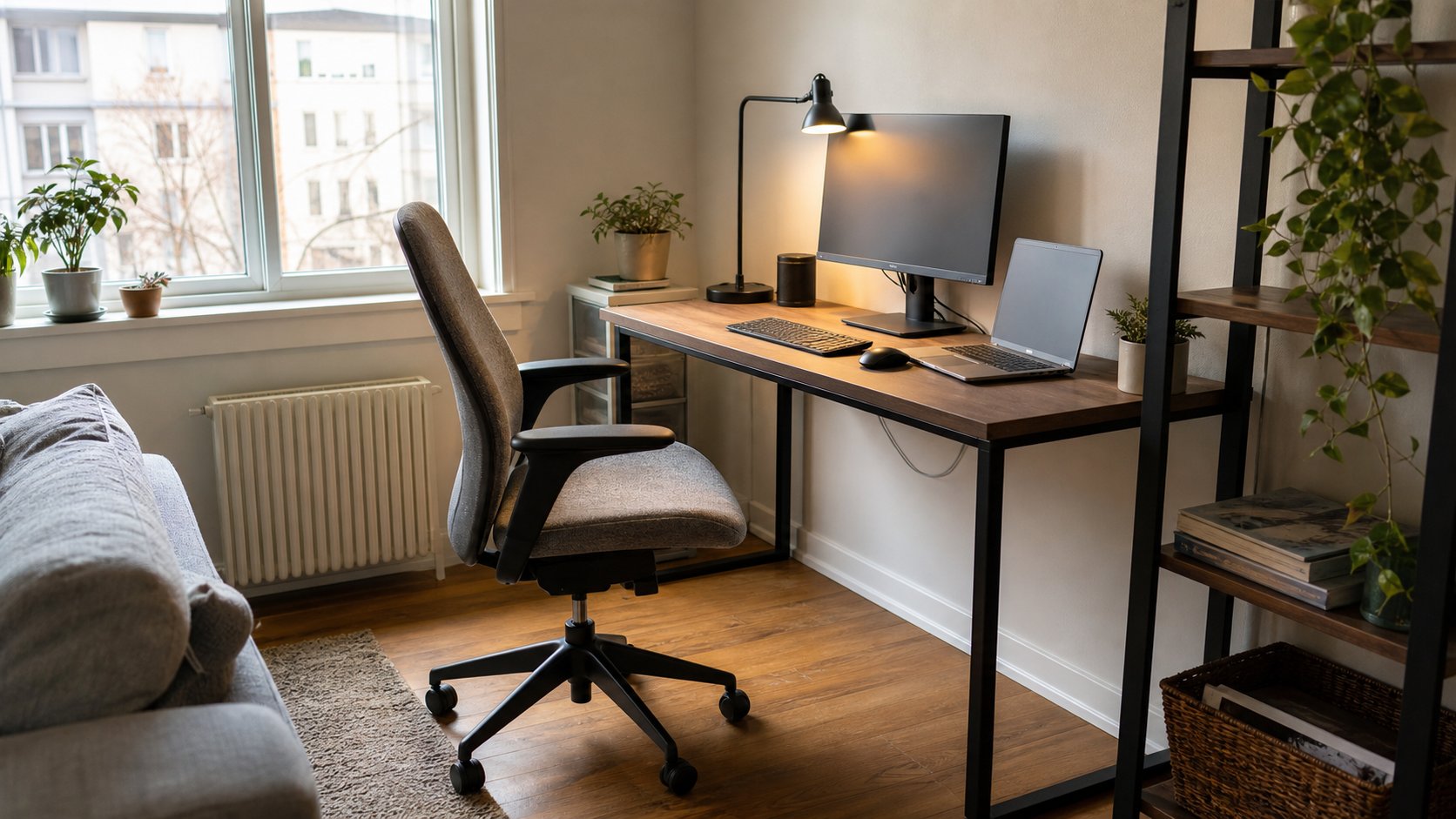
A $500 home office can include a good used task chair, stable fixed desk, basic monitor, keyboard and mouse, task light, cables and a small contingency—assuming you already have a suitable computer. Spend on fit and reliability before visual matching.
The plan below uses realistic category limits rather than temporary product prices. Local used markets, tax and delivery will change the exact mix.
Download the $500 Home Office Budget CSV
Balanced $500 allocation
| Category | Budget |
|---|---|
| Used or entry-level task chair | $200 |
| Stable fixed desk | $100 |
| Monitor | $100 |
| Keyboard and mouse | $35 |
| Task light | $20 |
| Network, power and cables | $25 |
| Contingency | $20 |
| Total | $500 |
This budget assumes the room, internet service and computer already exist. If a computer must be included, change the scope rather than buying unsafe or unsuitable furniture.
Step 1: inventory what you own
Before spending, list:
- Computer and charger
- Existing table
- Chair
- Monitor or television
- Keyboard and mouse
- Lamp
- Ethernet cable
- Headset
- Power protection
- Storage
Mark each item as usable, temporary, unsafe or missing. Reusing a stable table can move $100 into the chair or monitor.
Step 2: measure the room
Record:
- Available wall width
- Maximum desk depth
- Chair clearance
- Door and drawer swing
- Outlet location
- Window glare
- Heater or radiator clearance
- Stair, elevator and vehicle limits
Tape the proposed desk footprint on the floor, including the chair pulled back.
A bargain desk that blocks a door or cannot enter the room has no value.
Chair: allocate $200
At this budget, a used commercial task chair often beats a new decorative chair.
Look for:
- Working seat-height adjustment
- Seat depth that does not press behind knees
- Back support that fits
- Stable five-point base
- Smooth recline
- Armrests that do not raise shoulders
- Suitable size and load rating
- Replaceable casters or gas lift
Test it for at least ten minutes when possible. Inspect the secondhand gear guide before collection.
New chair alternative
If buying new, prioritize adjustment and return policy over thick padding. Marketing terms such as “orthopedic” or “gaming ergonomic” do not prove fit.
Do not spend half the budget on a final-sale chair you cannot test.
Desk: allocate $100
A basic fixed desk or used office table provides more stability per dollar than a very inexpensive motorized frame.
Require:
- Sufficient depth for the screen
- Clear knee space
- Stable frame
- Sound surface
- Appropriate load rating
- Safe edges
A used dining table can work if its height and depth fit. Drawer desks often reduce leg space.
Tabletop and legs
A separate top and legs can fit unusual rooms, but confirm:
- Maximum unsupported span
- Screw length
- Top material
- Leg attachment points
- Bracing
- Delivery cost
Do not improvise structural furniture with damaged boards or unstable supports.
Monitor: allocate $100
Used 24-inch business monitors are often available within this amount. A new basic monitor may also fit during ordinary promotions.
Check:
- Resolution
- Digital inputs compatible with the computer
- Stand stability
- Brightness controls
- VESA holes if needed later
- Power adapter
- Panel damage
- Return or test period
A 24-inch 1080p monitor can be completely adequate for documents, calls and general office work. Text clarity at your viewing distance matters more than diagonal size.
Use the monitor sizing guide before choosing 27 or 32 inches.
Keyboard and mouse: allocate $35
Simple wired devices avoid battery and pairing problems. A basic wireless set can work when the receiver and security policy are suitable.
Check:
- Correct regional keyboard layout
- Comfortable front height
- Mouse size
- Required number pad
- USB-A or USB-C availability
- Noise in the room
A compact keyboard can bring the mouse closer, but do not remove keys used constantly.
Task light: allocate $20
Use daylight and room light first. Add one adjustable lamp for paper and keyboard tasks.
Look for:
- Stable base or secure clamp
- Shade or diffuser
- Replaceable bulb where practical
- Correct regional certification
- No visible damage
Aim the light across the task instead of into the display.
Network, power and cables: allocate $25
This small category may cover:
- Ethernet cable
- Video adapter
- Reusable cable ties
- Certified surge protector contribution
- Replacement data cable
Do not buy an unknown charger, damaged extension cord or unverified power strip to stay under budget. Electrical safety can justify shifting money from another category.
A surge protector is not a UPS. Read the surge protector guide before replacing power equipment.
Keep a $20 contingency
Reserve it for:
- Tax
- Delivery
- Missing cable
- Chair caster
- Return transport
- Simple foot support
Do not spend the reserve on desk decor before using the setup.
Plan A: existing table
When the current table is safe and deep enough:
| Category | Budget |
|---|---|
| Chair | $250 |
| Monitor | $120 |
| Keyboard and mouse | $45 |
| Lighting | $30 |
| Network and power | $30 |
| Contingency | $25 |
| Total | $500 |
This is often the strongest version because it invests in the chair and display.
Plan B: employer provides monitor
| Category | Budget |
|---|---|
| Chair | $250 |
| Desk | $140 |
| Input devices | $45 |
| Lighting | $25 |
| Network and power | $20 |
| Contingency | $20 |
| Total | $500 |
Verify whether employer equipment must be returned in original packaging.
Plan C: small-space setup
| Category | Budget |
|---|---|
| Compact chair | $180 |
| 100–120 cm desk | $120 |
| 24-inch monitor | $100 |
| Keyboard and mouse | $35 |
| Lighting | $25 |
| Cable routing and power | $20 |
| Contingency | $20 |
| Total | $500 |
Do not choose a shallow console merely because it is narrow. Preserve viewing distance.
Where to shop
- Office liquidators
- Local classifieds
- University or government surplus
- Refurbishers
- Charity furniture stores
- Retail clearance
- Employer equipment programs
Compare delivered cost. A $60 desk located two hours away may cost more than a $90 local option.
Used monitor checklist
- Display a light background for dark marks.
- Display a dark background for bright pixels and glow.
- Test every needed input.
- Check native resolution.
- Inspect the power connector.
- Confirm stand adjustment.
- Look for cracks and pressure damage.
- Verify the included cable.
Avoid a monitor that cannot be tested unless the return terms justify the risk.
Used chair checklist
- Gas lift holds height
- Recline locks and releases
- Base is not cracked
- Casters roll evenly
- Seat is not twisted
- Upholstery has no pests, moisture or strong odor
- Controls are present
- Model label matches the listing
Replacement upholstery can erase the saving.
Free improvements
Before buying accessories:
- Center the monitor
- Increase text size
- Bring keyboard and mouse closer
- Clear knee space
- Route cables away from feet
- Face the desk to reduce glare
- Use broad books as a stable temporary monitor riser
- Test footrest height with a firm non-slip box
The free alternatives guide shows safe prototypes.
What to postpone
At $500, usually defer:
- Decorative LED lighting
- Second monitor
- Premium microphone
- Motorized desk
- Monitor arm without a measured need
- Matching storage system
- Smart desk accessories
- Large speaker system
Add them after the core setup works.
Hidden costs
Include:
- Tax or VAT
- Delivery
- Pickup fuel
- Carrying help
- Assembly tools
- Video adapter
- Return shipping
- Recycling
- Replacement power cable
Write these in the budget before comparing options.
Common mistakes
Using the whole budget on a chair. The rest of the system still needs to function.
Buying a $100 sit-stand frame. Stability and support may be inadequate.
Choosing a shallow desk. Monitor distance disappears.
Ignoring the computer’s ports. Adapters consume budget.
Buying storage first. Learn what needs storing.
Treating used electrical equipment like used furniture. Risk is different.
Spending contingency immediately. Keep it until setup is tested.
Upgrade path
After one month, identify the repeated limitation.
Possible next upgrades:
- Better chair components
- Monitor riser or arm
- Dock or hub
- UPS
- Second monitor
- Sit-stand desk
- Storage
Use the $1,000 office plan when the budget later expands.
Final recommendation
Allocate roughly $200 to a chair, $100 each to desk and monitor, $35 to input devices, $20 to lighting, $25 to network and power and $20 to contingency.
Buy used seating and simple furniture where inspection is possible. Keep electrical equipment verifiable and safe. A successful $500 setup is stable, readable and comfortable enough for real work—not a miniature version of a luxury desk photograph.