Best Standing Desk Converters: 4 Risers Compared
Compare four standing-desk converters by lift path, keyboard height, capacity and footprint, then check whether a riser fits seated and standing posture.
What to know first
- Start with the work you do, not the look you want.
- Protect clearances before choosing furniture.
- Spend first on items you touch for hours each day.
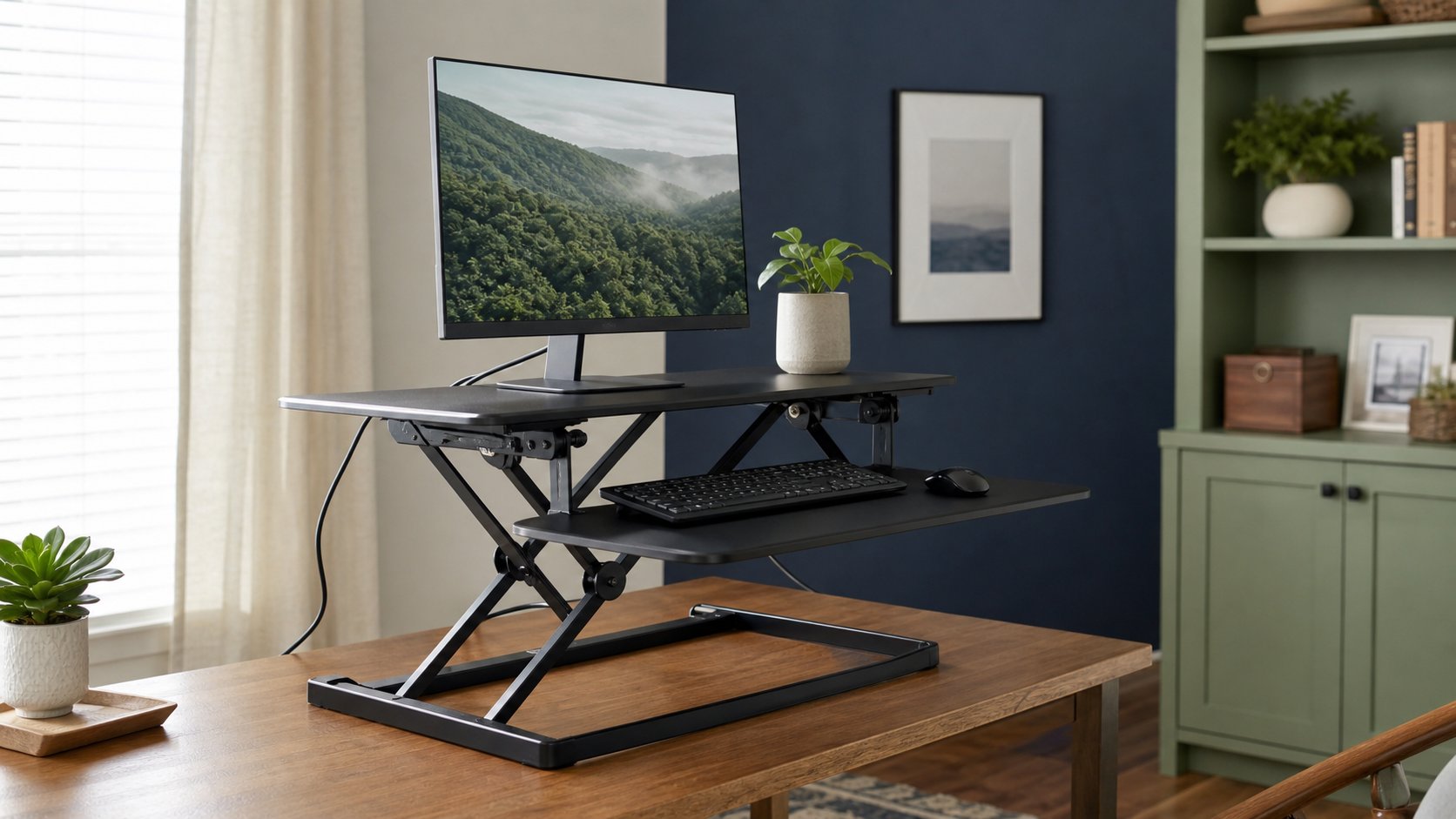
The best standing desk converter is the one that reaches a comfortable keyboard height while sitting and standing without overwhelming the existing desk. VariDesk Pro Plus 36 offers a broad, familiar two-tier platform. Ergotron WorkFit-TX prioritizes a low seated profile and adjustable keyboard tray. Humanscale QuickStand Eco uses a compact column design, while FlexiSpot’s M7 family is a lower-cost option in several widths.
Converters are compromises. They add weight and height to a desk, reduce clear surface and may move the keyboard toward the user. This comparison uses published specifications rather than RemoteNest laboratory testing. Confirm the exact current variant because similarly named widths and electric versions differ.
Quick comparison
| Converter | Best for | Published lift or capacity | Important constraint |
|---|---|---|---|
| VariDesk Pro Plus 36 | Broad dual-level surface | 4.5–17.5 in; 35 lb | Rowing lift moves toward user |
| Ergotron WorkFit-TX | Low seated keyboard position | 17 in lift; 10–40 lb load | Large, heavy and expensive |
| Humanscale QuickStand Eco | Compact integrated monitor setup | Up to 18.6 in adjustment; configuration-specific capacity | Monitor mounting and configuration matter |
| FlexiSpot M7 family | Value and size choice | Variant-specific; commonly up to about 33 lb | Specifications vary by width and seller |
Capacity is not permission to lean on the front edge. Count monitors, stands, laptop, speakers and accessories, then leave margin.
1. VariDesk Pro Plus 36: best broad manual platform
The VariDesk Pro Plus 36 is a spring-assisted two-level converter with 11 height positions. Vari publishes a 4.5- to 17.5-inch range and 35-pound capacity for the manual 36-inch version.
Best for: one or two displays and a full keyboard where a deep desk can accommodate the mechanism.
Strengths: wide work surface, separate keyboard level and minimal assembly.
Trade-offs: the rowing lift arcs forward, increasing the space occupied when raised. The product itself is heavy, and fixed height stops may fall between one user’s ideal settings.
Before ordering, mark the full raised footprint with tape. Include the user’s standing position; a converter that moves toward the front can push the chair and body farther into the room.
2. Ergotron WorkFit-TX: best seated keyboard geometry
The Ergotron WorkFit-TX raises vertically and folds to a low profile. Ergotron publishes 17 inches of surface adjustment plus 3 inches of independent keyboard adjustment, a 10- to 40-pound operating capacity and a 32 × 27-inch work surface.
Best for: users who need a low keyboard position while seated and straight vertical lift.
Strengths: independently adjustable back-tilt keyboard tray, continuous positioning and a low folded height.
Trade-offs: the large footprint, substantial product weight and premium cost can approach or exceed the case for replacing the desk. The minimum operating load also matters; a nearly empty surface may not behave as intended.
Check the supporting desk’s load rating and construction. A converter, monitor and arm can create a concentrated load that a weak hollow-core top was never designed to carry.
3. Humanscale QuickStand Eco: best compact column design
The Humanscale QuickStand Eco uses a central column with an integrated equipment arrangement rather than a broad X-frame platform. It is offered in laptop, single-monitor and dual-monitor configurations.
Best for: a visually lighter setup where the correct monitor mount can be specified in advance.
Strengths: smaller visual footprint, monitor integration and a movement path that does not require a wide folding base.
Trade-offs: the exact configuration determines screen support, capacity and cost. The work surface is not a replacement for a large desk, and a proprietary arrangement can be less flexible when monitors change.
Verify VESA pattern, screen weight without its stand and the combined monitor configuration. Do not assume a single-monitor model can accept a second display later.
4. FlexiSpot M7 family: best value range
FlexiSpot sells the M7 AlcoveRiser family in several widths and regional variants. These use a gas-spring-assisted lift and a separate keyboard tray.
Best for: shoppers who need a conventional converter at a lower cost and can verify the exact listing.
Strengths: multiple widths, broad height range on common versions and a detachable lower tray.
Trade-offs: model names, top capacities and tray capacities vary. Marketplace listings may combine reviews or specifications for several sizes.
Match the model number on the product, manual and seller page. Treat keyboard-tray capacity separately from top-platform capacity, and include the weight of any monitor stand.
Determine whether a converter can fit you
A converter has to pass two keyboard-height tests.
Seated position
Sit with feet supported and shoulders relaxed. Measure from the existing desktop to the desired keyboard surface. If the converter’s lowest tray is already too high, no standing range can fix the seated posture.
Standing position
Stand in comfortable shoes with elbows near the torso. Measure the keyboard height without lifting the shoulders or bending the wrists upward. Compare that required rise with the converter’s keyboard tray—not only its upper monitor platform.
Use the standing-desk height calculator for a starting estimate, then refine it through comfort and neutral positioning.
Measure the desk, room and equipment
Record:
- Desk width, depth and thickness
- Clear area beneath the converter
- Desk load rating and material
- Converter product weight
- Full equipment weight
- Lowest and highest keyboard level
- Raised front and rear reach
- Screen height range
- Cable route to power and computer
Download the desk accessory fit planner and photograph the current cable path before disconnecting anything.
A desk against a wall may not suit a rear-projecting mechanism. A shallow desk may not support the entire base. Never let feet or frame members hang beyond the manufacturer’s required support area.
Monitor height remains a separate problem
The upper deck raises the screen and keyboard together. Human proportions do not scale in one fixed ratio, so the monitor may still be too low or too high.
Possible solutions include:
- A manufacturer-approved monitor arm
- A stable low monitor riser
- A separately adjustable keyboard tray
- A different converter configuration
Count every adapter and arm in the load. Check that an arm’s clamp is allowed on the converter; not every platform can take concentrated clamp pressure.
For screen placement, follow the correct monitor-height guide.
Standing is not the goal by itself
NIOSH’s guidance on prolonged standing emphasizes dynamic movement rather than remaining in one static posture. A converter is useful when it makes changing position easy.
Start with short standing periods and alternate among sitting, standing and walking. Use a movement reminder if transitions disappear during focused work. Standing for hours without moving is not an ergonomic victory.
An anti-fatigue mat may improve perceived comfort for some users, but it does not replace supportive footwear, appropriate height or movement. Read what anti-fatigue mats can and cannot do.
Cable and lift safety
A converter changes the distance between equipment and wall outlets.
- Raise it to maximum height while supporting cables.
- Leave service loops at the monitor and laptop.
- Keep cords away from scissor mechanisms.
- Check that plugs cannot be pulled sideways.
- Lower the unit slowly while watching every cable.
- Secure the fixed portion to the desk.
Keep fingers, loose clothing and children’s hands away from pinch points. Follow the maker’s lifting method and use two people to position a heavy unit on the desk.
Test during the return window
Run a realistic sequence:
- Type for 30 minutes seated.
- Raise the loaded converter.
- Type for 30 minutes standing.
- Make a video call.
- Move the mouse across its full range.
- Lower the setup without moving accessories.
- Check screen wobble and keyboard bounce.
- Inspect the supporting desk.
The converter fails if the seated position is worse, even when standing feels good.
When a full sit-stand desk is better
Choose a complete height-adjustable desk when:
- The converter makes the seated keyboard too high.
- The existing desktop is weak or shallow.
- You need a large continuous writing area.
- Several monitors exceed practical converter capacity.
- A converter plus accessories costs nearly as much as a suitable desk.
- The forward lift path blocks the room.
A full desk also has trade-offs, including assembly, minimum height and moving complexity. Compare standing versus sitting desk options before replacing furniture.
Final recommendation
Choose VariDesk Pro Plus 36 for a broad conventional surface, WorkFit-TX when seated keyboard position and vertical lift justify its size and cost, QuickStand Eco for an integrated compact monitor configuration, and the correct FlexiSpot M7 variant for value.
Measure the lowest keyboard position first, then standing height, footprint, load and cable travel. A useful converter makes transitions easy without turning the existing seated workstation into a compromise.